
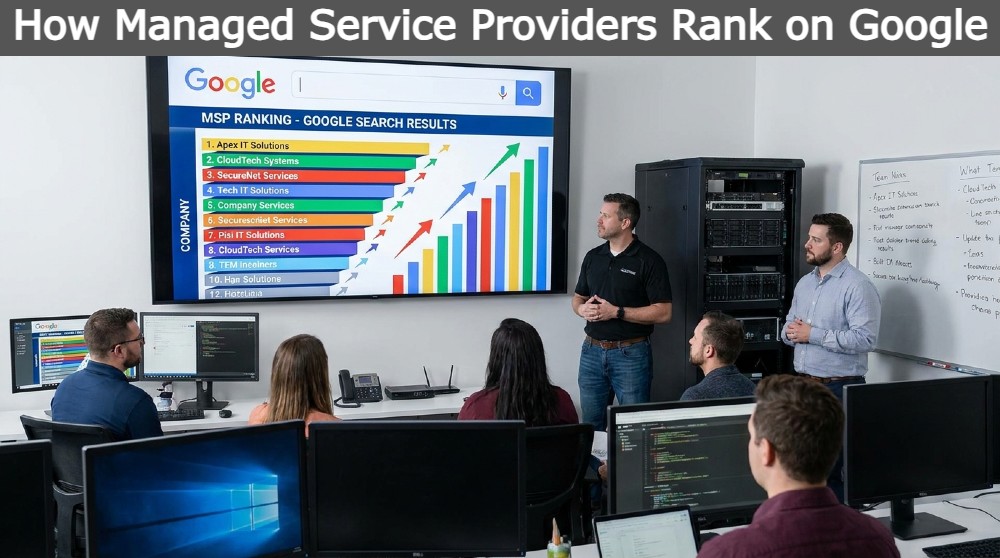
MSP SEO is the process of optimising a managed service provider’s website so it ranks on Google for the terms that real IT buyers search for. Done properly, it brings in qualified leads instead of just visitors. This guide walks through how to research keywords, structure your site, and build content that turns search traffic into signed contracts.
What Is MSP SEO and Why It Matters in 2026
MSP SEO means tailoring your website, content, and local listings around the specific way businesses search for managed IT services, rather than generic “IT company” phrases. In 2026, most buyers start their vendor search on Google, so ranking for the right terms directly affects how many enquiries you get.
The market has also got more competitive. More providers now market themselves online, which means vague positioning no longer works. MSPs that rank well are the ones that speak directly to a buyer’s problem, industry, and location.
How Google Traffic Turns Into Managed Service Contracts
Google traffic becomes a contract when the right person, searching with buying intent, lands on a page that answers their question and makes contacting you easy. It’s a chain: keyword match, relevant content, clear next step.
A visitor who searches “managed IT support for law firms in Manchester” already knows what they need. If your page speaks to that exact situation, and has a visible phone number or contact form, the enquiry follows naturally.
Where this breaks down is when MSPs rank for broad terms but the page doesn’t match what the searcher actually wants. Traffic goes up, but enquiries don’t.
Why Generic “IT Company” SEO Fails Most MSPs
Generic IT SEO fails because “IT company” and “IT support” are broad terms used by everyone from freelance repair technicians to large enterprise vendors. You end up competing with businesses that aren’t even direct competitors, and the traffic you do get is often the wrong fit.
Buyers looking for a managed service provider usually want:
- Ongoing support, not one-off fixes
- A partner who understands their industry
- Someone local, or at least in their time zone and region
Generic keywords don’t filter for any of this, so conversion rates stay low even if rankings look good.
How to Find the Right SEO Keywords for Your MSP Website
SEO keywords for your MSP website should reflect what your buyers actually type when they’re ready to compare providers, not the terms with the highest search volume. Start with buyer intent, then build outward into services, industries, and locations.
Understanding Buyer Intent for Managed IT and MSP Services
Buyer intent for MSP services usually falls into three stages: researching a problem, comparing providers, and looking for a quote. Each stage needs different content.
- Problem-stage searches: “why is my network so slow”, “signs you need managed IT”
- Comparison-stage searches: “best MSP for accounting firms”, “managed service provider vs in-house IT”
- Ready-to-buy searches: “IT support quote [city]”, “MSP pricing for small business”
Most MSPs should focus their strongest pages on the comparison and ready-to-buy stages, since that’s where leads convert fastest.
Building a Core Keyword List Around Your Services and Offers
Your core keyword list should map directly to the services you actually sell, not a generic list pulled from a keyword tool. Start by listing every service line: managed IT support, cyber security, cloud migration, backup and disaster recovery, VoIP, and so on.
For each service, add:
- The plain-English version buyers use (“IT support” not just “managed services”)
- The problem it solves (“stop ransomware attacks”)
- The outcome it delivers (“reduce downtime”)
This gives you a keyword list that mirrors your actual service pages, which makes on-page optimisation much easier later.
Avoiding Broad, Low-Intent Terms That Waste Clicks
Broad terms like “IT services” or “technology solutions” bring high traffic but low intent, meaning most visitors aren’t ready to buy or aren’t the right fit at all. These keywords are also the hardest to rank for, since you’re competing with global brands.
Better to target narrower phrases that show clear intent, even if the search volume is smaller. A page ranking for “cyber security for accountants” will usually convert far better than one ranking for “cyber security”.
MSP Keyword Research: Targeting Buyers by Industry and Location
MSP keyword research by industry and location combines three elements: the service, the vertical, and the place. This structure matches how real buyers search and gives you far more page-level relevance than a single generic service page ever could.
Mixing Service + Industry + Location in Your Keywords
Combining service, industry, and location creates highly specific keywords that attract buyers who already know what they want. Instead of one page targeting “IT support”, you create separate pages for “IT support for dental practices in Leeds” or “managed IT for law firms in Bristol”.
This approach works because:
- It matches natural buyer language
- It reduces competition compared to broad terms
- It signals relevance to both users and search engines
Example Phrases: “IT Support for [Industry] in [City]”
The “[Service] for [Industry] in [City]” pattern is one of the most reliable keyword structures for MSPs. A few working examples:
| Service | Industry | Location | Example Keyword |
|---|---|---|---|
| IT support | Accountants | Manchester | IT support for accountants in Manchester |
| Managed IT | Law firms | Birmingham | Managed IT for law firms in Birmingham |
| Cyber security | Healthcare | Leeds | Cyber security for healthcare providers in Leeds |
| Cloud migration | Retail | Glasgow | Cloud migration for retail businesses in Glasgow |
Each of these should link to its own dedicated page, not a shared generic page.
Choosing Verticals and Regions That Match Your Real Service Area
Only target industries and locations you can genuinely service, since ranking for areas outside your reach wastes effort and damages trust. Start by listing:
- Your 3–5 strongest existing industries (based on current clients)
- Your realistic travel or remote-support radius
- Any regions with clear demand but light local competition
It’s better to rank strongly for a handful of relevant verticals and cities than to spread thin across dozens you can’t properly serve.
Long-Tail Keywords Every MSP Should Be Targeting in 2026
Long-tail keywords for MSPs to target in 2026 are longer, more specific phrases that combine service, industry, location, and often a pain point or trend. They bring fewer visitors than broad terms, but those visitors convert at a much higher rate.
High-Intent Long-Tail Patterns (Service + Industry + Location + Pain Point)
The strongest long-tail pattern adds a pain point on top of service, industry, and location. For example: “24/7 IT support for law firms in London after data breach fears” or “affordable managed IT for small dental practices in Leeds”.
These phrases are longer and searched less often, but the person typing them is usually close to making a decision. Building even a handful of pages or blog posts around this pattern can outperform a single broad service page.
AI-Era Searches (e.g., “AI-powered monitoring MSP for SMEs in [City]”)
AI-related search terms are growing because buyers now expect MSPs to offer proactive, automated monitoring rather than reactive fixes. Phrases like “AI-powered monitoring MSP for SMEs in Manchester” or “AI threat detection IT support” are appearing more often in buyer research.
If your MSP genuinely offers AI-assisted monitoring, automated patching, or predictive alerting, these terms are worth targeting directly on your services pages — but only if the claim is accurate. Overstating AI capability damages trust once a prospect gets on a call.
Buyer-Question Style Keywords That Bring Ready-to-Talk Prospects
Question-based keywords such as “how much does managed IT support cost” or “what does an MSP actually do” attract people who are actively researching before contacting a provider. These work well as blog posts or FAQ content, and they often rank faster than competitive service pages.
They also build trust, because answering a genuine question honestly positions your MSP as knowledgeable rather than purely sales-focused.
Why “MSP Services Provider” Keywords Convert Better Than “IT Support”
MSP services provider vs IT support keyword comparison comes down to buyer mindset: “MSP” terms attract people looking for an ongoing, strategic partner, while “IT support” terms attract people looking for a one-off fix. That difference shows up directly in enquiry quality.
The Difference in Buyer Intent Between “IT Support” and “Managed Service Provider”
Someone searching “IT support” is often looking for help with an immediate, isolated problem. Someone searching “managed service provider” or “MSP” is usually already comparing ongoing contracts, monthly retainers, or full outsourced IT departments.
This matters because:
- “IT support” searches often lead to one-off, lower-value jobs
- “MSP” searches more often lead to recurring, higher-value contracts
- Buyers using “MSP” terminology tend to be more informed and further along in their decision
How MSP-Focused Keywords Attract Recurring-Revenue Clients
MSP-focused keywords filter in buyers who already understand and want a subscription-style IT relationship, which is exactly the client type most providers want more of. Ranking for “managed service provider” and “MSP services” terms, alongside your industry and location pages, brings in enquiries that are more likely to become long-term, predictable revenue.
Where “IT Support” Still Makes Sense and Where to Phase It Out
“IT support” keywords still have a place for smaller, transactional services or for businesses not yet ready for a full managed contract, so it’s worth keeping some pages around this term. Keep “IT support” language for:
- Emergency or callout-style services
- Very small businesses just starting to look for help
- Broader top-of-funnel blog content
Phase it out from your main service pages and homepage, where “managed service provider” and “MSP” terminology better reflects what you actually sell.
On-Page SEO Essentials for MSP Websites
On-page SEO for MSP websites means placing your target keywords naturally in titles, headings, and page content, while structuring pages so both Google and human visitors understand what you offer and how to contact you.
Optimising Titles, Headings, and Meta Descriptions With MSP Keywords
Every page needs a unique title tag, H1, and meta description built around its specific keyword — not a copy-pasted template across the whole site. A good title tag combines the service, and where relevant, the industry or location, in a natural sentence rather than a keyword-stuffed string.
Meta descriptions won’t directly boost rankings, but a clear, benefit-led description improves click-through rate, which matters just as much.
Structuring Service Pages for Conversion and Ranking
A well-structured MSP service page answers what the service is, who it’s for, and what to do next, all above the fold or shortly after. A reliable structure looks like:
- Clear H1 stating the service (and industry/location if relevant)
- Short intro answering what it is and who it helps
- Bullet points covering key features or benefits
- Social proof (testimonials, client logos, case study links)
- A clear call to action (call, book a call, request a quote)
Internal Links That Guide Visitors From Information to Contact
Internal links should move visitors from informational content toward your service and contact pages, not just link randomly between blog posts. For example, a blog post about “signs your business needs managed IT” should link directly to your relevant service page, and that service page should link to your contact form.
This structure also helps Google understand which pages matter most on your site.
Local SEO for MSPs: Ranking in Your Service Area
Local SEO for MSPs means optimising your Google Business Profile, location pages, and citations so you appear in local search results and map listings for your service area. This matters because most managed IT buyers still prefer a provider who’s genuinely local or regional.
Optimising Your Google Business Profile for Managed IT Terms
Your Google Business Profile should list managed IT services accurately in its category and services sections, use your real business hours and phone number, and include your correct service area. Add photos of your team or office, and keep your profile updated, since inactive profiles tend to rank worse over time.
Location Pages for Key Cities and Regions
Dedicated location pages help you rank in specific towns and cities without diluting your main service pages. Each page should include:
- Unique content about serving that specific area (not duplicated text)
- Local landmarks, client examples, or case studies where possible
- Clear contact details and a call to action
Avoid creating dozens of thin, near-identical location pages purely for SEO, Google can identify this pattern, and it can hurt your rankings rather than help them.
Reviews, Citations, and Local Signals That Matter
Genuine customer reviews and consistent business listings across directories are strong local ranking signals for MSPs. Focus on:
- Actively asking satisfied clients for Google reviews
- Keeping your business name, address, and phone number identical across all directories
- Getting listed on relevant IT and local business directories
Consistency across these signals builds trust with both search engines and prospective clients.
Content That Brings MSP Leads, Not Just Traffic
Content brings MSP leads when it’s built around real buyer questions and problems, not just keywords picked from a research tool. The goal is content that a prospect reads, trusts, and then contacts you after finishing.
Blog Topics Based on Real Buyer Questions and Problems
The best-performing MSP blog content answers questions your sales team already hears on calls. Topics like “how much should I budget for IT support” or “what happens if we don’t have a backup plan” reflect genuine concerns and tend to attract warmer traffic than generic technology news.
Case Studies, Use Cases, and Industry-Specific Stories
Case studies show prospects proof that you’ve solved their exact type of problem before, which is often more persuasive than any service page. Structure each case study around the client’s original problem, what you did, and the measurable result, downtime reduced, costs saved, or security incidents prevented.
Using FAQs and Resource Hubs to Target Long-Tail Searches
FAQ pages and resource hubs are an efficient way to capture many long-tail searches without creating a separate page for every single question. Group related questions by topic (pricing, security, onboarding, support hours) and answer each one clearly and honestly, since vague answers rarely rank well or build trust.
Tracking MSP SEO Performance and Improving Over Time
Tracking MSP SEO performance means measuring leads, calls, and form submissions generated from organic search, not just rankings or traffic volume. Traffic alone doesn’t pay the bills — enquiries do.
Which Metrics Matter (Leads, Calls, Forms, Not Just Clicks)
The metrics that actually matter for MSP SEO are the ones tied to revenue. Prioritise:
- Phone calls generated from organic search (use call tracking)
- Contact form submissions from organic landing pages
- Quote or consultation requests
- Which specific pages and keywords those enquiries came from
Clicks and impressions are useful diagnostic data, but they shouldn’t be the main measure of success.
Reviewing Keyword Performance and Adjusting Your Strategy
Review keyword and page performance monthly, checking which pages generate enquiries versus which only generate traffic. If a page ranks well but never converts, the issue is usually intent mismatch or weak on-page conversion elements, not the ranking itself.
When to Double Down on Winning Keywords and Drop Weak Ones
Double down on keywords and pages that consistently produce enquiries, and rework or remove pages that generate traffic but never convert. A simple rule: if a page has ranked well for three to six months without producing a single enquiry, it needs a content or conversion rework rather than being left as-is.
FAQs
Most MSPs start seeing meaningful movement within three to six months, with stronger results building over six to twelve months. Timelines depend on competition in your area and how established your site already is.
Yes. Service pages capture buyers ready to act now, while blog content captures buyers still researching. Both stages feed your pipeline, and blog content also supports rankings for long-tail terms your service pages can’t naturally cover.
Any MSP can benefit from industry-specific keywords, regardless of size. In fact, smaller providers often benefit more, since narrower targeting reduces competition and matches the size of client they can realistically serve well.
They serve different purposes. PPC brings faster, but ongoing paid, traffic. SEO takes longer to build but keeps generating enquiries without a cost per click once pages are ranking well. Most established MSPs benefit from running both.
Only as many as reflect genuine service areas you can support well. A handful of well-written, unique location pages will outperform a large number of thin, near-duplicate ones every time.