
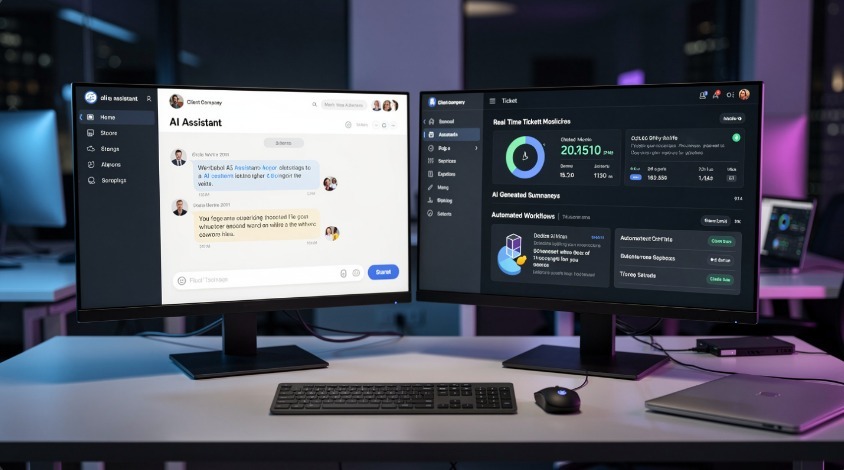
MSPs that hand clients a generic ChatGPT link are losing business to competitors who deliver a branded, integrated AI experience. Custom AI portals aren’t a luxury feature in 2026 — they’re the new baseline expectation for any MSP positioning itself above break-fix commodity work.
Here’s exactly how to build one, what it should do, what to avoid, and how to charge for it.
| Question | Direct Answer |
|---|---|
| What is a custom AI portal for MSPs? | A white-labeled, client-facing AI platform tied to your tools, branding, and client data |
| Do you need to build it from scratch? | No — use AI gateway layers on top of existing LLMs |
| Best stack for most MSPs? | OpenAI or Azure OpenAI + custom front-end + PSA integration |
| Time to deploy MVP? | 3–6 weeks for a working portal with basic automation |
| Biggest mistake MSPs make? | Building features clients didn’t ask for instead of solving their top 3 support pain points |
| Can you charge extra for it? | Yes — bundled into tiered plans or as a standalone AI add-on at $30–$80/user/month |
What a Custom AI Portal Actually Is (and Isn’t)
Let’s cut the confusion first. A custom AI portal for MSPs is not a chatbot widget slapped on a website. It’s a dedicated, branded environment where your clients interact with AI capabilities that you’ve configured, controlled, and connected to their actual business data.
It typically includes:
- A branded interface with the client’s (or your MSP’s) logo and color scheme
- An AI assistant trained or prompted on company-specific knowledge bases, SOPs, and IT documentation
- Live integration with ticketing systems, monitoring tools, and helpdesk platforms
- Role-based access so a CFO sees financial IT summaries while a sysadmin sees infrastructure alerts
- Audit logs for compliance — especially critical in healthcare, legal, and finance verticals
What it’s not: a resold Microsoft Copilot seat or a generic SaaS AI tool with your logo in the corner. The value you’re delivering is context, configuration, and control — not just AI access.
Why MSPs Need This Now, Not Later
Three things happened simultaneously in 2025-2026 that make this urgent:
1. SMB clients started buying AI tools directly — without IT involvement. Shadow AI is now the #1 security concern MSPs report in client environments. A custom portal gives you control back while still giving clients the AI they want.
2. Competitors are commoditizing standard MSP services. Remote monitoring, patch management, basic helpdesk — margins on these are getting crushed. AI portals are a defensible, high-margin differentiator that’s hard to replicate quickly.
3. Microsoft Copilot rollout has been messy. Many SMBs bought Copilot licenses and got zero ROI because nobody configured it properly. MSPs who step in with a cleaner, better-managed AI portal are winning those frustrated clients over right now.
For a deeper look at how AI monetization feeds into this, this breakdown of AI monetization strategies for MSPs in 2026 covers the revenue angle in detail.
The Core Architecture: What You’re Actually Building
Don’t overcomplicate the tech stack early. Most MSPs that successfully deployed AI portals started simple and layered in complexity.
Layer 1: The AI Engine
Your two real choices:
OpenAI API (GPT-4o or GPT-4 Turbo) — fastest to build with, most capable, global availability. Downside: data goes through OpenAI’s infrastructure, which some compliance-heavy clients won’t accept.
Azure OpenAI Service — same models, but hosted within Azure’s compliance boundary. Supports SOC 2, HIPAA Business Associate Agreements, and FedRAMP. This is the right call for any client in healthcare, finance, or government contracting.
Anthropic Claude API — strong for document analysis, long-context tasks, and anything requiring nuanced reasoning. Good secondary option if you’re building document automation workflows.
One thing that gets missed: you’re not just picking an LLM. You’re picking an AI gateway — the orchestration layer that sits between your front-end and the model. Tools like LangChain, LlamaIndex, or Microsoft Semantic Kernel handle prompt routing, memory management, and tool calling. This is where most of the actual intelligence in your portal lives.
Layer 2: The Knowledge Base (RAG Layer)
Retrieval-Augmented Generation is what makes your portal actually useful instead of generic. Instead of fine-tuning a model (expensive, slow, requires constant retraining), you connect it to a vector database containing:
- Client IT documentation and network diagrams
- Your MSP’s SOPs and runbooks
- Ticket history and resolution notes
- Vendor knowledge bases relevant to that client’s stack
When a user asks “Why is my VPN dropping connections?” the AI searches this vector store first, finds relevant context, then generates an answer grounded in that client’s actual environment. Not generic troubleshooting steps. Specific answers.
Vector database options: Pinecone, Weaviate, Chroma, or Azure AI Search if you’re staying in the Microsoft ecosystem. For most MSPs starting out, Azure AI Search integrated with Azure OpenAI is the cleanest path to compliance and performance.
Layer 3: The Front-End Interface
This is your branded portal. Options range by technical investment:
No-code/low-code route: Platforms like Retool, Bubble, or Microsoft Power Apps let you build a functional portal UI without a full dev team. Fast to market, limited customization ceiling.
Custom web app route: React or Next.js front-end connecting to your AI backend via REST APIs. Full control over UX, branding, and feature roadmap. Requires a developer — either in-house or outsourced. This is the route that produces a genuinely premium client experience.
White-label SaaS platforms: Some vendors now offer MSP-specific AI portal platforms you can rebrand. Lower build cost, but you’re dependent on their roadmap and their data handling. Evaluate carefully.
For MSPs serious about building a polished, client-facing experience, the UX design work matters enormously here — an AI portal with a cluttered, confusing interface gets abandoned fast, no matter how capable the backend is. The AIOps dashboards and UX work covered here addresses exactly this problem.
Layer 4: PSA and RMM Integration
This is what separates an AI portal from an AI toy. Your portal needs to connect to:
- ConnectWise, Autotask, or HaloPSA — so the AI can pull ticket data, create tickets, and update statuses
- Datto, N-able, or NinjaRMM — so the AI has real visibility into endpoint and infrastructure health
- Microsoft 365 / Azure AD — for identity context, license data, and user activity
Without these integrations, you’re giving clients an AI that knows nothing about their actual environment. The moment you add PSA integration, the AI can tell a client “You have 3 open P2 tickets from this week, two of which involve your firewall — want me to summarize them?” That’s immediately useful. That’s what clients pay for.
What Features to Build First (Priority Order)
Most MSPs overbuild. They spend 6 months building 20 features when 3 features would generate the revenue and client retention they need. Here’s the priority stack based on what actually gets used:
Priority 1 — AI Helpdesk Assistant Clients can describe their problem in plain English. The AI triages it, searches past tickets for similar issues, pulls from the knowledge base, and either resolves it or creates a pre-populated ticket with full context. This alone reduces first-response time dramatically and is the feature clients notice and talk about immediately.
Priority 2 — Proactive Alerts with Plain-English Summaries Instead of sending clients raw monitoring alerts they don’t understand, the AI portal translates them: “Your server’s disk is 87% full. At current growth rate, you’ll hit capacity in 11 days. Here’s what we recommend.” Clients feel informed, not confused. MSPs get fewer panic calls.
Priority 3 — IT Documentation Q&A Clients can ask questions about their own environment and get real answers. “What’s our backup schedule?” “Which users have admin rights?” “When does our Microsoft 365 subscription renew?” The AI pulls this from your connected documentation and ticketing systems. It replaces dozens of low-value inbound calls and emails per month.
Priority 4 — Automated Reporting Summaries Monthly QBR prep used to take hours. With an AI portal connected to your PSA and RMM, it generates a draft executive summary automatically — ticket volume, resolution times, uptime stats, security incidents, license utilization. Your team reviews and sends. Not generates from scratch.
Build these four things well before you add anything else.
Pricing Your AI Portal Service
This is where MSPs consistently undercharge. The AI portal isn’t a tool cost you absorb — it’s a service tier you sell.
Model 1: Bundled into Premium Tier Add the AI portal as a feature exclusive to your highest MSP tier. If your current top tier is $85/user/month, the AI portal tier goes at $115–$130/user/month. Clients who want AI features upgrade. This protects margin without creating a separate sales conversation.
Model 2: AI Add-On Module Sell the AI portal as an add-on to any existing plan at $25–$50/user/month. This works well when your client base is mixed — some clients will want it, others won’t. Keeps pricing clean.
Model 3: Standalone AI Service Position the AI portal as a standalone managed AI service, not bundled with traditional MSP support. Target businesses who already have IT staff but want managed AI. Price at $500–$2,000/month for the service, separate from any support agreements. This opens a new market segment.
The cost to deliver is mostly API usage fees (typically $0.50–$3.00 per user per month at realistic usage volumes for SMBs) plus your development and maintenance overhead. Margins are strong.
For a full breakdown of revenue models MSPs are using around AI services right now, this monetizing AI for MSP revenue guide covers current pricing structures in depth.
White-Label vs. Build-Your-Own: Honest Comparison
| Factor | White-Label Platform | Custom Build |
|---|---|---|
| Time to market | 2–4 weeks | 6–16 weeks |
| Upfront cost | Low ($200–$800/month platform fee) | High ($15k–$60k development) |
| Customization | Limited | Full control |
| Data control | Depends on vendor | You control entirely |
| Competitive differentiation | Low (competitors use same platform) | High |
| Long-term margin | Lower (platform fees eat margin) | Higher |
| Compliance flexibility | Restricted | Full |
Honest take: White-label is fine to start, especially to validate that clients will pay for the service. But if you’re serious about AI portals as a long-term revenue line, a custom build gives you the differentiation and margin that actually moves your MSP’s valuation. Many MSPs do both — white-label to launch fast, custom build to replace it within 12–18 months.
For MSPs exploring the white-label angle specifically, this dedicated MSP white-label AI client portals resource is worth reading alongside this article.
Security and Compliance: What You Cannot Skip
This section exists because MSPs routinely underestimate the compliance work involved in an AI portal, and that’s where deals die or clients churn.
Data residency: Know exactly where your clients’ data goes when processed by the AI. For Azure OpenAI, you can pin data to specific geographic regions. For OpenAI’s direct API, data processing happens in the US. Some clients — especially in EU or in regulated industries — will require contractual data residency guarantees before signing off.
Prompt injection attacks: When clients can input free text into an AI system, prompt injection is a real attack surface. Bad actors can craft inputs that manipulate the AI into revealing system prompts, bypassing access controls, or extracting other users’ data. Implement input sanitization, output filtering, and strict system prompt isolation from user inputs.
Role-based data isolation: A client’s CFO should not be able to ask the AI questions that return data belonging to a different client or a different department within their own company. This requires careful prompt engineering with user context injection — every AI call must include a verified user identity and permission scope that the model is instructed to respect.
Audit logging: Every AI interaction should be logged with timestamp, user identity, input, and output. This is non-negotiable for any client in a regulated industry, and it’s increasingly expected everywhere as AI governance matures.
Model output disclaimer: For any AI-generated advice that could be acted on (security recommendations, financial reporting, compliance status), include clear labeling that the output is AI-generated and requires human review. This protects you legally and builds appropriate client trust.
The security architecture of an AI portal connects directly to the broader MSP cybersecurity posture — this AI cybersecurity resource for MSPs covers the threat landscape your portal needs to be designed against.
Also worth reviewing before you deploy: the AI-powered threats and risks facing MSPs in 2026 — because your portal itself becomes an attack target the moment it’s client-facing.
Common Mistakes MSPs Make (And How to Avoid Them)
Mistake 1: Building for demo value, not daily use A portal that looks impressive in a sales demo but doesn’t solve anything clients do every day will be abandoned within 90 days. Before building, interview 5 clients and ask: “What do you do 10+ times a month that wastes your time?” Build for those tasks first.
Mistake 2: Ignoring latency AI responses that take 8–12 seconds feel broken to end users. Optimize your RAG pipeline, use streaming responses (so text appears progressively instead of all at once), and cache frequent queries. Response time under 3 seconds for common queries is the standard to hit.
Mistake 3: No onboarding process An AI portal without onboarding has zero adoption. Clients open it once, don’t know what to ask, and never return. Build a guided first-use flow: show suggested queries, explain what the AI has access to, and demonstrate value in the first 60 seconds of use.
Mistake 4: Treating it as a one-time build The AI models improve. The integrations break. Clients’ environments change. A custom AI portal requires ongoing maintenance — prompt tuning, knowledge base updates, API version management. Price this into your service, because it’s real ongoing work.
Mistake 5: No fallback to human support The AI will fail to answer some questions or will answer incorrectly. Every portal needs a clear, low-friction path to human support when the AI falls short. “I can’t help with this — creating a ticket for your technician now” is a perfectly good AI response, and clients will trust the portal more because of it.
Agentic AI: The Next Step After Basic Portals
Once your basic AI portal is running, the next evolution is agentic functionality — where the AI doesn’t just answer questions but takes actions autonomously.
Examples of agentic tasks that MSPs are already deploying:
- AI agent that detects an endpoint anomaly, isolates the device from the network, creates a ticket, notifies the client, and begins a remediation checklist — without any human trigger
- AI agent that monitors Microsoft 365 license utilization weekly, identifies unused licenses, and generates a cost optimization recommendation with one-click approval to remove them
- AI agent that handles password reset requests end-to-end: verifies identity via multi-factor, resets the password, logs the action, and confirms with the user — no technician involvement
This is where the real efficiency gains are, and it’s where MSPs can justify premium pricing. The agentic AI for MSP autonomous operations guide goes deep on exactly how to deploy this responsibly.
Your 90-Day Build Roadmap
Days 1–14: Foundation
- Select your AI engine (Azure OpenAI recommended for compliance)
- Choose your vector database
- Define the 3 core use cases you’re building for
- Inventory existing documentation to feed into the knowledge base
- Set up development and staging environments
Days 15–30: Core Build
- Build and test the RAG pipeline with your documentation
- Develop the front-end interface (branded, clean, simple)
- Integrate with your PSA — read access first, write access once tested
- Implement authentication and role-based access
- Set up audit logging
Days 31–45: Pilot
- Deploy to 2–3 internal users first
- Then deploy to 1–2 trusted clients as beta users
- Collect specific feedback on: accuracy, speed, missing features, confusion points
- Fix the top 5 issues before any wider rollout
Days 46–75: Refine and Document
- Tune prompts based on real usage patterns
- Expand knowledge base with additional documentation
- Build client onboarding flow
- Create internal documentation for your team on portal administration
Days 76–90: Scale and Sell
- Package pricing into your service tiers
- Train your sales and account management team on how to present it
- Roll out to remaining client base with proper onboarding
- Set up monthly review process for portal performance and client adoption metrics
Measuring Success: The Right Metrics
Don’t just measure “is it running.” Measure what actually matters:
Client adoption rate — What percentage of users at each client log in at least once per week? Below 30% means onboarding or UX problem. Above 60% means you’ve got something sticky.
Ticket deflection rate — How many support requests does the AI resolve without a technician touching them? Even 15–20% deflection is significant margin improvement. Best-in-class MSPs are hitting 35–45% on well-configured portals.
Time-to-resolution change — Compare tickets with AI-assisted triage vs. without. Reduction in average resolution time is a concrete, billable-value metric you can show clients in QBRs.
Client satisfaction (CSAT) scores — Are clients rating AI-assisted interactions differently than human ones? Most MSPs find that quick AI responses score high on convenience but lower on complex issues — which tells you exactly where to improve.
Churn impact — Clients using the AI portal actively churn at measurably lower rates. Track this. It becomes your strongest sales argument for the service.
This feeds directly into how you structure your MSP AI strategy — here’s a practical MSP AI strategy guide for SMBs that puts the portal in context of a broader service offering.
Alternatives If You’re Not Ready to Build
Not every MSP is at the stage where building a custom portal makes sense. Honest alternatives:
Microsoft Copilot for Microsoft 365 — If your clients are heavily Microsoft-invested, this is a legitimate starting point. You add value by configuring it properly, governing usage, and training clients. Margin is thin, but it’s a real AI service you can bill for.
Copilot Studio (Power Virtual Agents) — Microsoft’s low-code chatbot builder that connects to Microsoft 365 data. Faster to deploy than a custom build, more configurable than raw Copilot. Good middle ground for SMB clients.
Kaseya 365 AI / NinjaRMM AI features — Some RMM platforms are embedding AI capabilities directly. These are internal-facing (technician-facing) rather than client-facing, but they reduce your operational cost and are worth using while you build toward a client-facing portal.
The key is not staying in “alternative” mode permanently. Clients who experience a well-built custom AI portal from a competitor will not stay with an MSP offering generic tools.
Final Checklist Before You Launch
- [ ] Client data is isolated — no cross-client data leakage possible in any query path
- [ ] Audit logs are active and stored for minimum 90 days
- [ ] AI responses include fallback to human support for failed queries
- [ ] Response latency tested under load — under 3 seconds for standard queries
- [ ] Onboarding flow built and tested with non-technical users
- [ ] Pricing confirmed and documented in service agreements
- [ ] Client contracts updated to include AI service terms and data processing agreements
- [ ] Internal team trained on portal administration and client support for the AI service
- [ ] Monitoring in place for API failures, unusual query volumes, and error rates
- [ ] 90-day review scheduled from launch date