
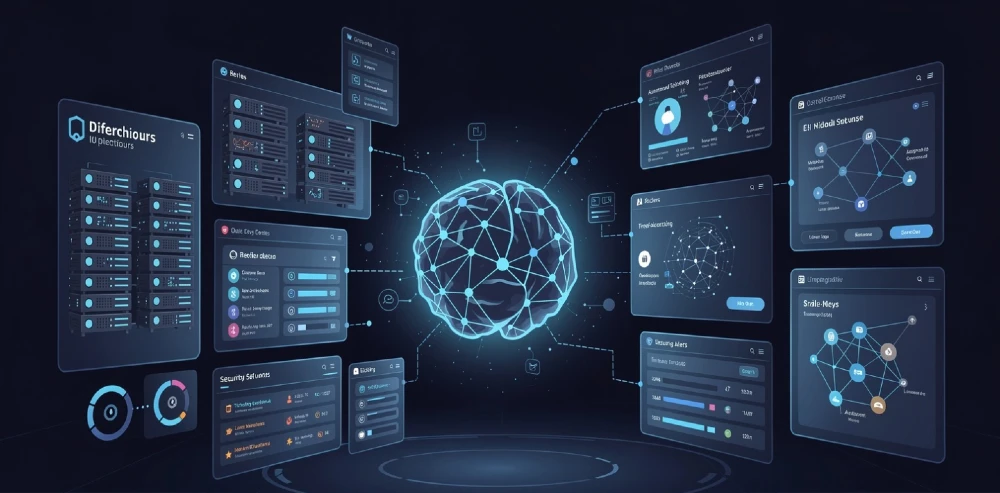
Agentic AI isn’t a chatbot upgrade. It’s not a fancier helpdesk bot. It’s a fundamental shift in how managed service providers operate — from reactive ticket-pushers to autonomous, self-directing IT operations engines. Most MSPs are still treating it like automation 2.0. That’s the mistake.
This guide cuts through the noise and tells you exactly what agentic AI does inside an MSP environment, how to deploy it without breaking your operations, what vendors won’t tell you, and where it genuinely fails.
What is Agentic AI in managed services? AI agents that don’t just respond to prompts — they perceive, decide, act, and self-correct across IT environments without waiting for human input. In MSPs, they handle alert triage, patch cycles, client onboarding workflows, security response, and billing anomalies — end to end.
Is it ready for production MSP use in 2026? Yes, for defined workflows. Not yet for full autonomous client management.
Biggest mistake MSPs make? Deploying agents without a human-in-the-loop escalation layer. Agents make wrong calls. You need the override path built before day one.
Fastest ROI use case? Level 1 ticket resolution and proactive patch compliance. Most MSPs cut L1 labor cost 40–60% within 90 days.
What “Agentic AI” Actually Means in an MSP Context
Traditional AI tools answer questions. Agentic AI takes actions. That distinction matters enormously in managed services.
An agentic system perceives its environment (your RMM, PSA, SIEM, documentation), sets a goal, plans a sequence of steps, executes those steps using real tools, monitors results, and adjusts — all without a human triggering each step. It’s closer to a junior sysadmin running a playbook than a search engine returning a result.
For MSPs specifically, “the environment” means your stack: ConnectWise, Autotask, Datto, Kaseya, SentinelOne, Microsoft 365, Azure, and whatever else your clients are running. An agent doesn’t just read data from these platforms — it writes to them, triggers actions, creates tickets, escalates incidents, and closes loops.
The key difference from standard RPA or rule-based automation: Agents handle ambiguity. A rule-based workflow breaks when the input doesn’t match the expected pattern. An agent reasons through the deviation, makes a judgment call, and either handles it or escalates with full context attached.
This is why it matters so much for MSPs managing 50–500 endpoints across 20–100 client environments. The variation is constant. Rules collapse under that variation. Agents don’t.
The 6 High-Value Agentic AI Use Cases in Managed Services (Ranked by ROI)
1. Autonomous Level 1 Ticket Resolution
This is where most MSPs start — and where the ROI hits fastest.
An agentic system monitors your PSA ticket queue in real time. When a new ticket lands — “Outlook won’t open,” “VPN disconnected,” “printer offline” — the agent classifies it, pulls the client’s device history and documented fixes from your knowledge base, attempts the resolution autonomously (restart service, re-push config, reset credential), verifies the fix worked, updates the ticket, and closes it. If it can’t resolve it in two attempts, it escalates to L2 with full context pre-written.
In practice, well-configured agents resolve 45–65% of L1 tickets without human touch. That’s not a vendor stat — that’s what MSPs running mature agentic stacks report after 60–90 days of tuning. The first 30 days are usually closer to 20–30% because the agent is learning your client environments and your documentation quality directly determines agent performance. Garbage documentation = garbage agent output. Fix your runbooks before you deploy.
For deeper context on how this integrates with autonomous MSP operations, see the breakdown of agentic AI for MSP autonomous operations.
2. Proactive Patch Compliance and Vulnerability Management
Reactive patching is a liability. Agentic AI turns it into a continuous, client-specific process.
An agent monitors CVE feeds, cross-references your client asset inventory, identifies vulnerable systems, checks each client’s maintenance windows, schedules and deploys patches, verifies installation success, and logs everything into your PSA — without a technician touching it. When a patch fails, it logs the failure with full diagnostic context and re-attempts with an alternate method before escalating.
This eliminates the “we meant to patch that” problem that leads to breach incidents. It also creates audit-ready compliance documentation automatically — which matters enormously for clients in healthcare, finance, or legal sectors.
One caveat: patch agents need a strict rollback protocol. Automated patching that bricks a production system at 2 AM without a rollback path is worse than no automation. Build the rollback into the agent’s decision tree, not as an afterthought.
3. Security Alert Triage and Incident Response
Your SIEM generates hundreds of alerts daily. Most are noise. But the one that isn’t noise — that’s the one that costs you a client.
Agentic AI changes this equation by triaging alerts in real time, correlating them across endpoints, identifying patterns that indicate genuine threats versus false positives, and taking immediate containment actions — isolating an endpoint, blocking an IP, revoking a compromised credential — while simultaneously notifying your security team with a full incident summary.
The agent doesn’t replace your security engineer. It gives your security engineer back four hours a day by handling the noise and presenting only confirmed or high-confidence incidents with context already assembled.
This connects directly to how AI-powered threat risks are evolving for MSPs in 2026 — the threat landscape is moving faster than human-only response can track.
Also worth noting: agents handling security decisions carry real liability. Define clearly in your contracts and SOPs which actions an agent can take autonomously versus which require human sign-off. Endpoint isolation: probably autonomous. Credential revocation for a C-suite account: probably not.
4. Client Onboarding Workflow Automation
Onboarding a new client is a 20–40 step process at most MSPs. It’s also one of the most error-prone, because it involves data entry across multiple platforms and handoffs between team members.
An agentic onboarding system takes the signed contract, extracts client details, creates the client record in your PSA, provisions monitoring agents on their endpoints, sets up alert thresholds based on their service tier, creates the client documentation structure, triggers the welcome email sequence, and schedules the kickoff call — all triggered by a single input.
This isn’t hypothetical. MSPs using agentic onboarding report cutting onboarding time from 4–8 hours to under 45 minutes. The accuracy improvement is equally significant — no more missing a critical config step because a technician was in three other fires at the same time.
5. Billing Anomaly Detection and Revenue Assurance
MSPs leak revenue constantly. A client adds 15 users, you don’t catch it until the quarterly review, and you’ve under-billed for three months. An agentic system monitors your client environments continuously, detects user count changes, license additions, or service tier expansions, cross-references them against current billing, and flags discrepancies — or auto-generates a billing adjustment for your review.
This directly impacts margin. For MSPs running thin on labor, revenue leakage at 3–7% of monthly recurring revenue is the difference between profitable and not.
For the full revenue picture, the guide on monetizing AI for MSP revenue growth goes deep on this.
6. AIOps and Proactive Infrastructure Monitoring
Agents continuously analyze performance metrics across client environments, identify degradation patterns before they become outages, and take corrective actions — restarting services, clearing disk space, reallocating resources — without waiting for a ticket to appear.
This shifts your value proposition from “we fix your problems fast” to “your problems don’t happen.” That’s a fundamentally different — and more defensible — service offering. Clients don’t leave MSPs who prevent their problems.
The AIOps dashboards and UX design for MSP staff augmentation piece covers how to visualize this for clients in a way that actually demonstrates value.
The Architecture: How Agentic AI Integrates With Your Existing MSP Stack
You don’t rip and replace your existing tools. You add an orchestration layer that connects them.
The typical agentic MSP architecture looks like this:
Perception layer — agents ingest data from your RMM (Kaseya, ConnectWise Automate, NinjaRMM), SIEM (SentinelOne, Huntress, Microsoft Sentinel), PSA (ConnectWise Manage, Autotask, HaloPSA), and documentation platform (IT Glue, Hudu).
Reasoning layer — a large language model or specialized reasoning engine processes the incoming data, applies your defined SOPs and runbooks, and determines the correct action sequence.
Action layer — agents execute actions via API integrations with your tools. This is where the ticket gets created, the patch gets pushed, the endpoint gets isolated.
Verification layer — the agent checks whether its action worked. If it didn’t, it tries an alternate path or escalates.
Human oversight layer — this is non-negotiable. Define exactly which actions require human approval before execution, which can be executed autonomously with post-action notification, and which escalation paths exist when the agent is uncertain. This layer is what separates well-run agentic deployments from disasters.
The API integration quality of your current tools determines how capable your agents can be. If your PSA has a limited API, your agents will be limited. This is worth evaluating honestly before you commit to a vendor.
What Vendors Don’t Tell You: The Real Deployment Challenges
Documentation Quality Is Everything
Agents learn your environment from your documentation. If your runbooks are incomplete, outdated, or inconsistent, your agents will make wrong decisions confidently. Before deploying any agentic system, audit your IT Glue or Hudu documentation. Fix the gaps. This isn’t optional — it’s the actual prerequisite.
Agent Hallucination in Production Is a Real Risk
LLM-based agents can reason incorrectly. In a demo environment, this is interesting. In a client’s production server, it’s a serious problem. Mitigation strategies include: strict action boundaries (agents can only take pre-approved action types), mandatory verification steps before any destructive action, and audit logging of every agent decision with human review during initial deployment.
Integration Depth Varies Wildly Between Vendors
Some agentic AI platforms offer deep, bidirectional PSA and RMM integration. Others offer read-only connections with manual action triggers — which isn’t really agentic at all. Evaluate vendors on the specific actions their agents can execute in your exact tool stack, not on demo environments with generic platforms.
Client Consent and Contractual Coverage
Your MSA needs to explicitly cover AI-assisted remediation. Most MSP contracts don’t address it. If an agent takes an automated action that causes data loss or downtime, your liability exposure depends on whether your contract addresses AI-assisted service delivery. Update your agreements before you go live.
For a deeper look at the security and compliance dimensions, the AI cybersecurity for MSPs guide covers the risk framework in detail.
Honest Pros and Cons of Agentic AI for MSPs
Pros
Scales without headcount. You can add clients without proportionally adding staff. That’s the core economic argument.
Consistent execution. Agents don’t have bad days. They follow the runbook the same way every time. Your service quality variance drops significantly.
24/7 coverage without overtime. Agents monitor and respond at 3 AM for the same cost as 3 PM.
Faster incident response. Mean time to resolution drops because the agent starts working the moment the alert fires, not when a technician picks up the ticket.
Creates sellable value. “AI-powered proactive management” is a differentiated offering. You can charge for it. The AI monetization strategies for MSPs framework explains the packaging.
Cons
High implementation cost. A proper agentic deployment — with integration, documentation prep, testing, and training — costs $15,000–$50,000 for a mid-size MSP. Vendor SaaS fees run $500–$3,000/month on top.
Documentation debt blocks ROI. If your documentation is poor, you spend the first 60–90 days fixing documentation before the agent can function properly.
New failure modes. Automated systems fail in new ways. An agent that misclassifies a critical alert as noise can be worse than no agent. New monitoring discipline is required.
Staff resistance. Technicians who see agents as a threat to their jobs underperform and undermine the implementation. Address this directly, early. Frame agents as tier-0 automation that removes the boring work, not the technician.
Over-reliance risk. Teams that stop reviewing agent decisions lose operational awareness fast. Keep humans in the review loop even when automation is working perfectly.
How to Build Your MSP AI Strategy: The Right Sequence
Most MSPs try to do too much at once. Here’s the sequence that actually works:
Step 1: Fix your data foundation first. Your PSA data quality, documentation completeness, and RMM tagging consistency determine your agent’s ceiling. Spend 2–4 weeks on this before touching any AI tooling.
Step 2: Start with one high-volume, low-risk workflow. L1 ticket resolution is the right starting point for most MSPs. High volume means fast learning. Low risk means mistakes don’t hurt clients.
Step 3: Run parallel operations for 30 days. Let the agent process tickets, but have technicians review and either approve or override every decision. This builds your confidence data and catches edge cases before they cause problems.
Step 4: Define your autonomy tiers. Which actions can the agent take without approval? Which need a technician to click “approve”? Which require senior engineer sign-off? Document this clearly and enforce it in your platform configuration.
Step 5: Expand to adjacent workflows. Once L1 is stable and hitting 50%+ autonomous resolution, expand to patch management, then to proactive monitoring. Don’t expand until the previous workflow is genuinely stable.
Step 6: Build client-facing visibility. Create reporting and dashboards that show clients what the AI is doing for them. This converts operational capability into perceived value — which is what justifies premium pricing. The white-label AI client portal approach is particularly effective here.
For the full strategic framework around this, the MSP AI strategy for SMBs guide covers the positioning and roadmap in depth.
Tools and Platforms Worth Evaluating in 2026
Microsoft Copilot for Security + Azure AI — strongest for MSPs heavily invested in the Microsoft ecosystem. Sentinel integration is particularly mature.
Kaseya 365 with AI Assist — good for Kaseya shops. The AI layer is deepening fast but still maturing on autonomous action execution.
ConnectWise Sidekick — ConnectWise’s AI overlay. Solid for ticket summarization and documentation; autonomous action capabilities still developing.
SuperOps AI — newer entrant with a genuinely agent-first architecture. Better API depth than legacy platforms for automation.
N-able’s Ecoverse — strong ecosystem approach for MSPs managing heterogeneous environments.
Third-party orchestration layers — platforms like Workato, Make (formerly Integromat), and purpose-built MSP AI tools like Gradient MSP can sit on top of your existing stack to add agentic orchestration without replacing your PSA or RMM.
Evaluate on: API depth with your current tools, action library breadth, human-in-the-loop controls, and audit logging quality. Don’t evaluate on demos with generic environments.
Things to Avoid: Hard-Won Lessons
Don’t automate a broken process. If your ticket triage process is inconsistent, automating it makes the inconsistency faster. Fix the process first.
Don’t skip the contractual update. Running AI-assisted remediation without contract coverage is a liability exposure most MSPs don’t realize until something goes wrong.
Don’t deploy agents across all clients simultaneously. Pilot with 2–3 clients who have clean environments and good documentation. Expand from there.
Don’t measure only cost savings. Agent ROI includes revenue protection (preventing breaches), revenue generation (new AI-tier offerings), and capacity creation (technicians handling higher-value work). Measure all three or you’ll undercalculate the return.
Don’t let the agent become a black box. If your team can’t explain why the agent took a specific action, you don’t have control of your operations. Audit logging and explainability aren’t optional features.
Alternatives If Full Agentic Deployment Isn’t Ready Yet
Not every MSP is ready for full agentic deployment. That’s a legitimate position. Here are intermediate approaches that deliver real value:
AI-assisted (not autonomous) ticket handling — the AI drafts the resolution steps and the technician executes them. Cuts resolution time 30–40% with minimal risk.
Automated alert correlation only — use AI to reduce alert noise and correlate events without autonomous response. Gives your team better signal without the execution risk.
Agentic documentation generation — agents that watch your technician actions and automatically write runbooks and update documentation. High value, zero execution risk.
Single-workflow automation — deploy agents for one specific, bounded workflow (patch reporting, for example) rather than broad autonomous operations.
These are stepping stones, not permanent strategies. The MSPs that delay full agentic adoption lose competitive position to the ones that build the competency now.
The Competitive Reality: Why This Can’t Wait
The MSPs building agentic capabilities now are creating a cost structure and service quality level that manually-operated MSPs can’t match at equivalent margins. Within 24–36 months, “AI-powered managed services” will shift from differentiator to table stakes. MSPs that start now build the operational experience, the documentation quality, and the client trust that late adopters will struggle to replicate quickly.
The window to build this as a competitive advantage — rather than a catch-up investment — is narrowing.
- Pull your L1 ticket volume from the last 90 days and categorize by issue type. This is your agent opportunity map.
- Audit your IT Glue or Hudu documentation completeness score. This is your deployment readiness score.
- Review your current MSA for AI-assisted service delivery language. Update it before any deployment.
- Pick one vendor from the list above and request a demo using your actual tool stack — not their demo environment.
- Define your autonomy tiers on paper before you touch any platform. This decision framework is what determines whether the deployment goes well or poorly.
Agentic AI in managed services isn’t a future trend. It’s a 2026 operational reality. The question isn’t whether to deploy — it’s whether you build the competency before or after your competitors do.
Grow Your MSP and Digital Presence with Miracle Concepts
At Miracle Concepts, we work hands-on with MSPs and IT firms ready to grow. Whether you need a full SEO strategy to rank for managed services keywords, a UX design overhaul that turns site visitors into booked consultations, custom web development for client portals or service dashboards, professional document formatting for proposals and SOW decks, or end-to-end MSP growth services that combine positioning, content, and lead generation — we’ve built it all for companies like yours. If your website isn’t generating consistent inbound leads right now, that’s the first problem worth fixing. Let’s talk.