
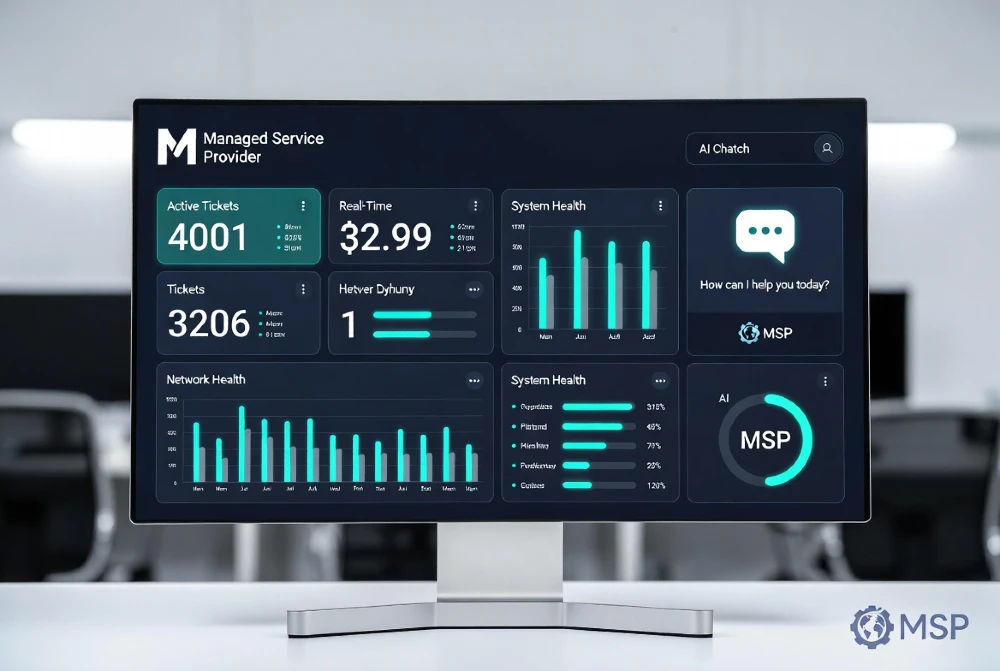
If you’re running a managed services business and still handing clients a basic ticketing login or a generic PSA portal, you’re leaving both money and credibility on the table. In 2026, clients expect a branded, intelligent portal that feels like your product — not a reskinned version of ConnectWise or Autotask.
The good news: building one is more achievable than ever. The bad news: most MSPs either overbuild it and waste budget, or slap a logo on a SaaS tool and call it “white-labeled.” Neither works long-term.
Here’s the full practical breakdown.
Can MSPs realistically build white-label AI portals in 2026? Yes — without a dev team, using platforms like Microsoft Power Apps, Softr, or custom-coded solutions on top of PSA APIs. AI features like smart ticketing, predictive alerts, and NLP chatbots are now plug-and-play via OpenAI or Azure OpenAI APIs. Cost ranges from $300/month (low-code) to $15K+ (fully custom). The ROI shows up in client retention and upsell conversions, not just efficiency.
What “White-Label AI Portal” Actually Means for MSPs
Let’s be precise. A white-label AI portal isn’t just your logo on someone else’s dashboard. It means:
- Your domain (e.g., portal.yourmspdomain.com)
- Your brand colors, fonts, and UX — client never sees the vendor
- AI features embedded natively: smart chat, auto-ticket triage, predictive alerts
- Role-based access — what a CFO sees is different from what their IT admin sees
- Real-time data from your existing stack (RMM, PSA, documentation platform)
The “AI” part specifically refers to at least one of these: an NLP chatbot that handles Tier 1 queries, automated ticket classification and routing, anomaly detection surfaced to the client, or natural language reporting (“Show me last month’s uptime” instead of pulling a report).
Without AI, it’s just a branded portal. With it, it becomes a product clients don’t want to leave.
Why MSPs Are Prioritizing This Right Now
Client expectations shifted hard post-2024. Enterprise clients — especially in finance, legal, and healthcare — now benchmark their MSP against SaaS products they use daily. If your portal feels worse than their Salesforce dashboard, you’re losing perceived value.
Three real business pressures are driving this:
Churn prevention. When clients have a portal that feels like your product, switching to a competitor becomes psychologically harder. They’d be losing “their” system.
Upsell surface. A portal is the best real estate you have. You can surface AI-generated recommendations (“Your backup hasn’t run in 72 hours — upgrade to our Advanced Protection plan?”) directly inside the client’s workflow.
Differentiation in a commoditized market. Most MSPs pitch the same stack. A polished AI portal is visible proof of capability that no marketing deck can replicate.
If you’re comparing MSP service models or wondering whether this investment makes sense for your structure, our breakdown of MSP services vs. in-house IT teams gives useful context on where client portals fit into the value equation.
The Four Build Approaches — Honest Breakdown
1. Low-Code Platforms (Softr, Glide, Bubble)
Best for: MSPs under 50 clients, budget under $1K/month, no dev resources.
Softr and Glide connect directly to Airtable or Google Sheets as a backend, which means you can pull PSA data via Zapier or Make.com and surface it in a branded UI. You add AI by embedding an OpenAI-powered chat widget (Tidio, Crisp, or a custom GPT widget) on top.
What works well: fast deployment (2–4 weeks), genuinely white-labeled domains, and decent mobile experience. What doesn’t: complex role permissions are painful, real-time RMM data sync is clunky, and the “AI” is surface-level unless you build custom prompts.
Realistic cost: $300–$800/month for platform fees plus your time.
2. Microsoft Power Apps + Azure OpenAI
Best for: MSPs already in the Microsoft ecosystem, mid-market clients.
This is the most underused combination in the MSP space right now. Power Apps gives you a fully brandable front-end. Azure OpenAI (specifically GPT-4o) handles the intelligence layer. Your data lives in Dataverse or pulls from your PSA via Power Automate flows.
The AI capabilities here are serious — you can build ticket triage that reads the client’s message, classifies urgency, routes to the right queue, and drafts an initial response, all before a human touches it. Clients see a clean portal; your team gets pre-processed tickets.
One thing that trips MSPs up: Power Apps licensing. Each external user (your clients) needs a Power Apps per-app or per-user license. Budget $10–$20 per user per month on top of your Azure OpenAI consumption costs.
Realistic cost: $1,500–$5,000/month depending on client seat count.
3. PSA-Native White-Label Extensions
Best for: MSPs who want minimal build work and already use HaloPSA, SuperOps, or Syncro.
HaloPSA has the most mature white-label client portal of any PSA right now. You get full domain customization, branded emails, and a client-facing view of tickets, assets, and invoices. SuperOps is catching up fast with an AI-assisted portal feature in their 2025–2026 roadmap.
The limitation: these are still fundamentally their product with your logo. You can’t add arbitrary AI features, and clients who poke around may recognize the underlying platform. It’s white-label in appearance but not in architecture.
That said, for most MSPs, this is the right starting point. Don’t build a custom portal when you’re still figuring out what clients actually want from one.
4. Fully Custom Development
Best for: MSPs with 100+ enterprise clients, a dedicated ops team, and genuine product ambitions.
This means a React or Next.js front-end, a Node.js or Python backend, API integrations with your RMM and PSA, and OpenAI or a fine-tuned model handling the AI layer. You own everything — the UX, the data model, the roadmap.
The realistic timeline is 4–6 months to a usable v1, and you’ll need either a strong internal developer or a development partner who understands MSP workflows (most don’t).
Cost: $15,000–$50,000 to build, then $2,000–$5,000/month to maintain and iterate.
This is only worth it if you’re treating the portal as a product you’ll sell or license, not just a client retention tool.
The AI Features That Actually Matter to Clients
Not all AI features are equal. Here’s what clients actually engage with versus what sounds impressive in a pitch but gets ignored:
High engagement:
- Natural language ticket submission (“My email isn’t syncing on Outlook”) with automatic categorization — clients love not filling out forms
- Proactive alerts with plain-English explanations (“Your server’s disk is 87% full — here’s what that means for your business”)
- Monthly AI-generated summaries of IT health, uptime, and resolved issues — replaces PDF reports no one reads
Medium engagement:
- AI chatbot for Tier 1 queries (password resets, VPN troubleshooting steps) — reduces your ticket volume but clients use it inconsistently
- Predictive ticket volume forecasting shown to the client — they find it interesting but don’t act on it
Low engagement (don’t prioritize):
- AI-generated compliance reports — useful for audits but clients don’t log in for these
- “AI recommendations” widgets that feel generic — if the recommendation isn’t directly actionable, it’s noise
The most impactful single feature, based on real deployment patterns: the plain-English IT health summary delivered inside the portal on the first of every month. Clients share it with their leadership teams. It becomes the artifact that justifies your retainer in every quarterly business review.
White-Labeling Properly — What Most MSPs Skip
Slapping a logo on a portal is not white-labeling. Here’s what proper white-labeling requires:
Custom domain with SSL. The portal must live on your domain, not vendor.com/client. Every platform listed above supports this, but you need to configure DNS correctly.
Email whitelabeling. Every automated email (ticket updates, alerts, reports) must come from your domain. Check your PSA’s SMTP settings — many default to the vendor’s sending domain.
Removing all vendor fingerprints. Check page titles, favicon, footer text, help documentation links, and error messages. Clients who find a “Powered by [Vendor]” link in a footer lose trust immediately.
Custom onboarding flow. When a client logs in for the first time, the experience should feel like you designed it for them. A short video from your team, a personalized welcome message, and a guided tour — this is a 3-hour build that dramatically improves first impressions.
AI persona naming. If you have a chatbot, name it. “Ask Alex” or “IT Assist” is better than “AI Chatbot.” It reinforces your brand and clients remember it.
Integrations You Need to Build First
Before you think about AI features, get your data pipelines right. A portal is only as good as the data it shows.
Non-negotiable integrations:
Your RMM (ConnectWise Automate, NinjaRMM, Datto) → portal for device health and alert data. Your PSA (HaloPSA, ConnectWise Manage, Autotask) → portal for ticket status and history. Your billing platform → portal for invoice visibility.
High-value additions:
Microsoft 365 or Google Workspace health data. Backup job status (Acronis, Veeam). Security awareness training completion rates (KnowBe4, Proofpoint). These give clients a reason to log in beyond just checking tickets.
The AI layer needs clean data. If your RMM alerts are noisy and your PSA has inconsistent ticket categories, the AI will surface garbage. Fix data hygiene before adding AI — this is the step everyone skips and then blames the AI for poor results.
What to Charge: Pricing Models That Work
Three approaches that actually hold up in client conversations:
Included in retainer (most common). The portal is part of your managed service package. You don’t itemize it. This works if you’re using it as a retention and differentiation tool rather than an additional revenue line.
Tiered access model. Basic portal access (ticket view, basic reporting) is included. Advanced AI features (health summaries, predictive alerts, NLP chat) are available in your mid or high tier. This creates a natural upsell path.
Portal-as-a-product. Some larger MSPs license their portal to smaller MSPs or use it as the anchor for a premium “Executive IT” offering targeted at C-suite stakeholders. This requires a polished, fully custom build — but the economics are strong if you have the client base to support it.
Don’t charge clients a line-item “portal fee” under $50/month — it creates friction without meaningful revenue. Either bundle it or price the AI tier meaningfully ($150–$300/month for advanced features).
Avoiding the Most Common Mistakes
Building before validating. Talk to five clients before spending a dollar on development. Ask them what information they wish they could see about their IT environment without calling you. The answers will surprise you and almost certainly change what you build.
Overcomplicating the AI. MSPs get excited about fine-tuned models and RAG architectures. For 90% of use cases, GPT-4o with a well-crafted system prompt and your client’s data in context is more than sufficient. Don’t engineer complexity you don’t need.
Ignoring mobile. A significant portion of client portal logins happen on mobile, especially from executives checking alerts. If your portal isn’t responsive and fast on mobile, it fails regardless of how good the desktop experience is.
No adoption strategy. You can build the best portal in the industry and have zero clients log in because you never trained them to. Add portal check-ins to your onboarding checklist. Mention specific portal features in every QBR. Send a monthly “here’s what’s new in your portal” email. Adoption is a process, not a launch.
Vendor lock-in without an exit plan. If you build on a low-code platform and it raises prices or shuts down, you need to migrate. Always export your data regularly and document your configuration thoroughly.
Security and Compliance Requirements
This is non-negotiable, especially for clients in regulated industries.
Every client portal needs: SSO support (Microsoft Entra ID or Okta), MFA enforcement, role-based access controls (RBAC) so clients only see their own data, audit logs of all portal activity, and data residency compliance if your clients are in the EU (GDPR) or healthcare (HIPAA).
If you’re running AI features that process client data — particularly ticket content that may contain sensitive information — your AI provider’s data processing agreement matters. Azure OpenAI and AWS Bedrock both offer enterprise data agreements that don’t use your data for model training. OpenAI’s API (not ChatGPT) also offers a data privacy agreement but verify the terms annually as they update them.
For MSPs serving healthcare or finance clients, document your AI vendor’s compliance status as part of your own compliance posture. Clients will ask.
Realistic Timeline for Each Approach
PSA-native white-label: 2–4 weeks to configure properly, 1–2 weeks for client rollout.
Low-code platform build: 4–8 weeks for a solid v1, another 2 weeks for testing.
Power Apps + Azure OpenAI: 8–16 weeks depending on integration complexity.
Fully custom: 4–6 months to v1, plan for another 2 months of iteration before it’s client-ready.
Don’t rush the rollout. A buggy portal with your branding on it is worse than no portal. One client who encounters broken data or a confused AI response will tell three others.
Measuring Success
Track these metrics monthly:
Portal login rate — what percentage of your clients log in at least once per month? Under 30% means adoption is failing. Over 60% means it’s genuinely useful.
Ticket deflection rate — how many client questions get resolved through the AI chatbot without creating a ticket? Even 15–20% deflection is significant at scale.
QBR engagement — do clients reference portal data in quarterly business reviews? If yes, it’s become part of their decision-making, which is exactly where you want it.
Churn correlation — compare churn rates between clients with active portal engagement versus those without. This is the clearest ROI signal.
For more context on how service structure affects these metrics, our MSP service provider overview covers how portal strategy fits into a broader MSP service architecture. And if you’re evaluating whether managed IT services or a traditional MSP model is the right fit for your clients, this comparison breaks down the structural differences clearly.
Building a white-label AI portal in 2026 isn’t a luxury — it’s becoming the baseline expectation for MSPs serving mid-market and enterprise clients. Start with your PSA’s native portal if you’re under 50 clients. Move to Power Apps or low-code when you need more customization. Only go fully custom if you’re treating the portal as a product.
The AI features that generate ROI are the simple ones: plain-English alerts, automated health summaries, and NLP ticket submission. Get the data pipelines right before you think about intelligence. And build adoption into your process from day one — a portal no one uses is a liability, not an asset.
Work With Miracle Concepts
At Miracle Concepts, we build and optimize the digital systems that make businesses run better. If you’re an MSP looking to launch a white-labeled AI portal, our team combines web development, UX design, and MSP services expertise to deliver portals that clients actually use. Beyond portals, we help businesses grow with SEO strategies that rank and convert, UX design that reduces friction, professional web development across all platforms, document formatting services that save operations teams hours every week, and full-spectrum MSP services that keep your infrastructure lean and reliable. Whether you need one service or the entire stack, we build with results in mind. Visit miracleconcepts.net to start a conversation.