
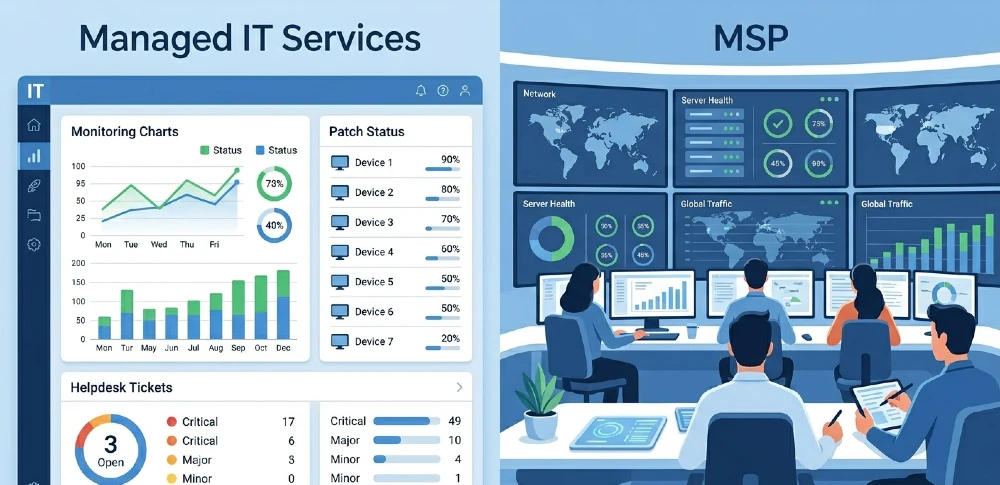
Managed IT services is what gets delivered — MSP is the company that delivers it. But the real confusion starts when vendors use both terms interchangeably, and you end up buying something you didn’t fully understand.
If you’ve been shopping for IT support for your business and keep seeing both terms thrown around — sometimes in the same sentence — you’re not alone. This article cuts through the noise, explains what each actually means, and helps you figure out which one your business actually needs.
What Are Managed IT Services?
Managed IT services refer to the outsourced IT functions a business hands off to an external provider. Think monitoring, helpdesk support, patch management, cybersecurity, cloud management, backup, and disaster recovery — all delivered under a recurring contract, usually for a flat monthly fee.
The keyword here is managed. It’s not break-fix. You’re not calling someone when things fall apart. The idea is proactive — someone is always watching, always updating, always keeping things running before problems escalate.
Common managed IT services include:
- Network monitoring and management — 24/7 oversight of your infrastructure
- Endpoint protection — securing every device connected to your business
- Data backup and disaster recovery — so a ransomware attack isn’t a death sentence
- Cloud services management — Microsoft 365, Azure, AWS, or any mix
- Helpdesk support — your team calls with issues, they get real help
- Patch management — systems are updated regularly, not when someone remembers
- Compliance support — for businesses in healthcare, finance, or legal sectors
The scope varies by provider and contract. Some businesses outsource just monitoring. Others hand over their entire IT operation.
What Is an MSP?
An MSP — Managed Service Provider — is the company that sells and delivers managed IT services. It’s the vendor, not the service itself.
So when someone says “we use an MSP,” they mean they’ve hired an external IT company to handle some or all of their technology needs. When they say “we use managed IT services,” they’re describing what that company does for them.
Simple enough in theory. But here’s where it gets blurry in practice.
Why the Confusion Exists (And It’s Not Your Fault)
The IT industry is terrible at consistent terminology. MSPs market themselves as offering “managed IT services.” IT companies that don’t technically operate as MSPs also call their offerings “managed services.” Cloud providers, IT consultants, VARs, and break-fix shops all borrow each other’s language.
So a business searching for IT support might talk to:
- A true MSP with a full NOC, proactive monitoring, and SLA-backed support
- An IT company offering “managed services” that’s really just a retainer for reactive support
- A break-fix provider that added a monitoring tool and rebranded overnight
The words are the same. The actual service delivery is completely different. This is why understanding the signs your business needs a real MSP services provider matters more than memorizing definitions.
Managed IT Services vs MSP: Side-by-Side
| Managed IT Services | MSP | |
| What it is | The actual IT functions outsourced | The company providing those functions |
| Nature | A service category | A type of IT vendor |
| Billing model | Usually flat monthly fee | Charges for managed IT services |
| Proactive vs reactive | Should be proactive by definition | Quality varies widely by provider |
| What you “buy” | A defined scope of IT management | A vendor relationship |
Think of it this way: managed IT services is the menu, and the MSP is the restaurant. You can get the same dish from a five-star kitchen or a mediocre one. Same name on the menu, very different experience.
What Does a Real MSP Actually Do?
A legitimate MSP doesn’t just answer support tickets. Their job is to prevent the need for most of those tickets in the first place. Here’s what that looks like day-to-day:
Proactive monitoring — Tools are watching your servers, networks, and endpoints constantly. If a hard drive starts failing, they know before it crashes.
Patch and update management — Security patches get applied on a schedule, not when someone gets around to it. This alone closes the majority of common attack vectors.
Vendor management — Your MSP talks to Microsoft, your internet provider, your SaaS vendors. You don’t spend hours on hold.
Strategic IT planning — A good MSP acts as a virtual CIO for small businesses. They advise on what to buy, what to ditch, and what your IT roadmap looks like 12 to 24 months out.
Incident response — When something does go wrong, there’s a team ready. Not one person who also manages your printers.
If you’re evaluating whether your current provider does all this, comparing MSP services versus keeping an in-house IT team gives you the full cost and capability breakdown.
Managed Services vs Break-Fix: Don’t Mix These Up Either
Break-fix is the old model. Something breaks. You call someone. They fix it. You pay per hour or per incident. That’s it.
Managed services flips this entirely. The provider has a financial incentive to keep things running — if they’re charging a flat fee, every incident costs them labor. So they invest in prevention.
Break-fix providers have the opposite incentive. More problems, more billable hours. This isn’t cynical — it’s just how pricing structures shape behavior. If you’re still on a break-fix arrangement and wondering why your IT costs spike every few months, the model is the problem, not just the provider.
What’s Included in Managed IT Services? (Common Tiers)
Most MSPs structure services in tiers. Here’s what you typically see:
Basic / Essential:
- Remote monitoring and alerting
- Patch management
- Antivirus / endpoint protection
- Helpdesk support (business hours)
Standard / Professional:
- Everything above, plus 24/7 monitoring and support
- Backup and disaster recovery
- Network management
- Security awareness training
Advanced / Enterprise:
- vCIO / strategic consulting
- Compliance management (HIPAA, SOC 2, etc.)
- Advanced threat detection and response (MDR/SIEM)
- Cloud architecture management
Most small and mid-sized businesses sit comfortably in the standard tier. If your business operates in a regulated industry or handles sensitive data at scale, the advanced tier is worth the premium.
How Is an MSP Different from an IT Consultant?
MSP = ongoing, proactive, operational IT management. You have a contract. They manage your day-to-day IT. Recurring relationship.
IT Consultant = project-based expertise. They solve a specific problem, design a system, lead a migration, or advise on a strategy — then they leave.
If you need specific technical firepower for a project without adding headcount, IT staff augmentation is another model worth understanding — it sits somewhere between consulting and outsourced ops.
Does Your Business Need Managed IT Services, an MSP, or Something Else?
If your IT is mostly reactive, your team is small, and downtime actually affects revenue — you need a proper MSP, not just managed services as a label.
Ask yourself these:
- Is someone actively monitoring your systems right now, or do you find out about problems when users complain?
- Do you have a documented incident response plan?
- Are your systems patched and updated on a regular schedule?
- Do you have offsite backups you’ve actually tested?
- Is anyone thinking about your IT strategy beyond keeping the lights on?
If the answer to most of those is no — you don’t just need “managed IT services” as a checkbox. You need a provider that takes ownership of the outcome. For growing MSPs trying to get found by more of these businesses, the challenge isn’t service quality, it’s visibility. MSP growth and online optimization services are specifically built to help IT companies attract and convert the right clients.
The Pricing Reality
Managed IT services pricing typically runs on a per-user or per-device model:
- Per user: $100–$300/month per user, depending on scope and support level
- Per device: $25–$75/month per device
- Flat fee for SMBs: $1,500–$8,000/month for small teams (15–50 users), all-inclusive
These numbers vary significantly by region, provider size, and service scope. What you’re paying for isn’t just tools — it’s the labor of a team that’s actively managing your environment. The mistake most businesses make is comparing MSP pricing to the cost of one IT hire. The right comparison is the total cost of an IT team with equivalent capabilities — and that math almost always tilts toward MSP for businesses under 100 users.
Quick Recap: The Key Differences
- Managed IT services = the category of outsourced IT functions
- MSP = the provider that delivers those functions
- Break-fix = what you want to move away from
- IT consulting = project-based, not operational
- Staff augmentation = adding technical headcount without full employment
The label matters less than the actual delivery. Whether a company calls itself an MSP, a managed services company, or an IT partner — evaluate whether they’re proactive, what their SLAs look like, and whether they have the depth to handle your specific environment.
Working With Miracle Concepts
At Miracle Concepts, we work exclusively with IT service companies and MSPs — not as another managed IT provider, but as the growth and digital partner behind your brand. Whether you need to rank higher on Google through our SEO services, get found in AI-generated answers through Generative Engine Optimization (GEO), or convert more visitors with sharp UX design — we handle the digital side so your team focuses on delivering IT. We also offer web development, document formatting for proposals and decks, and full MSP growth packages. If you’re an IT company that’s great at service delivery but struggling to grow online, let’s talk.