
What Are MSP Services and Why Do Small Businesses Need Them in 2026?
Running a small business in 2026 means you’re dealing with more technology complexity than ever — and less time to manage it. That’s not an opinion. That’s just where things are.
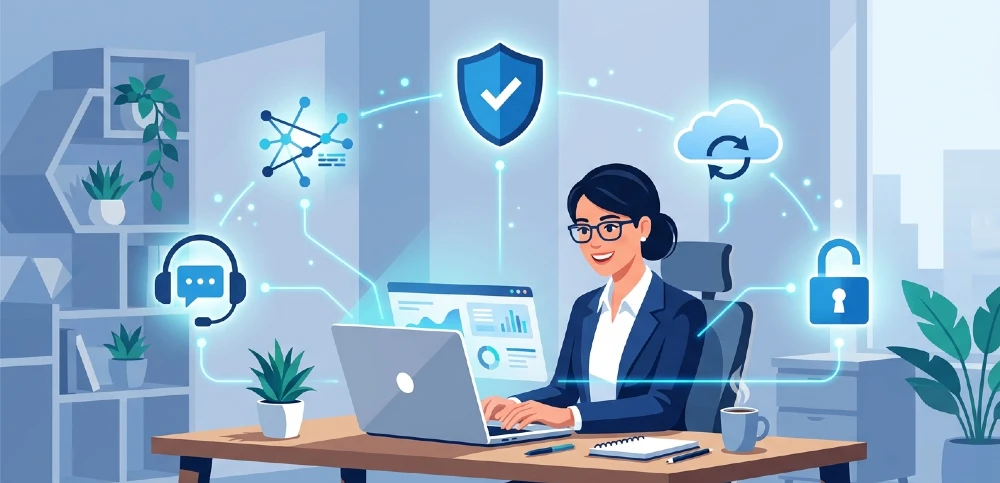
MSP (Managed Service Provider) services are outsourced IT solutions that take over the management of your technology infrastructure. Networks, security, cloud systems, backups, support — all handled by a dedicated team outside your company, usually at a flat monthly fee.
Most small businesses don’t need a full in-house IT department. But they absolutely need IT coverage. MSPs sit right in that gap.
Cyber threats in 2026 are more targeted, compliance requirements are stricter, and a single hour of downtime can cost you more than a month of MSP fees. The businesses that understand this early stop treating IT as an expense and start treating it as protection.
Not sure if you’ve already hit the point where outside support makes sense? The signs your business needs MSP services are often more visible than people realize — they just get ignored until something breaks.
What Services Do MSPs Actually Cover for Small Businesses?
This is where a lot of businesses get confused because MSPs pitch everything under the sun. So let’s cut through it and focus on what actually matters if you’re running a business with under 100 employees.
Remote Monitoring & Management (RMM) Your systems — servers, endpoints, networks — are watched around the clock. Issues get flagged and often fixed before you ever notice them. This alone prevents the kind of slow, invisible degradation that causes big crashes.
Cybersecurity & Endpoint Protection Every device your team uses is a door into your business. A serious MSP covers threat detection, firewall management, phishing defense, and endpoint security as a package — not as add-ons.
Cloud Management Whether you’re on Microsoft 365, Google Workspace, AWS, or a hybrid setup, MSPs handle migrations, daily management, and optimization. Most small businesses are underusing their cloud tools and overpaying for them at the same time.
Help Desk & End-User Support When something breaks for your team, they need a real answer fast. Not a ticket that gets resolved in three days. Good MSPs have defined response windows and actual humans available.
Backup & Disaster Recovery (BDR) If ransomware hits your business — and it’s a when, not an if question for most industries — BDR is what determines whether you recover in hours or lose everything. Non-negotiable.
Compliance Management HIPAA, PCI-DSS, SOC 2, CMMC — if your industry has regulatory requirements, a good MSP keeps you compliant without you needing to become a compliance expert yourself.
These six form the core. Anything beyond this is context-dependent. Some businesses need more specialized security. Some need co-managed IT. But start here and you’ve covered the essentials.
How Much Do MSP Services Actually Cost for Small Businesses?
For businesses in the 10–100 employee range, budget somewhere between $3,000 and $10,000 per month depending on how complex your environment is and how much coverage you need.
Pricing models vary by provider:
- Per-user pricing — Usually $100–$250 per user per month. Works well when each person uses multiple devices and needs full support coverage.
- Per-device pricing — Around $30–$80 per device per month. Better if your business is device-heavy but has fewer users.
- Flat retainer — A fixed monthly fee based on negotiated scope. Predictable and often best for established businesses with a clear IT footprint.
Here’s the part most business owners miss: they look at the MSP fee and flinch, but they never add up what they’re already spending on emergency IT fixes, lost productivity from downtime, and the risk exposure from unpatched systems.
When you run that full number, MSP pricing usually looks very different.
You can do this comparison properly by looking at the MSP services vs. in-house IT team breakdown — the cost difference is usually significant.
What Makes an MSP the Right Fit for a Small Business?
Not every MSP is built for small businesses. Some are designed for enterprise clients and will treat your 30-person company like a low-priority account. That’s a real problem and it happens constantly.
Here’s what actually separates a good small business MSP from a bad one:
Industry experience. A healthcare clinic and a software startup have completely different security and compliance needs. If your MSP hasn’t worked in your industry before, you’ll spend the first six months educating them.
Proactive approach. The difference between a reactive MSP and a proactive one is measured in downtime. You want someone calling you before something breaks — not after.
Transparent SLAs. Ask directly: what’s the guaranteed response time for a critical incident? For a non-critical one? If the answer is vague, that’s your answer.
Real certifications. Microsoft Gold Partner, AWS Advanced Partner, CompTIA, SOC 2 compliance — these aren’t just badges. They indicate that the team has gone through real vetting, not just set up a website and started cold-calling.
Scalability. The MSP you hire at 20 employees should still make sense at 80. Ask them directly how their pricing and service model changes as you grow.
Best MSP Services for Small Businesses in 2026 — Broken Down by Type
Cybersecurity-First MSP Services
This is the priority for 2026, full stop. The threat landscape has shifted significantly — attacks are no longer just targeting enterprise companies. Small businesses are actively targeted because they’re perceived as easier to breach with less resources to fight back.
What a cybersecurity-forward MSP should include:
- 24/7 Security Operations Center (SOC) monitoring
- Endpoint Detection and Response (EDR)
- Phishing simulation and staff awareness training
- Incident response planning
- Compliance framework support
If an MSP leads with “we monitor your network,” that’s not enough in 2026. Push them on what they actually do when a threat is detected — not just that they detect it.
Cloud Management & Optimization
Most small businesses are paying for cloud tools they’re either misconfiguring or underusing. A good MSP audits your current cloud environment, fixes what’s wrong, and makes sure your spend is actually aligned with what you need.
Migration support is also a big part of this. Moving from on-premise to cloud, or from one cloud provider to another, is something that needs to be done right once — not patched over time.
Remote Monitoring & Management (RMM)
This is the foundation layer of almost every MSP service stack. Your systems get continuous visibility — every server, endpoint, and network connection is tracked in real time.
The practical outcome for a small business is simple: your IT just works, and you stop thinking about it. That’s the actual goal.
Co-Managed IT Services
If you already have a part-time IT person or a small internal team, co-managed IT is worth considering. Instead of replacing your existing setup, an MSP layers on top of it — providing specialized skills, after-hours coverage, and backup resources your internal person can’t provide alone.
This model is particularly strong for businesses in the 25–75 employee range where one IT hire isn’t quite enough but a full MSP takeover feels like overkill.
You can explore IT staff augmentation as a related option — it’s a middle-ground approach that works well for specific skill gaps.
Help Desk & End-User Support
Your team losing an hour because they can’t resolve a technical issue is a hidden productivity cost that adds up fast. Good MSP help desk services offer same-day resolution for most issues, with guaranteed escalation paths for critical problems.
When evaluating this, always ask for average ticket resolution times from current clients — not the numbers in the sales deck.
AI and MSP Services in 2026 — What’s Actually Different
AI has genuinely changed how MSPs operate, and small businesses are benefiting from it whether they know it or not.
The biggest practical change is predictive issue resolution. MSPs using AI-driven monitoring can flag a server that’s likely to fail in 72 hours based on performance patterns — before it actually goes down. That’s not futuristic anymore. That’s standard in any competent MSP stack in 2026.
Other AI-driven improvements include:
- Automated patch management that schedules updates based on risk level, not just calendar dates
- Smarter security alerts with fewer false positives, so your team isn’t chasing noise
- AI-assisted ticket triage that routes issues to the right technician immediately
- Anomaly detection that catches unusual network behavior before it becomes a breach
When evaluating MSPs, ask directly whether their monitoring tools use predictive analytics. The ones that don’t are already operating with a disadvantage.
How to Actually Choose an MSP for Your Small Business
Here’s a practical process — not a theoretical one.
Step 1: Define your actual needs first. Before you talk to a single MSP, write down your current IT pain points, your compliance requirements, your cloud environment, and your headcount. This saves you from getting sold services you don’t need.
Step 2: Run consultation calls with at least three providers. Ask each one the same questions: Have you worked with businesses in my industry? What’s your guaranteed response time for critical incidents? What happens if our account manager leaves? How does pricing change as we grow?
Step 3: Ask for client references in your industry. Not general testimonials — specific clients at a similar size and in a similar sector. Call them. Ask about response times during actual incidents, not routine maintenance.
Step 4: Read the contract carefully. Watch for: vague SLA language, multi-year lock-ins with no exit clauses, and scope that’s defined broadly enough for the MSP to argue something isn’t covered.
Step 5: Start with a pilot if possible. The best MSPs will agree to a 60–90 day pilot engagement before locking into a long-term contract. If they won’t, that tells you something about how confident they are in their own service.
MSP Services vs. In-House IT — The Real Comparison
A single in-house IT hire runs $60,000–$90,000 per year in salary alone — and that’s one person with one skill set, working one shift, covering one timezone.
An MSP gives you a full team with diverse expertise, 24/7 coverage, built-in redundancy, and no HR overhead for a fraction of that cost.
The only scenario where in-house consistently makes more sense is when your business runs highly specialized, proprietary technology that requires dedicated daily on-site presence that an external team genuinely can’t provide remotely.
For most small businesses, the math isn’t even close. See the detailed side-by-side in MSP services vs. in-house IT team.
Red Flags to Watch for in Any MSP Contract
Most businesses skip this part until there’s a dispute. Don’t be that business.
No defined SLA. “Best effort” support is not a service level agreement. It’s a way to avoid accountability.
Long lock-in, no exit clause. A two or three-year contract with no exit terms is a risk you shouldn’t take with a provider you haven’t tested properly.
Vague scope. If the contract doesn’t specify exactly what is and isn’t included, every gray-area situation becomes a negotiation.
Single point of contact. If your entire relationship depends on one technician and that person leaves, you lose institutional knowledge of your entire environment overnight.
No reporting. A good MSP sends regular reports — uptime stats, ticket resolution times, security events, patch compliance. If they don’t report, you have no visibility into what you’re paying for.
MSP Services and Online Growth — They Work Together
Here’s something most IT conversations miss entirely: your MSP keeps your business running, but it doesn’t grow it. Those are two different jobs.
Businesses that are serious about 2026 growth are pairing solid IT infrastructure with a real digital presence strategy — MSP-focused online optimization is one approach that connects both worlds.
When your systems are stable and your digital presence is strong, growth gets a lot less complicated.
Final Thoughts
Small businesses that get their IT right stop spending energy on problems and start spending it on growth. That shift is more significant than it sounds.
In 2026, the businesses winning on technology aren’t the biggest ones — they’re the ones who made smart, early decisions about how they manage infrastructure, security, and support.
If you’re still unsure whether you’ve hit the point where outside IT support makes sense, start with the signs your business needs an MSP. The answer is usually already in front of you.
One Partner. Every Digital Need.
At Miracle Concepts, we handle more than IT. We help small businesses build the complete digital foundation they need to compete and grow. Our MSP services keep your infrastructure secure and running. Our SEO services bring the right traffic to your website. Our GEO — Generative Engine Optimization makes sure you show up where AI-powered search is heading. When your site needs a better experience, our UX design team builds interfaces that actually convert. And when your documents and brand materials need to look as sharp as your services, we handle that too — from web development to document formatting. Everything your business needs to look professional, rank well, and scale confidently — all in one place.