
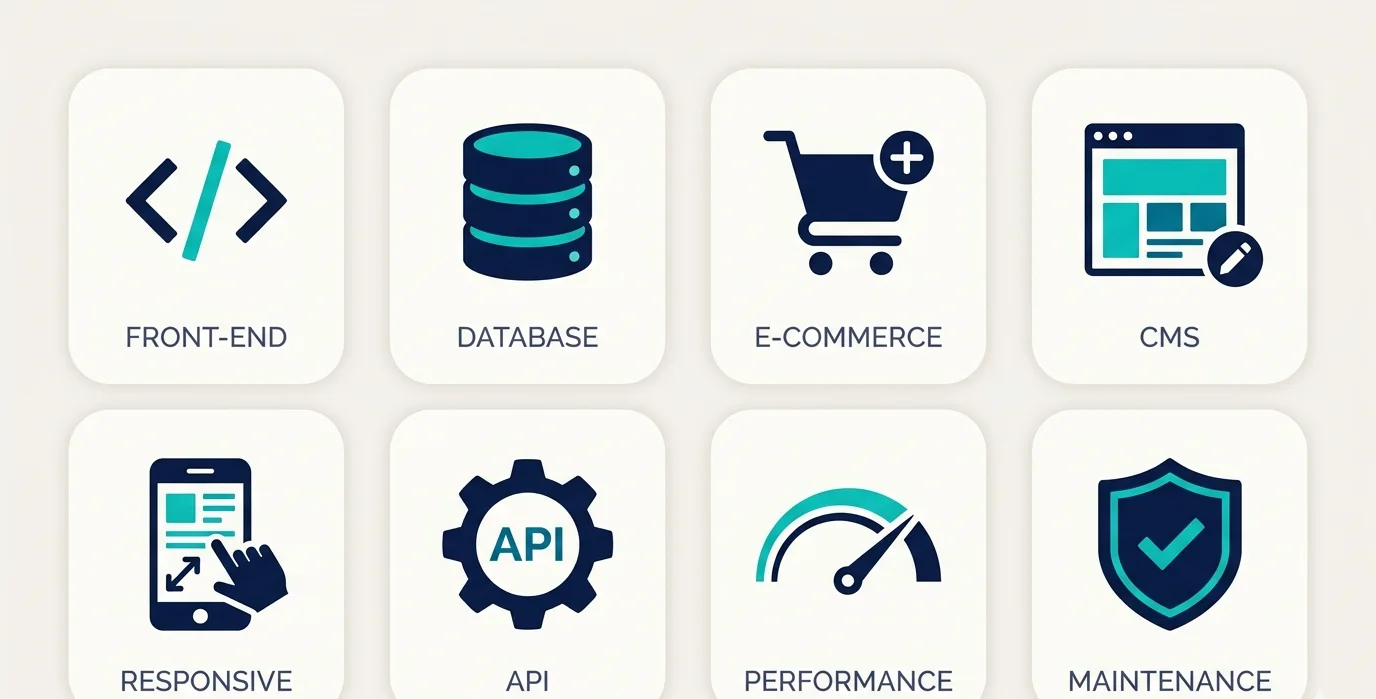
A web development services list includes every technical and design service involved in building, launching, and growing a website or web application from front-end design and back-end coding to e-commerce setup, CMS integration, API development, performance optimization, and ongoing maintenance. Most businesses need 4 to 6 of these services combined, not just one.
The problem most people run into is they search for “web development services” expecting a simple list. What they get instead is agency marketing language. Nobody clearly explains what each service actually does, what it costs, when you need it, and what goes wrong when you skip it.
This guide fixes that.
| Service | What It Does | Who Needs It |
| Front-End Development | Builds what users see | Every website |
| Back-End Development | Powers the logic behind the scenes | Dynamic sites, apps |
| Full-Stack Development | Both front and back end together | Startups, custom apps |
| Custom Website Development | Coded from scratch, no templates | Brands needing unique builds |
| CMS Development | Lets you edit content yourself | Blogs, business sites |
| E-Commerce Development | Builds online stores | Product-based businesses |
| Web Application Development | Builds tools users interact with | SaaS, portals, dashboards |
| API Development & Integration | Connects your site to other systems | Any site using third-party tools |
| Website Redesign | Rebuilds existing site | Outdated or underperforming sites |
| SEO-Ready Development | Builds with ranking in mind | Every site wanting organic traffic |
| Website Maintenance | Keeps site secure and updated | Every live site |
| Performance Optimization | Makes your site load fast | Any site losing traffic to speed |
| UI/UX Design | Makes the experience intuitive | Every site caring about conversions |
| Mobile-Responsive Development | Works perfectly on phones | All websites in 2025 |
| Progressive Web App (PWA) | App-like site without app store | Mobile-heavy user bases |
What Is Web Development, and Why Does the Service You Pick Matter More Than the Price?
Web development is the process of building websites and web applications that live on the internet. But that sentence barely scratches the surface. Development is not one thing. It is a collection of specialized skills, some focused on design, some on code, some on infrastructure and every project needs a different combination.
The reason picking the right service matters more than comparing prices: a cheap front-end build without back-end architecture collapses the moment you need a login system. A beautiful design without SEO-ready code gets zero traffic. A powerful e-commerce store without performance optimization loses 7% of conversions for every extra second it takes to load that is a statistic Google has confirmed in their PageSpeed research.
So before you look at a services list and ask “how much does this cost,” ask “which of these do I actually need?” That question saves more money than any negotiation on hourly rates.
Discover how APIs work in web development! Seamless data exchange powers dynamic apps—unlock payment gateways, maps, social logins accelerating feature-rich sites instantly!
Front-End Development: What It Is and What It Actually Controls
Front-end development is everything a visitor sees and interacts with in their browser — the layout, colors, buttons, menus, animations, and text.
The technologies behind it: HTML structures the content. CSS handles the visual styling. JavaScript adds interactivity. For modern websites, front-end developers also use frameworks like React, Vue.js, or Next.js to build faster and manage complex interfaces more cleanly.
Here is what front-end development controls that people do not always realize:
- How fast your page visually loads (called First Contentful Paint — one of Google’s Core Web Vitals)
- Whether your site looks correct on mobile, tablet, and desktop
- How accessible your site is for users with disabilities (screen readers, keyboard navigation)
- Whether buttons, forms, and menus feel smooth or sluggish
- How content reflows when the screen size changes
What to do: When hiring front-end developers, always ask to see their Core Web Vitals scores on past projects. A site that looks good but loads slowly is a front-end failure with real SEO consequences.
What not to do: Do not let a front-end developer use heavy JavaScript frameworks for a simple brochure website. A 5-page business website does not need React. Over-engineering a simple site makes it unnecessarily slow and expensive to maintain.
Back-End Development: The Engine Nobody Sees But Every Business Needs
Back-end development powers everything that happens behind the scenes — user logins, database queries, payment processing, form submissions, and business logic.
If front-end is the storefront, back-end is the warehouse, accounting office, and security system combined.
The technologies: Back-end developers work with languages like PHP, Python, Node.js, Ruby, or .NET. They build and manage databases (MySQL, PostgreSQL, MongoDB), handle server configuration, and write the logic that connects your website’s visible layer to your data.
Here is a concrete example. When someone fills out a contact form on your website and presses “Submit,” the front-end collects the input. The back-end receives it, validates it, checks it against spam filters, stores it in a database, sends you a notification email, and returns a “success” message to the user. That entire chain is back-end work.
You need back-end development when your site:
- Requires user accounts or login systems
- Stores and retrieves data (customer records, orders, listings)
- Connects to payment gateways like Stripe or PayPal
- Sends automated emails or notifications
- Runs any logic that varies per user or session
What not to do: Do not skip back-end architecture planning to save money upfront. Systems built without proper database design become expensive to fix at scale. Rebuilding a poorly structured back end when you have 10,000 users costs far more than designing it correctly for 100.
Explore how web development affects SEO! Core Web Vitals, crawl efficiency, schema markup drive rankings—build technically perfect sites dominating search profitably!
Full-Stack Development: When You Need One Person (or Team) for Everything
A full-stack developer handles both front-end and back-end work they build the interface and the infrastructure.
This is not always the most efficient approach for large projects, where specialist teams produce better results. But for startups, MVPs (minimum viable products), and small-to-medium custom builds, a full-stack developer or a small full-stack team is often the fastest and most cost-effective path.
Popular full-stack combinations in 2025:
- MERN stack — MongoDB, Express, React, Node.js (great for fast-loading, JavaScript-heavy apps)
- LAMP stack — Linux, Apache, MySQL, PHP (still powering millions of websites including WordPress)
- JAMstack — JavaScript, APIs, Markup (excellent for performance and static-first sites)
When full-stack makes sense: you are building a new product, your budget is limited, and speed to launch is a priority. One developer who understands the whole system communicates better, ships faster, and debugs more efficiently because they see both layers.
When it does not: enterprise-level applications where the front-end alone requires a team, or where specialized security, database architecture, or infrastructure expertise is critical.
Custom Website Development: When Templates Actually Hurt Your Business
Custom website development means your site is built from scratch, coded specifically for your brand, your audience, and your goals not adapted from a template.
Most template-based websites (Wix, Squarespace, even generic WordPress themes) share the same structural HTML, the same JavaScript libraries, and the same CSS patterns. That is fine for hobby projects. It becomes a problem when your business needs:
- A unique user experience that your competitors cannot replicate
- Specific functionality that no plugin or template supports
- Performance scores above 90 on Google PageSpeed (very hard to achieve with bloated templates)
- Full control over your code for security compliance (healthcare, finance, legal industries)
Custom development costs more upfront. A well-built custom website typically starts at $5,000 for simple builds and goes to $50,000+ for complex platforms. But the total cost of ownership over three years is often lower because you are not paying for plugin subscriptions, template license renewals, or constant workarounds for things the template was never designed to do.
One important reality check: custom does not automatically mean better. A poorly built custom site is worse than a well-configured WordPress site. The quality of the team matters more than the development approach.
Master full stack web dev for SaaS products! End-to-end development scales subscription platforms—multi-tenant architecture plus API mastery fueling recurring revenue!
CMS Development: How to Edit Your Own Website Without Calling a Developer Every Time
CMS (Content Management System) development gives you a simple interface to add pages, publish blog posts, update images, and change text — without touching code.
The most widely used CMS platforms:
- WordPress — Powers over 43% of all websites globally (W3Techs, 2025). Massive plugin ecosystem, large developer talent pool, flexible for almost any content type. Best for: blogs, business sites, portfolios, and mid-size service businesses.
- Shopify — CMS built specifically for e-commerce. Not a general-purpose CMS. Best for: product-based online stores.
- Webflow — Visual design tool with CMS capabilities. No coding required for layout changes. Best for: design-heavy marketing sites, agencies, SaaS landing pages.
- Drupal — Enterprise-grade, highly customizable, and a stronger security model than WordPress. Best for: government sites, universities, large media platforms.
- Contentful / Sanity — Headless CMS platforms. Content is stored separately from your website’s front end and delivered via API. Best for: companies with multiple websites, apps, or channels pulling content from one source.
What to do: When you have a CMS built, insist on a training session from your developer before they hand the project over. Most developers build a CMS and hand over a login. Most clients then never use it because nobody showed them how. That training session costs one hour and saves you months of unnecessary developer dependency.
What not to do: Do not install WordPress plugins for every feature request. A bloated WordPress installation with 40+ plugins is a security risk and a performance disaster. Every plugin that you add is code you are trusting and updating forever.
E-Commerce Development: What Actually Goes Into Building an Online Store
E-commerce development is the process of building an online store that lets customers browse products, add them to a cart, pay securely, and receive confirmation reliably, at any scale.
This sounds simple. In practice, it involves at least a dozen interconnected systems.
The core components of a properly built e-commerce store:
1. Product catalog system — how products are stored, categorized, filtered, and searched. Poor catalog architecture is the number one reason product pages rank badly on Google and why customers cannot find what they want.
2. Shopping cart and checkout — the flow from “add to cart” to “payment confirmed.” Industry research consistently shows that 70% of online shopping carts are abandoned. A well-built checkout that is fast, minimal, and mobile-optimized can recover 20–30% of that abandonment.
3. Payment gateway integration — connecting Stripe, PayPal, Razorpay, or other processors to handle actual money movement. This is not just a plugin install — it requires security configuration, SSL certificates, PCI compliance considerations, and proper error handling.
4. Inventory management — tracking stock levels, triggering out-of-stock states, and syncing with suppliers or physical inventory systems.
5. Order management — capturing orders, routing them to fulfillment, sending confirmation emails, and managing returns.
6. Tax and shipping logic — calculating tax by location, integrating with shipping carriers, and showing accurate rates at checkout.
Platforms available:
- Shopify — fastest to launch, hosted, strong app ecosystem. Monthly fees from $39/month. Best for most product-based businesses starting.
- WooCommerce (WordPress plugin) — flexible, self-hosted, deeply customizable. No platform fees but requires hosting and maintenance investment.
- Magento (Adobe Commerce) — enterprise-level, highly scalable, complex to configure. Best for large catalogs and high-volume stores.
- BigCommerce — strong built-in features, less app dependency than Shopify, good for B2B.
What not to do: Do not launch an e-commerce store without testing the full checkout on a real mobile device. Over 60% of online shopping happens on mobile. A checkout that works on desktop but breaks on iPhone costs you real sales on day one.
Discover custom web design services! Bespoke UI/UX converts visitors 3X better than templates—craft brand-perfect experiences boosting engagement dramatically!
Web Application Development: When a Website Is Not Enough
A web application is a website that users do something inside they log in, create content, manage data, run reports, collaborate, or interact with tools. It is not just read; it is used.
The difference between a website and a web application:
- A website shows information; users read it
- A web app: users interact with data, take actions, and see personalized outputs
Examples of web applications: project management tools like Asana, CRM systems like HubSpot, accounting software like QuickBooks Online, booking platforms, customer portals, employee dashboards, and SaaS products of any kind.
Building a web application requires:
- User authentication — secure login, role-based permissions, session management
- Database architecture — how data is stored, related, and retrieved efficiently
- State management — how the app handles what a user is currently doing across the interface
- API design — how the front-end communicates with the back-end
- Scalability planning — how the system behaves when 10 users become 10,000
- Security architecture — protecting user data, preventing SQL injection, CSRF attacks, and unauthorized access
This is where most DIY or low-budget builds fail. A web application that was not architected for scale needs to be rebuilt from scratch at the worst possible moment when it is actually growing and you cannot afford downtime.
Build professional business website guide! Conversion-optimized layouts plus mobile perfection generate leads—establish instant credibility dominating your industry!
API Development and Integration: How Your Website Talks to Everything Else
An API (Application Programming Interface) is a connection layer that lets your website or app communicate with external systems payment processors, shipping carriers, CRMs, email platforms, social media, maps, and more.
Every time you log into a website using “Sign in with Google,” that is a Google OAuth API. Every time an e-commerce store calculates a UPS shipping rate at checkout, that is the UPS API. Every time your CRM automatically adds a new lead from your website contact form, that is an API integration.
API work in web development comes in two forms:
1. Building your own API — creating endpoints that let other systems or your own front-end retrieve data from your back-end. This is necessary for web applications, mobile apps that connect to your website’s data, and multi-platform products.
2. Integrating third-party APIs — connecting external services into your website. Common integrations:
- Payment: Stripe, PayPal, Square
- Email marketing: Mailchimp, Klaviyo, HubSpot
- CRM: Salesforce, Zoho, HubSpot
- Maps: Google Maps
- Social login: Google, Facebook, Apple
- SMS: Twilio
- Shipping: UPS, FedEx, DHL APIs
- Analytics: Google Analytics, Mixpanel
What not to do: Do not treat API integrations as trivial additions at the end of a project. Each external API introduces a dependency if that service changes, goes down, or updates their API version, your site breaks. Always build error handling around API calls so your site degrades gracefully instead of crashing completely.
Website Redesign: When Rebuilding Is Smarter Than Patching
A website redesign is the process of rebuilding an existing site, improving its structure, design, code, performance, and content while preserving (and ideally improving) its search engine rankings.
The keyword is “preserving.” This is where most redesigns go wrong. A redesign that ignores SEO can wipe out years of organic rankings in days. If your current site ranks on page one for valuable keywords, any change to a URL, any page that disappears, or any removal of structured data elements during a redesign poses a ranking risk.
A proper website redesign process:
Step 1 — Audit before you redesign. Crawl your existing site with a tool like Screaming Frog. Document every URL, every page title, every meta description, every internal link structure, and every backlink. This is your preservation map.
Step 2 — Keep what ranks, improve what does not. Pages ranking on page one stay structurally similar. Pages not ranking get restructured with better content, better headings, and better keyword targeting.
Step 3 — Implement 301 redirects for every URL that changes. A 301 redirect tells Google “this page moved permanently to here.” Without it, every old URL becomes a dead 404 page, and every backlink pointing to it loses its value.
Step 4 — Test performance before launch. The new site must score at least as well as the old site on Core Web Vitals before going live.
Step 5 — Submit the updated sitemap to Google Search Console immediately after launch. This tells Google to re-crawl and re-index the new version.
Skipping any of these five steps costs rankings. Rankings that take 12 to 18 months to rebuild.
Secure WordPress website maintenance services! Monthly updates, security hardening, speed boosts prevent crashes—keep sites bulletproof while rankings compound!
SEO-Ready Web Development: Why Built-in SEO Beats Bolt-On SEO
SEO-ready development means building the website in a way that Google can easily read, understand, and rank — from the first line of code.
Most development teams build a site and then hand it to an SEO team to “optimize.” That approach is like building a house and then trying to add plumbing after the walls are closed. It is expensive, incomplete, and frustrating.
SEO-ready development includes:
Technical SEO built into the code:
- Clean, semantic HTML (using correct heading hierarchy: H1, H2, H3 in proper order)
- Schema markup (structured data that tells Google what type of content is on each page — product, article, FAQ, review, local business)
- Open Graph and Twitter Card meta tags for social sharing
- Canonical tags to prevent duplicate content issues
- XML sitemap generated automatically
- Robots.txt configured correctly
- HTTPS enforced with proper SSL certificate
Performance as an SEO signal: Google confirmed that Core Web Vitals are a ranking signal. The three metrics:
- LCP (Largest Contentful Paint) — how fast the main content loads. Should be under 2.5 seconds.
- FID / INP (Interaction to Next Paint) — how responsive the page is when a user clicks. Should be under 200ms.
- CLS (Cumulative Layout Shift) — how much the page jumps around while loading. Should be below 0.1.
A developer who does not know what these metrics are should not be building your website if ranking on Google matters to you.
URL structure: Clean, keyword-rich URLs. /web-development-services/ ranks better than /page?id=47. This is a development decision, not an SEO team decision after the fact.
Website Maintenance: Why Going Live Is Not the End of the Project
Website maintenance is the ongoing work of keeping your site secure, updated, backed up, and performing well after launch.
Most clients treat launch as the finish line. Professional developers know it is the starting line. A live website that receives no maintenance is a security liability and a performance liability within months.
What website maintenance covers:
Security updates — WordPress, plugins, frameworks, and server software release security patches regularly. An unpatched site is an easy target. In 2024, the most common attack vector for WordPress sites was outdated plugins with known vulnerabilities. Routine updates close those holes.
Backups — Daily automated backups stored offsite (not just on your hosting server). If your server fails or your site gets hacked, a backup from this morning means recovery in hours, not weeks.
Performance monitoring — Uptime monitoring (alert if site goes down), speed monitoring (alert if load time degrades), and error monitoring (alert if pages start returning 404 or 500 errors).
Content updates — Adding new pages, updating pricing, changing team members, refreshing images, and adding blog posts. These seem minor but accumulate into significant work over a year.
Plugin and dependency auditing — Removing tools you no longer use, checking for compatibility conflicts, and ensuring nothing breaks after major framework updates.
Typical maintenance pricing ranges from $100 to $500/month for small to medium sites, and $500 to $2,000/month for complex applications or e-commerce stores with high traffic.
What not to do: Do not go with the cheapest maintenance plan and assume it covers everything. Always get a specific list of what is included. “Maintenance” means different things to different agencies.
Fix Core Web Vitals issues permanently! Lazy loading, image optimization, unlock 90+ PageSpeed—catapult mobile rankings with lightning-fast user experiences!
Performance Optimization: What to Fix When Your Site Is Slow
Website performance optimization is the process of making your site load faster and respond more quickly using specific technical changes to code, images, server configuration, and caching.
Slow websites cost money. Amazon has reported that a 100ms delay in load time costs them 1% in sales. For most businesses, the impact is even higher because they have fewer customers to absorb the loss.
The main areas where performance is gained or lost:
Image optimization — Images are the single biggest cause of slow load times. The fix:
- Convert images to WebP format (30–35% smaller than JPEG with equal quality)
- Implement lazy loading (images only load when they scroll into view)
- Use a CDN (Content Delivery Network) to serve images from servers close to the user
Caching — Store a pre-built version of your pages so the server does not have to rebuild them for every visitor. Server-side caching (Redis, Varnish), browser caching (Cache-Control headers), and CDN caching all reduce response time significantly.
Code minification — Remove unnecessary spaces, comments, and characters from CSS and JavaScript files. A 200KB JavaScript file can often be reduced to 80KB through minification and compression.
Reducing render-blocking resources — Some JavaScript and CSS files force the browser to stop and wait before displaying the page. Moving them to load asynchronously or deferring them can shave 1 to 2 seconds off perceived load time.
Server response time — If your hosting is slow, no amount of front-end optimization fully compensates. Upgrade from shared hosting to a VPS or managed cloud hosting if your TTFB (Time to First Byte) is above 600ms.
Database optimization — For CMS sites and applications, slow database queries are often the hidden bottleneck. Indexing database tables correctly and caching frequent queries makes a measurable difference on dynamic sites.
UI/UX Design as a Development Service: The Line Between Pretty and Functional
UI (User Interface) design is what the site looks like. UX (User Experience) design is how it works. Done well together, they make the site both visually compelling and effortless to use.
Most web development agencies offer UI/UX as part of their service, but the depth varies enormously. Here is what separates surface-level “design” from actual UX work:
Surface-level design: Choose a color scheme. Pick fonts. Arrange blocks. Add a banner image. This is visual styling. It matters, but it does not affect conversion rates on its own.
Actual UX design:
- User research — understanding who your visitors are, what they came to do, and what stops them from doing it
- Information architecture — structuring your navigation and page hierarchy so users find what they need in under 3 clicks
- Wireframing — mapping the layout and content hierarchy before any visual design begins
- Conversion rate design — placing calls to action where users’ eyes naturally land (F-pattern and Z-pattern reading), reducing friction in forms, and building trust through visual hierarchy
- Accessibility design — ensuring color contrast ratios meet WCAG standards, font sizes are readable, and interactive elements work with keyboard navigation
A well-designed UX can double conversion rates on the same amount of traffic. That is more valuable than doubling your ad spend.
Mobile-Responsive Development: Not Optional in 2025
Mobile-responsive development means your website automatically adjusts its layout, font sizes, image sizes, and navigation to work correctly on screens of any size — phones, tablets, and desktops.
As of 2025, over 60% of global web traffic comes from mobile devices (Statista). Google uses mobile-first indexing, meaning it crawls and ranks the mobile version of your site first. A site that looks broken on a phone ranks lower than one that works perfectly even for desktop users searching on a laptop.
What responsive development actually involves:
- CSS media queries that trigger different layouts at different screen widths (breakpoints)
- Fluid grid layouts that stretch and compress proportionally
- Scalable images that resize without distorting
- Navigation that collapses into a mobile-friendly menu (hamburger menu) on small screens
- Touch-friendly button sizes (minimum 44×44 pixels Apple’s Human Interface Guidelines recommendation)
- No horizontal scrolling on mobile (one of the most common and most frustrating mobile UX failures)
What not to do: Do not test your responsive design only in a browser’s “device simulation” mode. Simulate mode does not perfectly replicate real mobile rendering. Always test on actual iOS and Android devices before launch.
Progressive Web Apps (PWA): The Middle Ground Between Website and Mobile App
A progressive web app is a website built with specific technologies that make it behave like a native mobile app it can be installed on a home screen, work offline, send push notifications, and load almost instantly.
This matters because building native apps for both iOS and Android costs significantly more than building a website. A PWA gives businesses most of the mobile app experience at a fraction of the cost.
What PWAs can do that regular websites cannot:
- Work offline or on poor internet connections (using Service Workers to cache content)
- Be installed on a user’s home screen without going through the App Store
- Send push notifications (with user permission)
- Load in under 1 second with proper caching
- Access some device features like the camera and location
What PWAs cannot do that native apps can:
- Access all hardware features (Bluetooth in some cases, advanced sensors)
- Get listed in the Apple App Store or Google Play (though Google Play allows PWA listing with some wrappers)
- Match native apps in terms of animation smoothness on complex interactions
Best use cases for PWAs: news sites, e-commerce stores with repeat buyers, service businesses with appointment booking, and SaaS tools where users return frequently.
How to Choose the Right Web Development Services for Your Business
This is where most guides end too early. They list the services, wave goodbye, and leave you to figure out what you actually need. Let us fix that.
Ask these five questions before contacting any agency:
1. What do I need my website to do? Not “I want a website.” Specifically, sell products, generate leads, book appointments, display a portfolio, run a subscription, host a member area? Each answer points to a different combination of services.
2. Who manages it after it is built? If your answer is “our internal team,” you need a CMS with good documentation. If your answer is “nobody,” you need a maintenance contract. If your answer is “a developer we already have,” clarify their specific skill set before choosing a stack.
3. What is the growth plan for the next 24 months? A site built for 500 monthly visitors does not automatically scale to 50,000. The infrastructure that handles your traffic today needs to be planned for the traffic you expect tomorrow. Ask every developer: “How does this handle 10x our current traffic?”
4. Are there integrations I know I need? List every external tool your business already uses CRM, email marketing, accounting, booking, and inventory. Every one of those is a potential API integration. Knowing them upfront prevents expensive “we did not plan for that” conversations mid-project.
5. What does success look like at 6 months post-launch? If success is “ranking on page one for three keywords,” SEO-ready development is essential. If success is “processing 500 orders per day,” performance and e-commerce architecture are the priorities. Defining the success metric defines which services actually matter.
Red Flags When Hiring a Web Development Agency
No proper discovery process. A good agency asks detailed questions before quoting. If they give you a price before asking about your goals, audience, integrations, and timeline they are quoting a template delivery, not a custom solution.
No post-launch support plan. Any agency that builds your site and walks away is leaving you to manage security, updates, and issues alone. Always confirm what ongoing support looks like before signing.
Portfolio with no results data. Screenshots of websites are not a portfolio. Ask for traffic metrics, conversion rate improvements, or load time before/after data. Real work produces measurable results.
Vague contracts. If the scope of work does not define exactly what pages are included, what CMS is used, what integrations are covered, who provides content, and how revisions work renegotiate before signing. Vague contracts always cost more than they appear.
No questions about your audience. A developer who starts designing without understanding who your users are will build something that looks good and converts poorly.
What Web Development Actually Costs in 2025
Without being vague about it:
- Simple brochure website (5–10 pages, CMS, no integrations): $3,000–$8,000
- Business website with lead generation forms and basic SEO setup: $5,000–$15,000
- E-commerce store (Shopify or WooCommerce, up to 200 products): $5,000–$25,000
- Custom web application (MVP with user auth, database, core features): $20,000–$80,000
- Enterprise platform (complex integrations, scalable infrastructure, custom CMS): $80,000–$250,000+
- Website redesign with SEO preservation: $4,000–$20,000, depending on site size
- Monthly maintenance: $150–$2,000/month
Hourly rates by region (2025): US/UK agencies typically charge $75–$200/hour. Eastern European agencies typically charge $40–$90/hour. South Asian agencies typically charge $20–$50/hour. The rate difference does not automatically reflect quality difference it reflects market pricing. Evaluate portfolios and references regardless of location.
Looking for a Web Development Partner Who Does All of This?
At Miracle Concepts, we handle every service on this list custom website development, e-commerce builds, web application development, CMS setup, API integrations, performance optimization, and full ongoing maintenance. We do not hand you a template and call it done. Every project starts with a detailed discovery call where we map your goals to the specific services you actually need nothing more, nothing less.
Our clients get a website that works, ranks, and grows with their business. If you are ready to talk through your project, we are ready to listen.
Contact Miracle Concepts today →
Miracle Concepts: Your Full-Service Digital Growth Partner
Beyond web development, Miracle Concepts offers a complete range of digital services to help your business grow online from every angle. Our SEO services make sure your website ranks for the searches your customers are already making driving organic traffic without ongoing ad spend. Our UX design team turns your existing site into a conversion machine by making the user experience cleaner, faster, and more intuitive. If your business needs a technology infrastructure partner, our MSP (Managed Service Provider) services keep your systems secure, monitored, and running 24/7. For teams that need professional documents, proposals, and reports, our document formatting services deliver polished, brand-consistent output every time. Every service we build connects a fast website that ranks, converts well, and runs reliably.