
| Migration Type | SEO Risk Level | Biggest Threat | Recovery Time |
| Domain name change | Very High | Losing backlink equity | 3–6 months |
| CMS / platform switch | High | Broken URLs, missing redirects | 4–12 weeks |
| Full site redesign | Medium–High | Changed URL structure, lost metadata | 2–8 weeks |
| HTTPS migration | Low | Improper redirect chain | 1–3 weeks |
| Structural / navigation | Medium | Internal link disruption | 2–6 weeks |
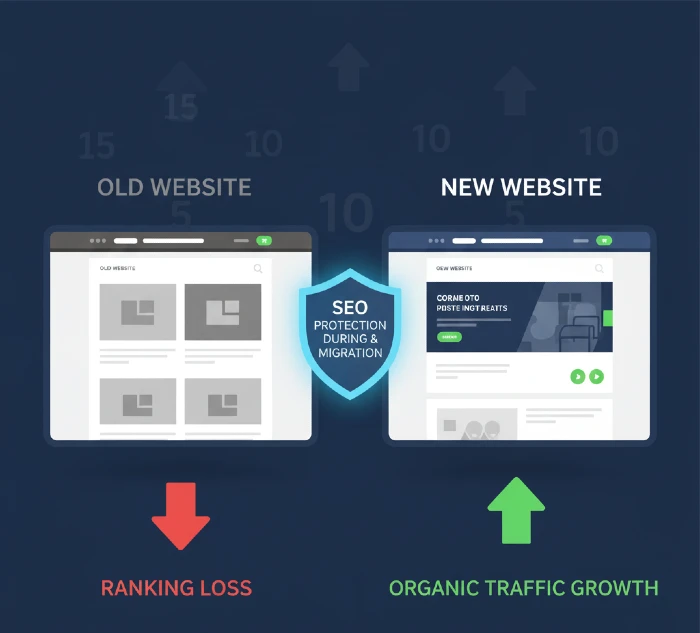
Website migration without proper SEO management is one of the fastest ways to lose years of organic ranking progress sometimes overnight. A single missed redirect, a lost meta tag, or a wrong robots.txt setting can wipe 40–60% of your traffic before you even realize what happened. SEO migration services exist for one reason: to make sure that never happens to you.
What SEO Migration Services Actually Cover
SEO migration is not just about moving files from one server to another. It is the full process of protecting every SEO signal your website has built rankings, backlinks, indexed pages, structured data, crawl pathways, and authority throughout any major website change.
This includes:
- Domain migration — changing your domain name while keeping all your existing SEO value
- CMS or platform migration — moving from WordPress to Shopify, Webflow, or a custom platform
- Full redesign migration — a visual and structural overhaul that changes URLs, page templates, or navigation
- HTTPS migration — moving from HTTP to HTTPS (still done wrong surprisingly often)
- Subdomain to subfolder migration — moving a blog from blog.yoursite.com to yoursite.com/blog/
- International or TLD migration — changing from a country-specific domain to a global one, or vice versa
- Merger and acquisition migrations — consolidating two domains into one after a business acquisition
Each of these carries different risks. A domain change is the riskiest because search engines treat it as an entirely new website. A redesign migration is dangerous because developers focus on aesthetics and forget that changing a URL structure without proper 301 redirects signals to Google that hundreds of pages have disappeared.
The job of professional SEO migration services is to handle every layer of this risk before launch, during launch, and in the weeks after.
Discover WordPress to Webflow migration without SEO loss! 301 redirects, meta preservation, speed boosts maintain rankings upgrade to faster, cleaner sites exploding performance profitably!
Why Skipping SEO During Migration Costs More Than the Migration Itself
Here is a real scenario that plays out constantly.
A business spends $20,000 redesigning their website. They brief the developer on the new design. The developer builds it beautifully. They launch it on a Monday. By Wednesday, organic traffic is down 50%. By Friday, the client is panicking.
What happened? The developer changed the URL structure. The old page /services/web-design/ became /web-design/. No redirects were set up. Google crawled the new site, could not find the old URLs, and removed them from the index. Three years of rankings gone.
This is not a rare story. It happens every week across businesses of all sizes.
The traffic loss is painful. But the real cost is compounding. Rankings take time to recover typically 3 to 6 months with active recovery work, sometimes longer. During that recovery period, you are losing leads, sales, and revenue every single day. The cost of that lost revenue almost always exceeds what proper SEO migration services would have cost upfront.
So the question is never “can I save money by skipping SEO during migration?” The real question is “how much will it cost me if I do?”
The Pre-Migration Audit: The Step Most People Rush Past
The most important work in an SEO migration happens before a single page goes live on the new site.
A thorough pre-migration audit captures the current state of your website’s SEO every ranking URL, every backlink pointing to your site, every piece of structured data, every canonical tag, every page title and meta description that is performing well. This becomes your reference point throughout the entire migration.
Without this baseline, you have no way to know what you have lost after the migration. You are flying blind.
What a proper pre-migration audit captures:
- Full crawl of the existing site using tools like Screaming Frog every URL, status code, redirect chain, meta tag, heading structure, and internal link
- Export of all currently ranking pages from Google Search Console, which pages drive organic traffic, and what keywords they rank for
- Backlink profile export every external domain linking to your site, which specific URLs they link to, and the anchor text they use
- Core Web Vitals baseline current page speed scores for both mobile and desktop
- Schema markup inventory for every type of structured data currently implemented, and on which pages
- Google Analytics goal and conversion tracking setup, ensuring all tracking codes carry over correctly to the new site
This audit typically takes 5 to 10 working days for a medium-sized website. Skipping it or rushing it is where most migration problems start.
URL Mapping and 301 Redirects: Where Migrations Win or Fail
This is the single most technical and most critical part of any SEO migration involving URL changes.
A 301 redirect tells search engines: “This page has permanently moved to a new URL. Transfer all ranking power, backlinks, and authority to the new address.” Done correctly, 301 redirects preserve roughly 90–99% of the SEO value of the old URL. Done wrong, or not done at all, that value evaporates.
The right way to build a redirect map:
Start with every URL from your pre-migration crawl. For each old URL, identify the most relevant page on the new site. Map old URL → new URL in a spreadsheet. This is not a quick process for large sites a 500-page website needs 500 individual redirect decisions. Each one matters.
The rules that cannot be broken:
- Every old URL that had traffic or backlinks must have a 301 redirect. No exceptions. Not even for pages you think were “unimportant.” Check Google Search Console impressions data some pages that look minor drive significant traffic.
- Redirect to the most relevant equivalent page. Do not redirect every old URL to the homepage. This is called a “redirect to homepage” mistake and it destroys SEO equity. Google recognizes when 200 different old pages all redirect to the same destination — it treats them as soft 404s, not valid redirects.
- Avoid redirect chains. A redirect chain is when Page A redirects to Page B, which redirects to Page C. Every additional hop in the chain bleeds ranking authority. If you are migrating a site that already has existing redirects, clean them up. Map every old URL directly to its final destination in one step.
- Test every redirect before launch. Use a tool like Screaming Frog to crawl your staging site and verify that every redirect resolves correctly with a 200 status code at the destination.
Keep all redirects live for at least 12 months after migration. Google recommends 180 days, but search engines are not the only concern users who bookmarked old URLs or clicked old links in emails will still arrive via those old addresses for months after launch.
Master technical SEO for React NextJS! SSR, dynamic meta, schema markup conquer JS challenges—rank SPAs like native HTML dominating competitive niches!
CMS Migration SEO: Moving Platforms Without Losing Ground
Moving from WordPress to Shopify, Webflow, HubSpot, or any other platform introduces a specific set of SEO risks that purely visual redesigns do not.
Every CMS generates URLs, metadata, sitemaps, and page structures differently. A page that lived at /blog/post-title/ on WordPress might default to /articles/post-title/ on Webflow — or worse, to /blog/post-title-1/ with a number appended because of how the new platform handles duplicate slugs.
The CMS migration risks that get missed most often:
Metadata loss. Some platforms do not automatically import page titles and meta descriptions during migration. You export your content, import it into the new CMS, and the metadata simply does not come with it. Every page title becomes the default placeholder the new CMS generates. This is fixable but requires going through every page manually after migration.
Pagination and category page changes. Blog archives, product category pages, and pagination structures vary massively between platforms. If your old site had /blog/page/2/ and the new platform generates /blog/?page=2/, every paginated page now has a new URL. Redirects are needed for all of them.
JavaScript rendering issues. Modern CMS platforms like Webflow or headless builds using React or Next.js generate content via JavaScript. Search engines can index JavaScript-rendered content, but it takes longer and requires additional crawl budget. For large sites migrating to JavaScript-heavy platforms, this can cause temporary indexation drops that look alarming but are not permanent provided the technical setup is correct.
Robots.txt and noindex tags. Development versions of new sites often have a robots.txt that blocks all search engines, or noindex tags on all pages, to prevent staging content from appearing in search results. These must be removed before launch. Forgetting to flip this setting is more common than it should be and the result is a new site that Google cannot index at all.
Explore how web development affects SEO! Core Web Vitals, structured data, crawl efficiency drive rankings—build technical perfection powering organic dominance!
Domain Migration: The Highest-Risk Change You Can Make
Changing your domain name is the most disruptive SEO event a website can go through. It is also sometimes unavoidable a rebrand, a business acquisition, or a move to a different country extension forces it.
Search engines treat a new domain as a new website. Even with perfect 301 redirects, there is always a period of ranking fluctuation. Backlinks that pointed to your old domain now point to a new one through a redirect the authority transfers, but the process takes time for Google to recognize and reprocess.
The TransferWise to Wise rebrand is the most cited example of a domain migration done well. Their SEO team executed the redirect strategy carefully, monitored post-migration performance daily, and reached out to major linking sites to update their links directly to the new domain. The result: traffic not just recovered but grew significantly within six months.
That outcome requires planning, not luck.
The domain migration process, step by step:
- Pre-migration audit — Capture every ranking URL, backlink source, and keyword position on the old domain before anything changes.
- New domain setup — Verify the new domain in Google Search Console. Set up Google Analytics on the new domain. Configure the new domain in any third-party tools that reference your site.
- Full 301 redirect map — Every URL on the old domain redirects to its exact equivalent on the new domain. Not to the homepage — to the exact matching page.
- Internal link update — Change every internal link in your new site’s content to use the new domain URL. Relying on redirects for internal links wastes crawl budget and slows down Google’s recognition of the new domain.
- Launch and immediate monitoring — Submit the new sitemap to Google Search Console. Use the “Change of Address” tool in Search Console if moving domains without a redesign. Monitor crawl coverage and indexation daily for the first two weeks.
- Backlink outreach — Identify your 50–100 most valuable backlinks (highest domain authority, highest traffic sites) and contact those webmasters to update their links directly to the new domain. This speeds up authority transfer significantly.
- Keep old domain live — Do not let the old domain expire. Keep it registered and the redirects active for a minimum of 12 months. Ideally, keep it for 2–3 years.
What Happens to Your Backlinks During Migration
Backlinks are one of the most important ranking factors, and they are also one of the most overlooked elements during migration.
When your site has a backlink from an external website pointing to /old-url/, and that URL changes to /new-url/ with a 301 redirect, the link equity transfers through the redirect. But the linking site’s page still shows the old URL. That is fine in the short term the redirect handles it. In the long term, getting those links updated to point directly to the new URL gives you slightly more authority and removes dependence on the redirect.
What actually kills backlink equity during migration is when old URLs return a 404 error instead of a 301 redirect. A 404 means the page does not exist. Any backlink pointing to a 404 URL passes zero authority. Zero.
That is why the backlink audit in the pre-migration phase is not optional. Export your full backlink profile from Ahrefs, Semrush, or Google Search Console. Identify every URL that has inbound links pointing to it. Make absolutely sure every single one of those URLs has a working 301 redirect to its equivalent new URL.
Learn how to rank new website on Google! Topical authority clusters, E-E-A-T signals, internal linking launch fast—outpace established sites strategically!
Post-Migration Monitoring: The 90 Days That Determine Long-Term Recovery
Launching the new site is not the end of the migration. It is the beginning of the most critical monitoring period.
In the first 2–4 weeks after launch, search engines are re-crawling and re-indexing the new site. Rankings will fluctuate. Some pages will temporarily drop. Some pages might temporarily rise. Neither is permanent at this stage. The goal is to monitor for genuine problems not normal fluctuation.
What to monitor daily in the first two weeks:
- Google Search Console coverage report — Are pages being indexed? Are there unexpected 404 errors or crawl anomalies?
- Organic traffic in Google Analytics — Compare week-over-week, not day-over-day. Day-level traffic has too much noise.
- Core Web Vitals — Did the new platform improve or hurt page speed? A site that loads 2 seconds slower than before will see ranking drops within weeks.
- Crawl errors — Run a Screaming Frog crawl of the live new site weekly to catch broken internal links or new redirect chains that were not in the staging version.
What to monitor weekly through months 2 and 3:
- Keyword rankings for your top 20–30 priority terms Are they recovering, stable, or still declining?
- Indexed pages count Is Google indexing all the pages you want indexed? Are pages being incorrectly excluded?
- Backlink profile — Have any high-value backlinks been lost? This can happen if a linking site periodically checks for broken links and removes ones that redirect instead of resolving directly.
If rankings have not recovered to pre-migration levels by week 8–10 for most terms, there is likely a technical issue that was missed. This is the point to do a full technical re-audit of the live site not just the staging version.
The Hybrid Migration Trap: Doing Too Many Things at Once
One of the most consistent mistakes made during website migrations is combining multiple major changes in a single launch event.
Changing your domain and completely redesigning the URL structure and switching CMS platforms all at the same time creates what is called a hybrid migration. The problem is not just that each change individually carries risk. It is that when something goes wrong and something always goes wrong you have no way to isolate which change caused the problem.
If you must make multiple changes, phase them. Change your CMS first, then redesign. Or redesign first, then change the domain. Give search engines 2–3 months to stabilise after each change before making the next one.
A practical case: a SaaS company decided to rebrand, restructure their site architecture, and move from WordPress to a custom React framework all at once. The right call was to phase this over 6 months instead. By doing so, organic traffic actually grew during the transition rather than crashing. That phased approach is almost always the right one.
HTTPS Migration: Still Being Done Wrong in 2025
This feels like a problem from 2016, but HTTPS migration errors still appear regularly in technical SEO audits.
The issue is usually not the HTTPS setup itself most hosting providers handle SSL certificates automatically. The issue is inconsistent implementation.
After moving to HTTPS, every single internal link on your site must use the HTTPS version of the URL. Every canonical tag must reference HTTPS URLs. Your XML sitemap must contain only HTTPS URLs. Your hreflang tags (if used for international SEO) must use HTTPS. Your Google Search Console property must be set up for the HTTPS version of your domain.
If your site has a mix of HTTP and HTTPS internal links, you create a split authority problem. Some pages get their link equity through HTTP, others through HTTPS. Google treats these as separate URLs. Your site appears to have duplicate content. Rankings dilute.
Check for this with a crawl tool after any HTTPS migration. It takes 20 minutes to verify and it prevents weeks of confusion.
Structured Data and Schema Markup During Migration
This is the element that gets completely forgotten in most migrations, even when everything else is done correctly.
Structured data schema markup for reviews, FAQs, products, breadcrumbs, events, local business information tells search engines what your content means, not just what it says. Rich results in search (star ratings, FAQ dropdowns, price information) come from structured data. These take time to earn and can take time to recover if they disappear.
During migration, structured data must be:
- Inventoried in the pre-migration audit (which schema types exist, on which pages)
- Rebuilt on the new site or new CMS in exactly the correct format
- Tested using Google’s Rich Results Test after launch to verify it is being read correctly
- Monitored in Google Search Console’s Enhancements report for any new errors
A lost review schema means your star ratings disappear from search results. A missing breadcrumb schema on an e-commerce site means your navigation hierarchy stops appearing in search snippets. These are visible to users and directly affect click-through rates not just rankings.
Fix Core Web Vitals issues permanently! Image optimization, lazy loading, CDN acceleration boost scores—unlock top rankings with lightning-fast user experiences!
How Miracle Concepts Handles SEO Migrations
At Miracle Concepts, SEO migration is not a checklist exercise. It is a structured, documented process that covers every layer of your site’s search visibility from the first audit to the final post-launch monitoring report.
Here is exactly how the process works when you work with us:
Discovery and audit (Week 1–2) We crawl your current site in full, export your ranking URLs from Search Console, pull your full backlink profile, and document every SEO element that needs to be preserved. You receive a complete baseline report before any work begins on the new site.
Migration strategy and URL mapping (Week 2–3) We map every old URL to its new equivalent, build the redirect plan, document metadata requirements for the new site, and flag any technical risks specific to your CMS or platform choice. If you are changing platforms, we identify migration-specific gotchas for your exact combination — for example, WordPress to Shopify has known issues with blog pagination and product variant URLs that catch people off guard.
Staging review (Before launch) Before your new site goes live, we review it in the staging environment. We check redirect implementation, verify meta tags and headings were correctly migrated, test schema markup, confirm robots.txt is correctly set, and validate that tracking codes are firing correctly on every page type.
Launch support We are available on launch day. Migrations often reveal unexpected issues that only appear when the site goes live. Having an SEO team available at that moment means problems get caught in hours, not days.
Post-launch monitoring (90 days) We monitor indexation, rankings, crawl errors, and Core Web Vitals weekly for three months after launch. We provide regular reports so you know exactly where recovery stands. If an issue emerges, it gets addressed before it compounds.
Whether you are moving from one CMS to another, rebranding to a new domain, or launching a full redesign, the process is the same: thorough preparation, precise execution, and careful monitoring.
Ready to move your site without risking your rankings? Get in touch with the Miracle Concepts team at miracleconcepts.net to discuss your migration timeline and what a protected transition looks like for your specific setup.
Common SEO Migration Mistakes and How to Avoid Them
These are the errors that appear most often in migration recovery audits meaning these are problems that were caused during migration and needed to be fixed afterward.
Redirecting everything to the homepage The temptation when there are many old URLs without clear new equivalents is to redirect them all to the homepage. Do not do this. Google treats these as soft 404s after a period of time. If there is genuinely no equivalent new page for an old URL, let it return a clean 404 that is less damaging than a misleading redirect.
Forgetting image URLs Images are indexed. Image URLs can rank in Google Image Search and drive traffic. If your images move to new URLs during migration (different file names, different folder structure, different CDN), those old image URLs need redirects too. This is almost always forgotten.
Not updating the XML sitemap before submission After migration, the XML sitemap must be updated to include only the new URLs no old ones, no redirects. Submit the updated sitemap to Google Search Console immediately after launch to accelerate re-crawling of the new site.
Missing the noindex removal on the live site Staging environments are blocked from search engine crawling during development. Sometimes the developer forgets to remove the noindex or robots disallow directive before launch. The site goes live, Google cannot index it, and traffic goes to zero. Always verify robots.txt and meta robots tags on the live site immediately after launch before doing anything else.
Changing too many things at the content level during migration Some teams use a site migration as an opportunity to rewrite or delete large amounts of content. If a page was ranking well and generating traffic, its content was part of the reason. Changing the content significantly during migration makes it impossible to diagnose whether the migration or the content change caused any subsequent ranking changes.
Conduct DIY website audit mastery! Screaming Frog crawls, GSC insights, PageSpeed tests reveal fixes—diagnose SEO issues boosting traffic independently!
How Long Does It Take to Recover Rankings After Migration?
Direct answer: expect 2 to 6 months for most migrations, assuming the migration was executed correctly.
A small site (under 50 pages) with a clean migration typically stabilizes within 4–6 weeks. A medium site (50–500 pages) with a domain change or full redesign typically takes 3–4 months. A large site (500+ pages) or an enterprise migration can take 4–6 months even with everything done right.
These timelines assume the migration was technically sound. Migrations with errors missing redirects, crawl blocks, broken metadata take significantly longer because recovery requires identifying and fixing the problems first, and then waiting for Google to recrawl and reprocess everything again.
The fastest recovery comes from aggressive post-launch monitoring. The sooner a problem is caught, the sooner it is fixed, and the shorter the recovery timeline.
Explore More From Miracle Concepts
SEO migration is one part of a complete digital strategy. At Miracle Concepts, we offer a full suite of services designed to help your business grow and operate more efficiently online. Our SEO services go beyond migrations from technical audits and on-page optimization to ongoing ranking growth campaigns that build long-term organic visibility. Our UX design services ensure your website does not just rank but converts because traffic without a clear user journey does not generate leads. Our web development team builds fast, scalable websites on platforms that do not create SEO problems from the start. We also provide document formatting services for businesses that need professional, branded documentation at scale. And for IT teams and infrastructure needs, our MSP (Managed Service Provider) services keep your systems running so your digital operations never miss a beat. One partner, all the capabilities your business needs visit miracleconcepts.net to learn more.
.