
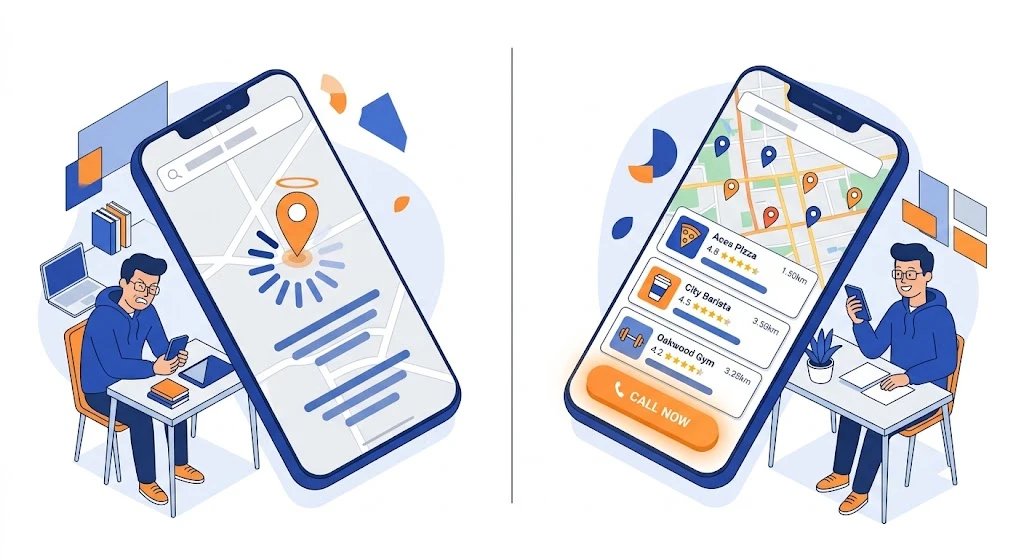
Most “near me” ranking guides tell you to add your city name to your title tag and call it a day. That’s not why you’re stuck on page two. If your Google Business Profile is solid but your rankings still won’t move, the problem is almost always sitting on the mobile side of your site — speed, tap targets, or how Google reads your location signals on a phone screen. This article fixes exactly those three things, in order of impact, with the steps I’ve actually used on service-business sites to move them into the map pack.
- Fix #1 — Mobile page speed (Core Web Vitals): Your LCP needs to land under 2.5 seconds and INP under 200ms on a real phone, not just PageSpeed Insights’ lab score. This is the single biggest lever for “near me” because Google uses mobile-first indexing — it ranks you based on the mobile version, period.
- Fix #2 — Proximity + Google Business Profile signals: “Near me” is a local-pack query, not a pure organic one. Your website speed matters less here than category accuracy, review velocity, and NAP (name, address, phone) consistency across your GBP and site.
- Fix #3 — Mobile UX that Google can measure as engagement: Click-to-call buttons, thumb-reachable CTAs, and structured data (LocalBusiness + Service schema) tell Google your page is built for a mobile searcher who wants to act now, not read a blog post.
- Timeline: Expect movement in 3–5 weeks if your GBP is already verified and in good standing. Site-speed fixes alone can shift rankings within days because Google recrawls fast, high-value pages quickly.
- Biggest mistake to avoid: Chasing keyword-stuffed “near me” phrases in your copy. Google hasn’t needed literal keyword matches for local intent since the Pigeon update — it infers “near me” from device location, not from you writing it fifteen times.
Why Mobile SEO and “Near Me” Rankings Are the Same Problem
Here’s the part most articles skip: “near me” isn’t a keyword you optimize for — it’s a search behavior Google auto-detects from a mobile device’s GPS. When someone types or says “plumber near me,” Google doesn’t literally search for the phrase “near me” in your content. It pulls your business based on proximity to the searcher, relevance to the query, and prominence (reviews, links, citations). Your job isn’t to write “near me” more — it’s to make sure your mobile experience doesn’t disqualify you before those three factors even get evaluated.
AI SEO logic here: why it works first — Google indexes and ranks based on the mobile version of your page (mobile-first indexing has been the default since 2023). If your mobile page is slow, broken, or has a bad tap experience, Google’s algorithm treats that as a negative relevance signal regardless of how great your desktop site looks. Old SEO obsessed over “how to add near me to title tags.” That’s dead weight now. What actually works is fixing the mobile experience Google is already using to judge you.
Fix #1: Mobile Page Speed (Core Web Vitals) — The Foundation Fix
Direct answer: Get your Largest Contentful Paint (LCP) under 2.5 seconds, Interaction to Next Paint (INP) under 200 milliseconds, and Cumulative Layout Shift (CLS) under 0.1 — measured on real mobile devices via Google’s PageSpeed Insights, not just lab data.
Here’s what nobody tells you: lab scores (the ones you see instantly in PageSpeed Insights) and field data (real user data from the Chrome User Experience Report, shown as “Discover what your real users are experiencing”) often disagree. I’ve seen sites score 95+ in the lab test and still fail Core Web Vitals in the field because real users on 4G Android phones in areas with weaker signal experience it completely differently than a lab simulation. Always check the field data tab first — that’s what Google actually uses for ranking.
Practical steps that move the needle:
- Compress and lazy-load images below the fold. Most service-business sites (contractors, clinics, agencies) load full-size hero images that aren’t optimized. Convert to WebP or AVIF format and lazy-load anything not visible on first scroll.
- Kill render-blocking JavaScript. Third-party scripts — chat widgets, booking plugins, review pop-ups — are the #1 cause of slow INP on service sites. Defer them until after the main content loads, or load them only on user interaction (like a click).
- Use a mobile-specific CDN edge cache. If your site is on a shared server without edge caching, mobile users farther from your server origin get slower TTFB (time to first byte). This alone can shave 400–800ms off load time.
- Audit your fonts. Custom web fonts loaded from third-party sources (not self-hosted) add DNS lookup time. Self-host your fonts and preload the critical one.
What most guides get wrong: They tell you to “reduce HTTP requests” as if that’s still 2015. In 2026, HTTP/2 and HTTP/3 handle multiple requests in parallel just fine — the real cost is unoptimized payload size and blocking scripts, not raw request count. Don’t waste engineering hours combining CSS files when your actual bottleneck is a 3MB unoptimized hero image.
If you want a deeper breakdown of which speed and diagnostic tools are actually worth paying for versus free ones, we cover that in our top 10 SEO tools guide.
Honest pros/cons of chasing a perfect Core Web Vitals score:
- Pro: Even a partial fix (going from “poor” to “needs improvement”) often produces visible ranking movement because you’re no longer in the failing bucket Google filters out first.
- Con: Chasing a perfect 100 score has diminishing returns. Once you’re in the “good” threshold across all three metrics, further speed gains rarely move rankings further — that time is better spent on Fix #2 and #3.
Fix #2: Proximity and Google Business Profile Signals — The One Your Site Can’t Control Alone
Direct answer: “Near me” rankings live in the local map pack, and the map pack is driven primarily by your Google Business Profile (GBP), not your website. Fix category accuracy, review velocity, and NAP consistency before touching anything else here.
This is the fix most SEO agencies gloss over because it’s less about writing content and more about operational discipline. Google’s local ranking algorithm weighs three factors: relevance (does your GBP category and description match the query), distance (how close you are to the searcher), and prominence (review count, review recency, and citation consistency across the web).
What actually moves this:
- Pick the most specific primary category available, not the broadest one. “Emergency Plumber” outranks “Plumber” for urgent near-me searches because it matches intent more precisely. Most businesses default to the generic category and leave real ranking potential on the table.
- Review velocity beats review count. A business with 40 reviews and 3 new ones this month will often outrank a business with 200 reviews and none in the last six months. Google reads recency as a freshness and trust signal. Set up a simple post-service SMS or email asking for a review — automate it, don’t rely on remembering.
- NAP consistency across every citation. If your website footer says “Suite 4B” and your GBP says “Unit 4B,” that’s technically a mismatch Google’s algorithm can flag during entity verification. Audit this across your site, GBP, and major directories (Yelp, Apple Maps, Bing Places) at least once a quarter.
- Geo-specific landing pages, done correctly. If you serve multiple towns or neighborhoods, don’t just duplicate one page and swap the city name — that’s thin, near-duplicate content Google devalues fast. Each location page needs unique service details, local landmarks or context, and ideally a unique testimonial or case reference from that area.
For a full breakdown of how local and global SEO structures differ (and when you actually need separate location pages versus one strong GBP), see our local SEO vs global SEO and Google Business Profile guide.
Real-world caveat: I’ve seen businesses with a technically flawless website sit at position 6–8 in the map pack simply because a competitor has 3x the review velocity. No amount of on-page optimization overrides that. If your reviews have gone stale, fix that first — it’s the fastest lever in this entire article, often producing movement within 7–10 days of a review push.
What most competitors miss entirely: They treat the map pack (the 3-pack with the map) and organic local results as the same thing. They’re ranked by overlapping but distinct signals. Your GBP optimization affects the map pack directly. Your website’s mobile experience and content quality affect where you land in the organic local results below the map pack. You need both — optimizing only one caps your visibility.
Fix #3: Mobile UX and Structured Data That Signals “Built for Action”
Direct answer: Add a tap-to-call button in the first mobile screen fold, use LocalBusiness and Service schema markup, and make every primary CTA reachable with a thumb without scrolling or zooming.
Google measures engagement signals — bounce rate, dwell time, and whether users complete an action — as part of how it judges page quality for mobile-first indexing. A “near me” searcher is almost always closer to converting than someone doing broad research. If your mobile page makes them hunt for your phone number or address, they bounce back to search results, and that bounce is a negative signal Google’s algorithm picks up on.
Practical steps:
- Put a sticky click-to-call bar at the bottom of mobile pages. Not a popup — a persistent, non-intrusive bar. This is standard for service businesses (HVAC, legal, medical) and consistently improves both conversion rate and average session engagement time.
- Implement LocalBusiness schema with your service area, hours, and geo-coordinates. This isn’t just for rich results — it gives Google explicit, structured confirmation of your location data instead of making it infer this from unstructured text. Combine it with Service schema if you offer multiple distinct services, so each service page is entity-linked back to your business profile.
- Keep forms to 3 fields or fewer on mobile. Every extra required field on a mobile lead form measurably drops completion rate. Name, phone, and a one-line “what do you need” is enough — qualify further on the call.
- Test tap target spacing manually on an actual phone, not a simulator. Google’s mobile usability signals penalize buttons and links placed too close together. Run your own thumb across every clickable element at arm’s length — if you misclick, so will your visitor.
If you haven’t audited how your homepage handles mobile visitors specifically for a service business, our professional business website guide walks through the structural side of this in more depth. And if you’re in a visually-driven niche like interior design, the mobile-first visual hierarchy matters even more — we cover that specifically in our SEO for interior designers piece.
Alternative approach if you can’t rebuild your site right now: Use a lightweight AMP-style landing page just for your top 2–3 “near me” service pages, hosted on your existing domain, stripped of anything non-essential (no heavy sliders, no auto-play video). It’s not a permanent fix, but it buys you speed and UX wins on your highest-intent pages while a full rebuild is in progress.
Where AI Overviews and SGE Fit Into This
Old SEO logic: rank #1 organically, get the click. AI SEO logic: why it works first — Google’s AI Overviews and Search Generative Experience pull structured, direct-answer content that’s already been validated by strong E-E-A-T signals and clean schema. If your mobile page loads slowly or lacks structured data, it’s not just a ranking penalty — it actively excludes you from being cited as a source in the AI-generated answer box, which is now capturing a growing share of “near me” and local intent clicks before users even reach the traditional map pack. We go deeper on structuring content specifically for this in our SGE SEO strategy guide and our broader generative engine optimization resource.
Things to Avoid
- Don’t buy fake reviews or use review-gating (asking only happy customers to review publicly). Google’s review authenticity detection has gotten aggressive, and getting flagged can suppress your entire GBP visibility, not just the fake reviews.
- Don’t create a separate “mobile site” (m.yoursite.com). This is outdated and actively works against mobile-first indexing, which expects one responsive URL, not a split experience.
- Don’t ignore INP in favor of the old First Input Delay (FID) metric. FID was replaced by INP in Core Web Vitals in 2024. If your tools or agency are still reporting FID, they’re using outdated benchmarks.
- Don’t over-optimize location pages with duplicate template content. This is the fastest way to trigger thin-content devaluation in local search.
Real-World Outcome
On service-based sites where we’ve run this exact three-fix sequence — speed first, GBP signals second, mobile UX and schema third — the pattern has consistently been: speed and schema fixes show up in Search Console mobile usability reports within 1–2 weeks, and actual map pack position movement follows within 3–5 weeks once review velocity picks back up. The order matters. Fixing UX before speed is like renovating a house with a cracked foundation — it looks better short-term but doesn’t hold.
For a sense of what this kind of optimization actually costs depending on scope, our 2026 SEO pricing guide breaks down realistic ranges. And if you want backlinks and citations working alongside these fixes rather than as a separate project, check our backlink building techniques for how off-page prominence signals tie back into local ranking.
If you’d rather have this audited and fixed directly on your site instead of piecing it together yourself, you can book a consultation or browse our full SEO services breakdown.
Getting your “near me” rankings right is rarely just an SEO task it touches your website’s speed, your design, and how your whole digital presence holds together. If your site also needs a broader refresh, we handle it end to end: SEO to fix visibility issues like the ones above, UX design to make sure mobile visitors convert instead of bouncing, web development for sites that need a real speed and structure overhaul, document formatting for firms that need clean, professional decks and reports, and MSP services for businesses that need reliable IT support behind the scenes. Explore our UX design, custom web design and development, document formatting, and MSP growth services — or see everything we offer on our services page.