
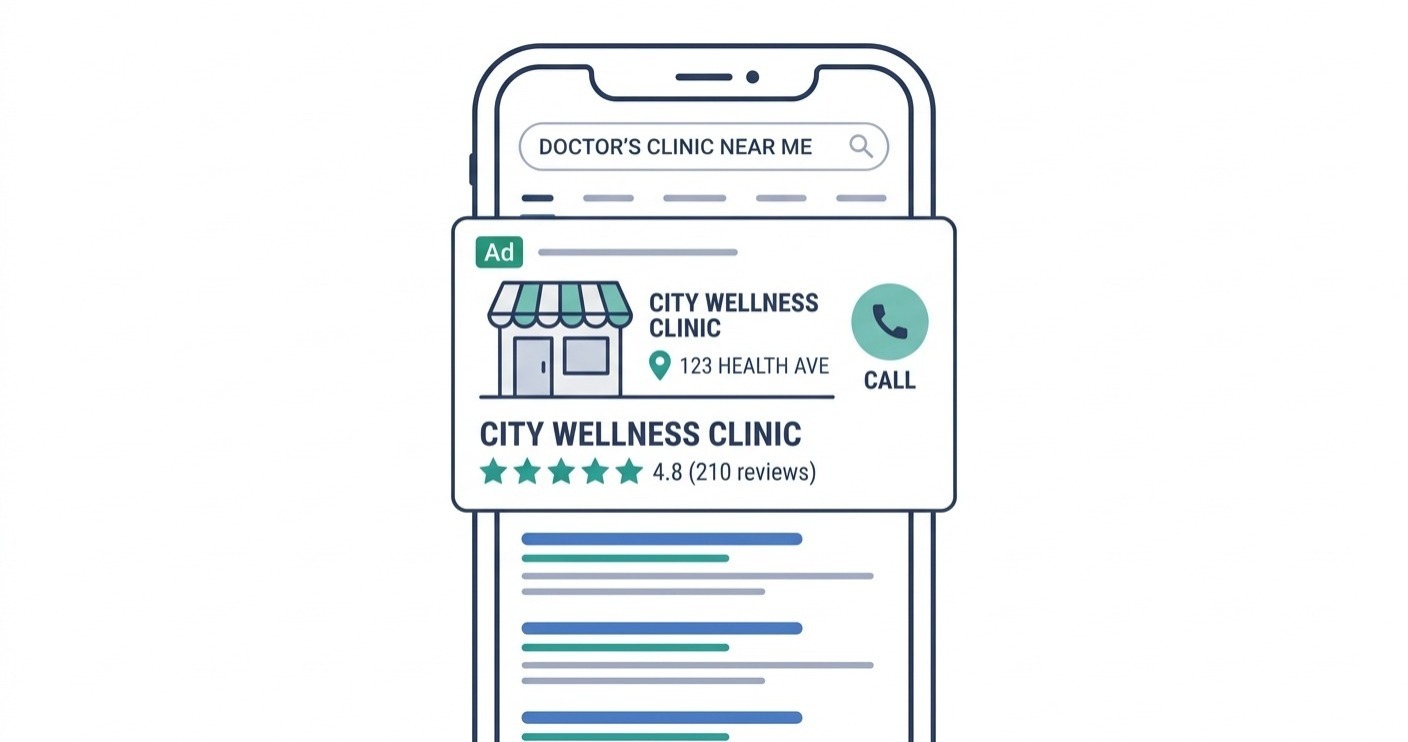
A patient types “orthopedic surgeon near me” into Google. In 0.5 seconds, Google runs an auction. The winner’s ad appears at the top of the page. That patient clicks. They book an appointment.
That is Google Ads in one sentence. But for a medical practice, the execution behind it — the keywords, the compliance rules, the ad copy, the landing pages, the bidding — is where most clinics either win or waste thousands of dollars every month.
This guide walks through every step. Not theory. Not definitions. Actual steps, in order, with the numbers you need to set realistic expectations before you spend a single dollar.
Quick answers — Google Ads for medical practices
How does it work?
You bid on keywords patients search. Google runs an auction. Your ad appears at the top. You pay only when someone clicks.
Average cost per click
Around $5.00–$5.64 for physicians and surgeons (PPC Chief 2026 data).
Average conversion rate
11.6% for healthcare — well above the cross-industry average of 7.5%.
Average cost per lead
~$56.83 for medical practices — 19% below the all-industry average.
How fast does it work?
You can get leads in 1–2 weeks. Solid optimization data takes 30–60 days.
Does it need HIPAA compliance?
Yes. You cannot retarget based on health conditions, and conversion tracking must avoid sending PHI to Google.
Monthly budget to start?
$1,500–$5,000 for a single location. High-competition specialties like cosmetic surgery often need $5,000+.
Why Google Ads Works Differently for Healthcare
Patients searching Google already want care. They are not browsing — they are deciding. That intent is what makes Google Ads so effective for medical practices compared to billboards, social ads, or email campaigns.
A billboard reaches everyone driving past, most of whom will never need your services. A Facebook ad interrupts someone scrolling through photos. Google Ads intercepts someone who just typed “cardiologist near me” — a person who has already decided they need a doctor and is now comparing options.
That search intent is everything. It is why healthcare sees a conversion rate of 11.6%, which is 55% above the all-industry average. People clicking healthcare ads are not curious — they are ready.
There is another reason it works. SEO takes 6–12 months to build meaningful rankings. A new clinic cannot wait that long for patients. Google Ads can have you appearing at the top of search results within 48 hours of launching a campaign. For a new practice, a practice entering a competitive market, or one launching a new service line, that speed matters enormously.
What makes it different from other industries is the layer of rules on top. Healthcare is classified as a “Your Money or Your Life” (YMYL) category by Google — meaning the platform applies stricter quality and compliance standards. You cannot retarget patients based on health conditions. You cannot make unsubstantiated outcome claims. You cannot use ad language that implies knowledge of a patient’s personal medical situation. These rules exist for good reasons, but they mean healthcare advertising requires more setup and more care than running ads for a restaurant or an e-commerce store.
Time to first leads after campaign launch
Source: PPC Chief 2026 data, as cited in Think Basis Medical Practice Google Ads guide.
Step 1 — Set Up Your Google Ads Account Correctly
Quick answer
Account setup for a medical practice is not the same as a standard Google Ads account. There are healthcare-specific settings, certifications, and compliance configurations you need in place before running a single ad.
Start at ads.google.com. Create your account and connect it to your Google Business Profile. That connection enables location extensions — the feature that shows your clinic’s address and phone number directly in the ad, which significantly increases call volume from mobile searches.
Inside your account settings, enable Google’s restricted data processing. This is not optional for healthcare. It tells Google’s ad platform to handle data in a way that aligns with medical privacy standards. Without it, you risk sending patient data to Google in ways that could violate HIPAA.
Set up conversion tracking before you create your first campaign. This is where most medical practices make their first mistake — they launch ads before they have any way to measure results. Conversion tracking tells Google which clicks turned into calls, form submissions, or appointment bookings. Without it, you are spending money with no idea what is working.
Use Google Tag Manager to implement conversion tracking rather than adding code directly to your site. Tag Manager gives you better control over exactly what data is sent to Google, which matters for compliance. Configure call tracking for both click-to-call actions (from mobile ads) and phone calls from your landing page.
Compliance note: Google does not sign a Business Associate Agreement (BAA) for its ads platform. This means any Protected Health Information (PHI) that accidentally reaches Google’s servers creates a HIPAA exposure. Use server-side tagging to de-identify conversion data before it reaches Google. This is the standard approach for high-performing healthcare practices in 2026.
Step 2 — Structure Your Campaigns by Service Line
One campaign for “everything” is one of the most common and most expensive mistakes in medical Google Ads. Each service line needs its own campaign, its own budget, and its own keywords.
Think about how your practice actually works. A patient searching for “knee replacement surgeon” is a completely different person from someone searching “family doctor accepting new patients.” Their urgency is different. Their insurance questions are different. The decision-making timeline is different. Running them through the same campaign and sending them to the same page means neither gets a relevant experience — and your budget gets diluted across mismatched intent.
A multi-specialty practice might organize campaigns like this:
- Campaign 1: Primary care — routine visits, new patient acquisition
- Campaign 2: Orthopedics — specific procedures, sports injuries, joint replacement
- Campaign 3: Urgent care — same-day availability, after-hours care
- Campaign 4: Elective services — cosmetic procedures, weight management
Inside each campaign, organize ad groups by specific intent. Inside the orthopedics campaign, you might have separate ad groups for “knee pain,” “shoulder surgery,” and “sports physicals.” Each ad group targets a tight cluster of related keywords and links to a landing page that speaks directly to that specific need.
This structure serves two purposes. It makes the campaign easier to manage and optimize — you can see exactly which service lines are profitable and which are not. And it improves Quality Score, which is Google’s measure of ad relevance. A higher Quality Score means you pay less per click for the same position.
Step 3 — Choose the Right Keywords (and the Right Negatives)
High-intent keywords — specific procedures, locations, and “near me” searches — convert at far higher rates than broad educational terms. Patients searching “hernia surgeon in Dallas” are ready to book. Patients searching “what causes a hernia” are not.
The keyword selection is where budget is won or lost before an ad ever runs.
Healthcare practices that use high-intent long-tail keywords see a 45% higher ROI than those bidding on generic terms like “doctor near me,” according to 2026 healthcare PPC data. Long-tail keywords are longer, more specific phrases. They typically cost less per click because fewer advertisers bid on them — and they convert better because the searcher knows exactly what they want.
| Keyword type | Example | Intent | Bid? |
|---|---|---|---|
| High-intent long-tail | “orthopedic surgeon Dallas same day” | Ready to book | Yes — priority |
| Location + specialty | “dermatologist near me accepting new patients” | Ready to book | Yes — priority |
| Procedure specific | “knee replacement surgeon Chicago” | High intent | Yes |
| Broad specialty | “doctor near me” | Mixed — some ready, some browsing | Use with caution |
| Educational / research | “what causes knee pain” | Research only | No — add as negative |
| Job / career terms | “medical assistant salary” / “doctor jobs” | Not a patient | Negative keyword |
| Free / cheap modifiers | “free doctor visit” / “cheap urgent care” | Not your target patient | Negative keyword |
Negative keywords are just as important as the keywords you bid on. These are terms that trigger Google to exclude your ad from showing up. A medical practice that does not add negative keywords ends up paying for clicks from people searching for medical job openings, free clinics, symptom definitions, or DIY health information — none of whom will ever book an appointment.
Build your negative keyword list before launch, not after. Common healthcare negatives: “free,” “cheap,” “salary,” “jobs,” “school,” “definition,” “symptoms of,” “causes of,” “how to treat at home,” “student,” “volunteer.”
Step 4 — Write Ad Copy That Gets Clicks (Without Violating Policy)
Healthcare ad copy must balance two things simultaneously: being compelling enough for a patient to click, and staying within Google’s healthcare advertising policies. The key is specificity, credentials, and availability — not promises or outcome claims.
Google’s expanded text ads and responsive search ads (RSAs) each have a character limit that forces you to be direct. Every word needs to earn its place.
The elements that consistently outperform in healthcare ad testing:
- Credentials in the headline: “Board-Certified Orthopedic Surgeon” signals authority instantly.
- Availability signals: “Same-Day Appointments” or “Open Saturdays” addresses the most common patient friction point.
- Insurance mention: “Most Insurance Accepted” removes a major decision barrier upfront.
- Location specificity: “Chicago Loop Location” confirms you are actually nearby.
- Action-oriented description: “Call to book your consultation” is clearer than “Learn more.”
What not to write: outcome guarantees (“We’ll cure your back pain”), language that implies you know the reader’s health status (“Are you struggling with diabetes?”), or any claim Google classifies as unsubstantiated. Google’s three-strike system for medical policy violations means repeated ad disapprovals can lead to account suspension. That is a much larger problem than a single rejected ad.
A high-performing emergency dental ad in testing generated a 12% click-through rate — nearly four times the healthcare industry average of 3.27%. The format: specialty + location + urgency signal + credential + insurance + call-to-action, packed into the character limit. Notice there are no promises in that structure. Just facts that are relevant to a person who needs care right now.
Write this
- “Board-Certified Cardiologist | Same-Day Appointments Available”
- “Dermatologist in Austin | New Patients Welcome | Most Insurance Accepted”
- “Knee Pain? Orthopedic Specialists. Call for a Consultation Today”
- “Urgent Care Open 7 Days | Walk-Ins Welcome | Avg Wait Under 20 Min”
Do not write this
- “We’ll fix your back pain — guaranteed”
- “Struggling with your condition? We can help”
- “Best doctor in the city” (unverifiable superlative)
- “Are you suffering from diabetes?” (implies health knowledge of reader)
Step 5 — Build Landing Pages That Convert Visitors to Patients
Sending ad traffic to your homepage is one of the biggest conversion killers in medical advertising. Every ad group needs a dedicated landing page that matches exactly what the ad promised.
A patient clicks your ad for “knee replacement surgeon.” The ad says “Board-Certified Orthopedic Surgeon | Same-Day Consultations.” They land on your homepage, which talks about your entire practice, six different specialties, and a general contact form. They leave.
That is called message mismatch, and it is responsible for a significant portion of wasted healthcare ad spend. The landing page should be a direct continuation of what the ad said. Same service. Same tone. Same next step. If the ad says same-day consultations, the landing page should have a booking form or click-to-call button above the fold — not buried three scrolls down.
What a high-converting medical landing page includes:
- One clear headline that restates the ad’s promise
- Doctor or provider photo and credentials — patients want to know who they are seeing
- Click-to-call button at the top, always visible on mobile
- Brief explanation of the service, in plain language
- Trust signals: years of experience, board certifications, patient reviews
- Insurance accepted — either logos or a clear statement
- A simple booking form (name, phone, preferred time — nothing more)
- Address and a map embed for local practices
Notice what is not on that list: long paragraphs of medical information, navigation links to other parts of your site, or multiple competing calls to action. Landing pages for ads have one goal. Get the appointment booked or the call made. Everything else is a distraction.
Mobile optimization is non-negotiable. The majority of healthcare searches happen on mobile devices. A page that loads slowly, has text too small to read, or has a booking form that requires pinching and zooming will lose patients before they ever contact you.
A practical note on page speed: Google uses page experience as a Quality Score factor. A landing page that loads in under 2.5 seconds generally performs significantly better than one taking 4+ seconds. This affects both your ad cost (through Quality Score) and your conversion rate (patients leave slow pages). Web development and performance optimization matter just as much as the ad itself.
Step 6 — Set Your Budget and Bidding Strategy
Start with Maximize Conversions while the campaign collects data. After 30 conversions in 30 days, shift to Target CPA. Budget depends on specialty and location — $1,500–$5,000/month for most single-location practices.
The bidding question trips up most medical practice owners because it feels like a numbers game with no clear answers. It is actually more logical than it appears once you understand the learning phase.
When you launch a new campaign, Google’s AI does not know your practice. It does not know which types of patients convert, what time of day your calls are highest, or which geographic areas produce the best leads. The Maximize Conversions strategy during this phase tells Google: spend my daily budget and find out. It is the learning phase. It will not be perfectly efficient. That is fine — you are buying data.
Once your campaign has collected 30 conversions in a 30-day window, Google’s algorithm has enough to work with. At that point, switch to Target CPA bidding — you set the cost per lead you are willing to pay, and Google optimizes toward it. This is when campaigns start to become genuinely efficient.
| Practice type | Suggested monthly budget | Notes |
|---|---|---|
| Small single-location practice | $1,000–$2,500 | Best for local, low-competition specialties |
| Mid-size or multi-specialty | $2,500–$5,000 | Covers 2–3 campaigns simultaneously |
| Elective / cosmetic specialty | $5,000–$10,000+ | Cosmetic surgery, dental implants, LASIK — high competition, high lifetime value |
| Multi-location practice | $5,000–$15,000+ | Separate campaign budgets per location recommended |
A useful rule of thumb from industry benchmarks: healthcare practices should allocate 3–5% of gross revenue to digital advertising, with Google Ads comprising 60–70% of that budget. A practice generating $500,000 annually lands at roughly $1,000–$1,500/month for Google Ads. That is enough to run a focused single-service campaign competitively in most mid-sized markets.
Click fraud warning: Up to 25% of advertising clicks in competitive markets are fraudulent — bots, competitor clicks, and click farms. On a $5,000/month budget, that is $1,250 disappearing with no patient to show for it. Click fraud protection tools like ClickCease or ClickGUARD cost $50–200/month and consistently recover multiples of their cost. For any healthcare practice spending over $2,000/month on Google Ads, this is worth implementing from day one.
Step 7 — Location Targeting for Medical Practices
Most patients want a doctor within a reasonable distance. Start with a 10-mile radius in urban areas, 25–50 miles in rural or suburban markets. Use location-specific keywords to reinforce proximity.
Geography shapes healthcare decisions more than almost any other industry. People do not drive 45 minutes for a primary care appointment unless there is no closer option. For elective procedures, they might travel further — but for urgent care, family medicine, and routine specialist visits, proximity is often the deciding factor.
Set location targeting in Google Ads to show ads only to people within a geographic radius of your clinic. The right radius depends on your location and specialty:
- Urban / dense city: 5–10 miles. More people, more competition, less willingness to travel across the city.
- Suburban: 10–20 miles. Patients typically have a few options; being the closest credible option wins.
- Rural: 25–50 miles. Patients have fewer choices and will travel further for specialist care.
- Elective procedures: Expand to 50+ miles. Someone considering cosmetic surgery or a specific surgical specialist will travel.
Layer location into your keywords too. “Orthopedic surgeon [city name]” outperforms generic “orthopedic surgeon near me” in conversion quality, because it shows up for people who already know their geography and are searching within it. Add neighborhood-level variations for practices in large cities — “dermatologist Upper East Side” is more targeted and cheaper than “dermatologist New York.”
Step 8 — Ad Extensions That Make Your Ads Work Harder
Ad extensions add information to your ad without costing extra clicks. Call buttons, location details, sitelinks to specific service pages, and review stars all increase click-through rates and help patients make decisions faster.
Extensions are free to add and they take up more space on the search results page. More space means more visibility, which means a higher click-through rate even before the patient reads your copy carefully. Use all the extensions that are relevant to a medical practice:
- Call extension: Shows your phone number. On mobile, it becomes a direct call button. This is the single most important extension for healthcare.
- Location extension: Shows your address. Connected to Google Business Profile. Patients see how far you are before they click.
- Sitelink extensions: Additional links below your main ad. Use them for “Our Doctors,” “Book an Appointment,” “Insurance We Accept,” and “Patient Reviews.”
- Callout extensions: Short phrases added below the ad. “Same-Day Appointments,” “Board-Certified Physicians,” “Most Insurance Accepted,” “Telehealth Available.”
- Structured snippet extensions: List specific services under a header. “Services: Orthopedics, Sports Medicine, Physical Therapy.”
For mobile ads specifically, call extensions are critical. The majority of healthcare searches happen on phones, and a significant portion of patients want to call — not fill out a form — especially for urgent or semi-urgent care needs. Make calling as easy as one tap.
Step 9 — HIPAA Compliance in Google Ads (What You Must Know)
You cannot retarget patients based on health conditions. Conversion tracking must be set up to avoid sending PHI to Google. Ad copy cannot imply knowledge of the reader’s medical situation. These are not optional — violations can result in account suspension.
Healthcare is one of the few industries where a poorly written ad can create both a policy violation and a legal liability simultaneously. Understanding the boundaries is not optional — it is part of running a compliant practice in a digital environment.
The key rules as of 2026:
- No retargeting by health condition. You cannot show ads to people who previously searched for “diabetes symptoms” or visited your diabetes education page. Google’s sensitive interest categories prohibit this. Your retargeting must be based on website visit behavior only, without any health condition inference.
- No ad copy that implies personal health knowledge. “Your diabetes is manageable” is not allowed. “Endocrinologist specializing in diabetes care” is fine.
- LegitScript certification for telehealth prescriptions. If your practice offers any telehealth service that involves prescribing medications online, you need LegitScript certification before running Google Ads. Standard in-person medical practices advertising in-person appointments do not need this — but the moment you add online prescription services, the requirement kicks in.
- Conversion tracking must not pass PHI. If a patient fills in a form with their name, health condition, and phone number, that data cannot go to Google. Server-side tagging strips identifying information before the conversion signal reaches Google’s servers.
Account suspension risk: Google’s 2026 enforcement introduced a three-strike policy for medical policy violations. Repeated issues — whether from ad copy, tracking setup, or certification gaps — can result in suspension of the entire Google Ads account. Recovery is possible but time-consuming and not guaranteed. Getting compliance right from the start is significantly cheaper than rebuilding after a suspension.
Step 10 — Measure What Actually Matters
Clicks and impressions are vanity metrics for medical practices. What matters is cost per lead, lead-to-appointment conversion rate, and ultimately cost per new patient. Track the full funnel — not just the ad platform.
This is where campaigns either prove their value or quietly drain budgets for months without anyone realizing it.
A Google Ads campaign might generate 50 leads. But only 30 of those calls get answered by your front desk. Of those 30, maybe 20 schedule. Of those 20, 15 actually show up. The cost-per-click number inside Google Ads tells you nothing about that chain. The metrics that matter are downstream.
Track these numbers, not just what the Google Ads dashboard shows:
- Cost per lead (CPL): Total ad spend divided by total leads (calls + form fills + chat inquiries). The benchmark is ~$56.83 for medical practices.
- Lead-to-appointment rate: What percentage of leads actually book? If this is low (below 40%), the problem is often the front desk or response time — not the ads.
- Show rate: What percentage of booked patients actually show up? If this is low, confirmation and reminder workflows need work.
- Cost per new patient: Total ad spend divided by new patients who completed a visit. This is the number that determines ROI.
- Patient lifetime value: A new primary care patient might generate $500–$2,000+ over their relationship with your practice. Understanding this makes the cost-per-patient number much more meaningful.
The average practice converts 3.2% of leads to patients. Top performers hit 21.1%. That gap is not about ad quality — it is almost entirely about what happens after the lead arrives: response time, front desk training, follow-up process, appointment reminders. Google Ads brings people to the door. Your operations determine whether they come in.
“Google Ads is a patient acquisition tool. It is the front end of a system. If the rest of the system is broken, fixing the front end will not fix the results.”
Common Google Ads Mistakes Medical Practices Make
The most expensive mistakes are not technical — they are strategic. One campaign for everything, bidding on broad keywords, sending traffic to the homepage, and not tracking conversions properly account for most wasted healthcare ad budgets.
These come up repeatedly in healthcare PPC audits. Every one of them is avoidable:
- One catch-all campaign. “Healthcare practice — all services” is not a campaign structure. It is a way to get low Quality Scores, high cost-per-click, and poor conversion rates because the ad-to-landing-page match is always off.
- Bidding on broad match without negative keywords. Broad match keywords in healthcare will match your ads to searches for medical jobs, salary queries, symptom definitions, and insurance questions — none of which produce patients.
- Homepage as the landing page. The homepage is designed to introduce the whole practice. Landing pages are designed to convert one specific type of visitor. They are different tools for different jobs.
- No conversion tracking. Without it, Google’s AI has no signal to optimize toward. You are running campaigns blind.
- Ignoring mobile. Most healthcare searches happen on phones. An ad that drives to a desktop-optimized page loses the majority of its potential conversions.
- Pausing campaigns in the learning phase. The first 30–60 days of a campaign are the data collection phase. Pausing or dramatically reducing budget during this period resets the learning and wastes the data already collected.
- Running identical campaigns from three years ago. Google Ads has changed significantly. AI bidding is now the default. Performance Max campaigns are widespread. Match types behave differently. A campaign structure built in 2022 running unchanged in 2026 is almost certainly underperforming relative to what is now possible.
Performance Max vs. Search Campaigns for Medical Practices
Quick answer
Run both — but keep them separate. High-intent Search campaigns for procedure-specific and near-me keywords should run independently. Performance Max works best as a supplementary channel for awareness and reach, not as a replacement.
Performance Max (PMax) is Google’s fully automated campaign type that shows ads across Search, Display, YouTube, Gmail, Maps, and Discover simultaneously. Google pushes it heavily. And it does work — but not in the same way, and not for the same goals as traditional Search campaigns in healthcare.
PMax excels at broad reach and finding patients you would not have targeted manually. It is good for building awareness of your practice in your area and capturing demand from channels beyond search. What it is not good at is the precision required for high-intent medical searches, where the difference between “knee pain exercises” (no commercial intent) and “knee surgeon near me” (appointment ready) means the difference between a wasted click and a booked patient.
The recommended structure for most medical practices in 2026: keep your service-line Search campaigns running for high-intent keywords. Add Performance Max on a separate, smaller budget for supplementary reach. Review both monthly based on actual patient acquisition data — not just Google’s own performance metrics, which are optimistic by design.
How Long Before You See Results?
First leads typically arrive in 1–2 weeks. Meaningful optimization data takes 30–60 days. Sustainable, efficient patient acquisition from Google Ads is typically a 3–6 month journey, not a 2-week experiment.
The timeline varies significantly by specialty. Urgent care and emergency dental see results within days — the intent behind those searches is immediate and undeniable. Elective procedures like cosmetic surgery or dental implants take longer — 2–3 months before you see strong, consistent performance — because the patient decision-making journey is slower and involves more research.
The practices that abandon Google Ads after 30 days are almost always abandoning it during the learning phase, before the campaign has collected enough data to optimize. The practices that stay patient, review data weekly, and make systematic adjustments over 90 days are the ones that end up with campaigns that consistently produce new patients at a predictable cost.
Patience during the learning phase is not passive. It means reviewing your search terms report weekly to add negative keywords. It means testing two or three ad copy variations simultaneously. It means checking your landing page’s mobile experience and load speed. It means making sure your front desk is answering calls and following up on form submissions within the hour. The ad is one part of the system. All the parts need to work.
Frequently Asked Questions
Do medical practices need LegitScript certification to run Google Ads?
Standard in-person medical practices offering in-person appointments do not need LegitScript. The requirement applies if your practice offers telehealth prescription services — online consultations where medications are prescribed remotely. If you advertise any online prescription service without LegitScript certification, Google will disapprove your ads and potentially suspend your account.
Can I run Google Ads if my medical practice is brand new?
Yes — and for new practices, Google Ads is often the fastest way to start seeing patients before SEO builds any meaningful rankings. A new clinic can be appearing at the top of search results within 48 hours of launching a properly set-up campaign. The downside is that new accounts need time to build Quality Scores and campaign data, so early weeks are slightly less efficient than established campaigns.
How is Google Ads different from healthcare SEO?
Google Ads delivers immediate, paid visibility. SEO builds organic rankings over time, typically 6–12 months before significant results. Ads stop working the moment you stop paying. SEO results compound over time. The most effective medical practices use both: ads for immediate patient acquisition, SEO for sustainable long-term visibility. Running both also means appearing in multiple positions on the search results page, which significantly increases trust and click-through rates.
Can I retarget patients who visited my website?
Yes, with restrictions. You can retarget visitors to general pages on your website — homepage, about page, general services pages. What you cannot do is retarget based on health-specific page visits in a way that implies knowledge of their condition. Visiting a page about diabetes care and then seeing an ad that says “Are you managing diabetes?” is a policy violation. Keep retargeting audiences at the site-visitor level, not the condition level.
Should I manage Google Ads myself or hire an agency?
For most medical practices, professional management produces better results than self-management — not because the platform is impossible to learn, but because healthcare-specific compliance knowledge, keyword research depth, and continuous optimization require dedicated time most practitioners do not have. That said, understanding how the platform works — which this guide covers — is important regardless of who manages it. You need to be able to evaluate the work being done on your behalf.
Ready to Start Bringing Patients Through Google Ads?
Setting up Google Ads for a medical practice correctly from day one — compliant tracking, proper campaign structure, high-intent keywords, and landing pages that actually convert — takes more than a Google tutorial can cover. The compliance layer alone requires hands-on experience with healthcare accounts specifically.
That is where having the right team behind the campaign matters. Not just someone who runs Google Ads — someone who understands the intersection of patient psychology, platform policy, and conversion optimization in a healthcare context.
If your practice is ready to bring in new patients predictably and you want a campaign built to actually work — not just launch — that conversation starts with understanding your market, your specialty, and your growth goals.
Want more patients? Miracle Concepts can help.
At Miracle Concepts, we help medical practices and healthcare businesses grow online with campaigns built for real results. Google Ads is one piece — but the full picture includes a website that converts, SEO that builds long-term authority, and a user experience that turns first-time visitors into booked appointments.
Our services include SEO, UX design, web development, MSP services, and document formatting — everything you need to build a digital presence that works as hard as your practice does. Whether you need a faster website, better local rankings, or a full digital growth strategy, we have done it across multiple industries and markets.Explore our services at miracleconcepts.net →
The Bottom Line on Google Ads for Medical Practices
Google Ads works for medical practices. The data is clear: an 11.6% conversion rate, a cost per lead of under $57, and the ability to start generating patient inquiries within days of launch. These are real numbers from real healthcare campaigns.
But it does not work on autopilot. The practices that consistently acquire new patients through Google Ads share the same characteristics: proper campaign structure, high-intent keywords, compliant ad copy, dedicated landing pages, reliable conversion tracking, and a front office that responds to leads quickly.
Fix one piece and ignore the others, and the results will disappoint. Build the whole system properly, and Google Ads becomes one of the most predictable patient acquisition channels available — measurable, scalable, and adjustable in real time based on what the data actually says.
That is the step-by-step in practice. Not complicated in principle. Demanding in execution. Worth it when done right.