
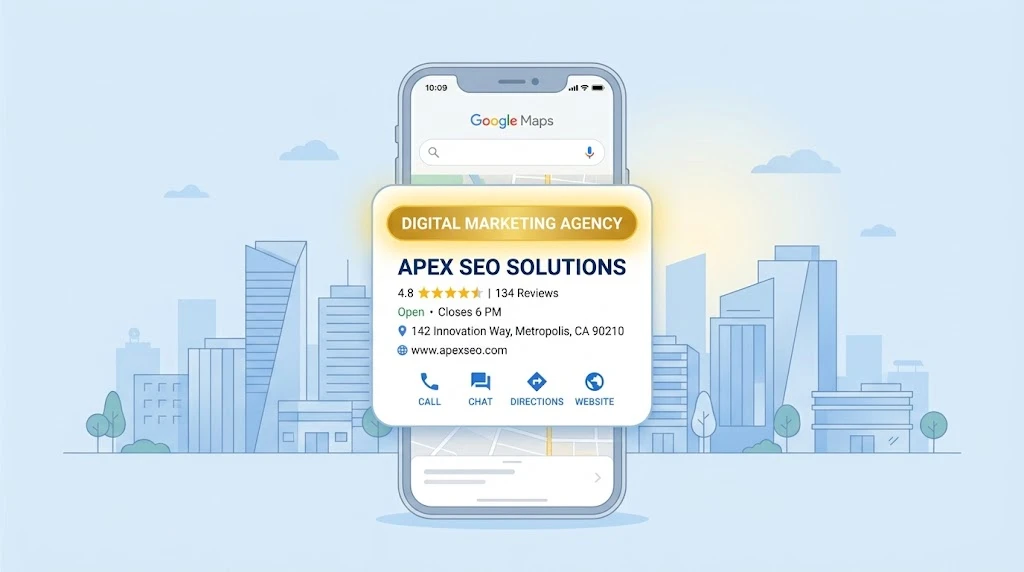
Your Google Business Profile categories decide which searches you show up in. Not your reviews. Not your photos. Not your posts. The category field, alone, filters you in or out before ranking even starts.
Most businesses spend two minutes picking a category during setup. Then they never touch it again.
That two-minute decision is often the whole reason a business stays invisible on Google Maps for years.
This guide skips the background. It goes straight into what works right now, in 2026, for U.S. service businesses.
Quick Verdict
Here’s the short version, before we go deep:
| Decision | What to Do |
|---|---|
| Primary category | Pick the most specific one, not the broadest one |
| Secondary categories | Use 2–4, not all 10 slots |
| Selection rule | Ask “what business IS this” not “what does it HAVE” |
| Best research method | Copy the category of the top-ranking local competitor |
| Review frequency | Every 90 days, or after any service change |
| Biggest mistake | Choosing a broad category “to be safe” |
Now let’s break each part down.
What Actually Decides Which Category Ranks
Google runs a simple test behind the scenes: “This business IS a…” — not “this business HAS a…”
That one line explains most ranking failures.
Here’s the part most guides skip. Google groups businesses into relevance clusters based on the primary category. Then it ranks within that cluster.
Pick the wrong category, and you’re not ranking low in the right race. You’re not even entered in it.
Example: A marketing agency sets “Marketing Consultant” as its primary category. It also runs SEO services as its main product. That agency will not show up for “SEO agency near me” searches. Not because of weak rankings. Because Google filtered it out before ranking began.
That’s not a penalty. It’s exclusion.
Quick test to try right now:
- Open Google Maps.
- Search your exact service, plus your city.
- Check the category listed under the top 3 results.
- That’s your target category.
The “IS vs HAS” Rule, Explained Properly
Most articles mention this rule and move on. Here’s how to actually apply it.
Ask one question: What’s the single service that brings in the most revenue?
That’s your primary category. Everything else — the add-ons, the extras — goes into secondary categories or your Services tab.
Not your primary category.
Common mistake: A firm doing custom web development also offers UX design. The instinct is to pick something broad like “Web Designer” because it feels safer.
Wrong move, if 70% of revenue comes from full development projects.
In that case:
- Primary category = closest match to development work
- Secondary category = UX design
- Full detail = your dedicated service page
Google does not rank ambition. It ranks specificity.
How Many Secondary Categories Should You Use?
Two to four. Not ten.
This goes against a lot of advice still floating around. Many guides say “use as many as apply.”
That advice costs rankings.
Google’s own quality guidelines warn against over-categorization. In real audits, profiles with 7 or more categories consistently rank weaker for their main term than tighter profiles with 3–4.
Why this happens: Every extra category dilutes the signal that tells Google what you fundamentally are. Ten categories reads as “does everything.” Doing everything ranks for nothing specific.
Simple method to pick secondary categories:
- List every service you sell.
- Rank them by revenue.
- Primary = your #1 service (if search demand exists).
- Secondary = your next 2–4 highest-revenue services with real search demand.
- Everything below that goes on your services page, not your category list.
One more thing worth knowing: repeated over-categorization can trigger a profile review, or in serious cases, suspension. This happens more often than most business owners realize.
How to Find the Right Category Without Guessing
You don’t need to guess. Your competitors already tell you the answer.
Steps:
- Open Google Maps.
- Search your core service, plus your city.
- Open the top 3–5 results.
- Check the category shown under each business name.
- Cross-check it against Google’s official category list, since it updates every few weeks.
If a strong local competitor uses a more specific category than yours, that’s your fix.
If nobody in your niche uses the exact right category, and real search volume exists for it, that’s an open lane. Being first to use it often means you own that entire result cluster by default.
Mistakes That Quietly Kill Rankings
These are real, recurring issues found during category audits:
- Choosing the broadest category “to stay safe.” This is the single biggest mistake seen across industries.
- Letting categories go stale. A business that shifted from general marketing to mostly SEO work but still lists “Marketing Consultant” is losing visibility on its real specialty.
- Category and service mismatch. If your category says “IT Consultant” but your services page is all about MSP growth, Google gets confused about what you actually do.
- Copying a head-office category across multiple locations without checking if it fits that specific location.
- Ignoring review language. If customers keep mentioning a specific service in reviews, Google starts linking that service to your listing anyway, whether your category matches it or not.
- Adding categories with zero real demand. Check search volume before adding anything new.
How Categories and Your Services Tab Work Together
Your category tells Google what you are. Your Services tab tells Google what you do, in more detail.
When these two disagree, Google has to guess which one is right. Usually, it plays it safe. That means weaker rankings for both.
Fix: Every secondary category should have a matching entry in your Services tab. Use a clear description, not a copy-pasted category name.
If you’re rebuilding this structure, check it against your actual website’s service pages too. A mismatch there causes the same confusion.
Multi-Service Businesses: What to Do
Pick one category as your main identity. Not one category per service.
This is the exact situation agencies, IT firms, and consultancies run into. A company offering SEO, UX design, web development, document formatting, and MSP services cannot rank #1 for all five under one listing.
What works instead:
- Pick your highest-revenue, highest-search-volume service as primary.
- Add 2–4 secondary categories for real service lines.
- Build out the rest through dedicated pages and your full services list.
For most agencies, SEO or web development pulls the highest local search volume. Document formatting almost never gets searched by category on Maps — that service belongs on a page, not in your category list.
How AI Overviews Use Your Category
Google’s AI-generated answers rely on the same category data, just processed differently.
AI Overviews look for entities with clear, matching signals across category, services, and reviews. A profile with mismatched category and service data is harder for AI systems to confidently recommend.
This connects directly to broader Generative Engine Optimization work. If your GBP category is vague, your odds of getting cited in AI-generated local answers drop, regardless of how strong your website content is.
Clean category alignment isn’t optional anymore. It affects both classic rankings and AI visibility at once.
When and How to Change Categories Safely
Change categories when:
- Your main revenue source shifts.
- A competitor analysis shows a more specific match exists.
- Your reviews consistently mention a service outside your current category.
How to do it safely:
- Change one category at a time, not all at once.
- Wait 2–3 weeks before checking rank movement.
- Track calls, direction requests, and website clicks before and after.
- Keep a record of what you changed and when.
Testing one variable at a time is the only way to know what actually caused a ranking shift.
A Quick Category Audit Checklist
Run through this once every 90 days:
- Does the primary category match your highest-revenue service?
- Do all secondary categories have matching entries in your Services tab?
- Are there fewer than 5 total categories?
- Does your top local competitor use a more specific category?
- Have your reviews shifted toward a service not reflected in your categories?
If you answer “no” to any of these, that’s your next fix.
FAQs
Does changing my primary category hurt my existing rankings?
It can cause a short-term dip while Google reprocesses the profile. Long term, correcting a wrong category almost always improves results.
Can I use a category that doesn’t exist on Google’s list?
No. Categories come from a fixed list of around 4,000 options. You cannot create a custom one.
How many categories is too many?
More than 5 total starts diluting your relevance signal. Stick to 1 primary and 2–4 secondary.
Do categories matter more than reviews?
Categories decide if you’re eligible to show up at all. Reviews affect ranking within that group. Both matter, but categories come first.
Getting your Google Business Profile category right is only one piece of local visibility. Real growth needs a full setup working together: sharp SEO to bring in search traffic, clean UX design that turns visitors into leads, solid web development that keeps your site fast and reliable, professional document formatting for client-facing proposals, and dependable MSP services to keep your systems running without downtime. Miracle Concepts builds all five together, so your local rankings and your actual business operations grow at the same time. Book a free consultation to see where your profile stands today.