
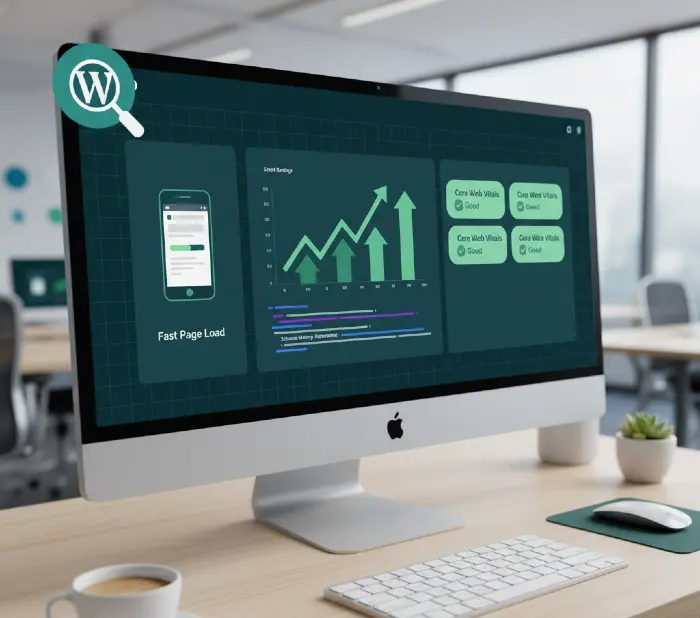
WordPress SEO services cover everything from fixing technical errors that block Google from crawling your site, to optimizing your content, building backlinks, and improving site speed. The difference between a WordPress site that ranks and one that doesn’t is almost never about content alone it’s almost always a combination of technical health, on-page structure, and consistent authority building. If you’re not getting organic traffic despite having good content, the issue is likely buried in your technical setup.
Why Most WordPress Sites Never Rank — And What’s Actually Blocking Them
The honest answer: WordPress is SEO-friendly out of the box. But “SEO-friendly” and “SEO-optimized” are very different things.
Right out of a fresh install, WordPress gives you clean URLs, a logical content structure, and a massive plugin ecosystem to work with. That’s the good part. The problem is what happens after installation. Themes get layered on. Plugins get stacked. Pages multiply. Images get uploaded without compression. And over time, what started as a clean site becomes a technical obstacle course that Google can’t navigate efficiently.
The result? Your content exists. Google knows it exists. But it either can’t crawl it properly, doesn’t trust the signals it sees, or finds 15 other sites that have done the basic work better and ranks those instead.
The biggest WordPress-specific ranking blockers we see repeatedly:
- Page speed failures — LCP (Largest Contentful Paint) above 2.5 seconds because of unoptimized images, render-blocking scripts, or poor hosting
- Duplicate content — WordPress auto-generates archive pages, tag pages, category pages, and author pages. Without proper canonical tags, these compete with your real content
- Schema markup missing or broken — Google’s Rich Results test shows errors, or the schema was added by a theme that stopped updating two years ago
- Crawl budget waste — thin pages, parameter URLs, and paginated archives eating crawl budget that should be spent on your important pages
- No internal linking strategy — pages sitting as orphans with no contextual links pointing to them
None of these are content problems. All of them require technical SEO work. That’s exactly what a proper WordPress SEO service addresses and it’s where results actually come from.
Discover WordPress website maintenance services! Monthly updates, security scans, speed optimization keep sites bulletproof—prevent crashes while boosting performance and rankings automatically!
What Does a Complete WordPress SEO Service Actually Include?
A complete service covers five distinct layers. Most cheap SEO packages only touch one or two. Here’s what a full engagement looks like and why each layer matters.
Layer 1: Technical SEO Audit and Fixes
This is always the starting point. Before anything else happens, a thorough crawl of your WordPress site identifies every issue that’s limiting Google’s ability to access, understand, and trust your content.
The audit covers:
- Crawlability — Is Google able to reach all important pages? Are any blocked by robots.txt, noindex tags, or broken redirects?
- Indexation status — How many pages are actually in Google’s index? Are the right pages indexed and the right pages excluded?
- Core Web Vitals — What are your current LCP, INP, and CLS scores in Google Search Console? Which URLs are failing?
- Duplicate content — Where are canonical tags missing, conflicting, or pointing to the wrong URL?
- Site structure — How deep are important pages buried? Are they reachable within three clicks from the homepage?
- HTTPS and security — Are there mixed content warnings? Is the SSL certificate current and properly installed?
- XML sitemap — Is it clean, current, and submitted to Google Search Console? Does it include pages that shouldn’t be indexed?
- Redirect health — Are there redirect chains (A → B → C instead of A → C)? Are there any 404 errors on linked pages?
After the audit, every identified issue gets prioritized by impact. High-priority issues those actively preventing indexation or causing page experience failures get fixed first.
What happens if you skip this: You can write the best content in the world and build quality backlinks. If Google can’t crawl your site efficiently, or if it’s flagging Core Web Vitals failures, that content won’t rank where it should. Technical work is the foundation. Everything else builds on top of it.
Explore WordPress to Webflow migration without SEO loss! 301 redirects preserve rankings as Webflow’s speed crushes WordPress—upgrade to cleaner code exploding user experience and conversions!
Layer 2: On-Page SEO Optimization
On-page SEO for WordPress covers every element that communicates relevance and quality to search engines at the individual page level.
Title tags and meta descriptions: Every page needs a unique, keyword-relevant title tag under 60 characters and a compelling meta description under 160 characters. WordPress doesn’t generate good defaults for these. An SEO plugin like Rank Math or Yoast handles the formatting but the actual content still needs strategic input.
Header structure (H1, H2, H3): Each page should have exactly one H1 that contains the primary keyword. H2s organize the main sections. H3s handle sub-points. WordPress themes sometimes generate extra H1s from navigation elements or widget titles a common issue that needs manual correction.
Content optimization: This isn’t keyword stuffing. It’s ensuring the content covers the topic comprehensively enough that Google can confirm it’s the authoritative answer. That means addressing the main question directly, covering related subtopics, using semantically relevant terms naturally throughout, and structuring content so Google can extract clean answers for featured snippets and AI Overviews.
Image optimization: Every image needs descriptive, keyword-relevant alt text. File names matter too — wordpress-seo-audit.webp is better than IMG_4891.jpg. Image size should be compressed and served in WebP format. Lazy loading should be enabled so images below the fold don’t block initial page load.
URL structure: WordPress URLs should be short, readable, and keyword-relevant. /seo-services-for-wordpress is correct. /index.php?page_id=147 is not. The Permalinks setting in WordPress should be set to Post Name but existing URLs that have traffic should never be changed without proper 301 redirects.
Internal linking: Every important page should have contextual links from other relevant pages on your site. This distributes link equity, helps Google understand the relationship between content, and keeps users moving deeper into the site. A good internal linking audit maps which pages need links pointing to them and identifies natural link placements in existing content.
Layer 3: Schema Markup Implementation
Schema is structured data that tells Google exactly what type of content is on a page and what the specific entities within it mean. It’s the difference between Google displaying a plain blue link and displaying rich snippets star ratings, FAQ dropdowns, event dates, product prices, and author information in the search results.
For WordPress sites, the most impactful schema types are:
Article schema — for blog posts and news content. Tells Google the headline, author, publish date, and featured image.
Organization schema — for your business homepage. Defines your brand name, logo, contact details, and social profiles as a connected entity Google can verify.
FAQ schema — for pages that answer common questions. Creates expandable FAQ dropdowns directly in search results, significantly increasing the space your result occupies on the page.
Product schema — for WooCommerce stores. Enables price, availability, and review star ratings to appear in product search results.
LocalBusiness schema — for service businesses targeting local search. Defines your address, phone number, business hours, and service area.
Yoast SEO and Rank Math both generate basic schema automatically. But their defaults are often incomplete. For example, Rank Math automatically adds Article schema to blog posts but it won’t populate the author’s credentials, social profiles, or credentials data that strengthen E-E-A-T signals unless it’s manually configured. That configuration step is what most sites skip, and it’s what separates good schema implementation from great schema implementation.
One problem to know: If your WordPress theme has schema markup hardcoded in its template files, it may conflict with plugin-generated schema. This creates duplicate or contradictory markup that Google’s Rich Results Test will flag as an error. Checking for theme-level schema and removing or consolidating it is a technical task that requires manual code review.
Master fix Core Web Vitals issues! Image optimization, lazy loading unlock PageSpeed 90+ scores—catapult rankings with lightning-fast experiences Google rewards heavily!
Layer 4: WordPress Site Speed Optimization
Speed is a direct ranking factor. More importantly, it’s a conversion factor. Studies consistently show that a one-second improvement in page load time can increase conversions by 7%. And for WooCommerce stores specifically, slow product pages don’t just hurt rankings they directly reduce sales.
For WordPress, speed optimization covers:
Hosting environment: Shared hosting cannot pass Core Web Vitals reliably for sites with any meaningful traffic or content complexity. Managed WordPress hosting Cloudways, Kinsta, or WP Engine — provides server-level Redis object caching, fast TTFB (Time to First Byte), and infrastructure designed for WordPress specifically. If your TTFB is above 600ms even with caching plugins installed, hosting is the problem and plugins won’t fix it.
Caching: WP Rocket is the most effective all-in-one caching and performance plugin for WordPress. It handles page caching, browser caching, GZIP compression, database cleanup, lazy loading, and CSS/JS minification. LiteSpeed Cache is a strong alternative for sites on LiteSpeed servers. Using both simultaneously creates conflicts choose one.
Image optimization: Every image on a WordPress site should be in WebP format, compressed without visible quality loss, and sized correctly for the display dimensions. ShortPixel and Imagify both handle bulk conversion and compression automatically. Images that load at 2,000px wide on a 400px mobile display are one of the most common LCP failures on WordPress sites.
Render-blocking resources: JavaScript and CSS files that load in the document head block the browser from rendering page content until they’ve fully downloaded. Deferring non-critical JavaScript, preloading critical resources, and removing unused CSS reduces this blocking time significantly.
CDN (Content Delivery Network): Cloudflare’s free CDN caches static assets (images, CSS, JavaScript) on servers globally and serves them from the location closest to the user. This reduces load time for visitors outside your server’s geographic region and takes load off your origin server.
Plugin audit: Every active WordPress plugin adds PHP execution overhead. A site with 40 active plugins loads more slowly than a site with 15, even if all 40 are individually lightweight. A plugin audit identifies which installed plugins are essential, which are duplicating functionality, and which can be removed.
Layer 5: Link Building and Authority Development
Google’s algorithm still uses backlinks as one of its strongest ranking signals. A backlink from a relevant, authoritative website tells Google that your content is credible and worth ranking higher.
For WordPress sites, link building works through several proven approaches:
Content-driven link acquisition: Creating data-rich, genuinely useful content original research, comprehensive guides, free tools that other sites naturally reference and link to. This is a long-term strategy but produces the highest-quality links.
Guest posting and editorial placements: Publishing content on relevant industry publications and authority blogs with a contextual backlink to your site. Quality matters more than volume five links from respected industry sites outperform fifty links from low-authority directories.
Local citations and business listings: For service businesses and local companies, consistent NAP (Name, Address, Phone) citations across Google Business Profile, Yelp, industry-specific directories, and local business chambers strengthen local search authority.
Broken link building: Finding broken links on relevant websites and offering your content as a replacement. Works well for content that covers evergreen topics.
Digital PR: Pitching data, expert commentary, and original research to journalists and bloggers. When covered, these generate high-authority editorial links that are difficult to replicate through other methods.
What to avoid: Link farms, PBNs (private blog networks), paid link exchanges, and any service promising 50 backlinks for $50. These tactics worked in 2015. In 2026, they trigger Google’s spam detection and can result in manual penalties that are time-consuming and costly to recover from.
Uncover how web development affects SEO! Render-blocking JS, poor caching kill rankings—build technically perfect sites dominating search through superior crawl efficiency!
The WordPress SEO Problems That Kill Rankings Silently
These are the issues that exist on thousands of WordPress sites right now, costing them rankings every day without the site owner realizing it.
Duplicate Content From Unconfigured WordPress Taxonomies
WordPress automatically creates archive pages for every category, tag, author, and date. These archives contain the same post excerpts as the posts themselves. If left unconfigured, Google indexes hundreds of thin duplicate pages that dilute your site’s authority and compete with your main content in search results.
The fix: Using your SEO plugin (Rank Math or Yoast), set category archives to index and tag archives, author archives, and date archives to noindex. This tells Google to skip these pages without deleting them — they can still serve navigational purposes for users.
WooCommerce Crawl Budget Waste
WooCommerce generates URLs for every product variation, every filter combination, and every sorting parameter. A store with 200 products can generate tens of thousands of crawlable URLs through faceted navigation alone. Google’s crawler wastes its allocated crawl budget on these parameter URLs instead of crawling your actual product and category pages.
The fix: Configure your robots.txt to disallow crawling of common parameter strings (?orderby=, ?min_price=, ?color=). Set up canonical tags on filtered pages to point back to the clean category URL. Use the URL Parameters tool in Google Search Console (if still available) or configure Cloudflare to handle parameter canonicalization.
Schema Conflicts Between Theme and Plugin
Many premium WordPress themes (Avada, Divi, OceanWP) include their own schema markup in template files. When an SEO plugin also generates schema, Google receives two conflicting sets of structured data for the same page. This produces rich result errors and often means neither schema set works as intended.
The fix: Test every important page type through Google’s Rich Results Test (search.google.com/test/rich-results). If you see errors or duplicate schema types, identify whether they’re coming from the theme or the plugin. Disable theme-level schema by adding a filter in your child theme’s functions.php file, and rely entirely on your SEO plugin for schema output.
Learn backlink building techniques for SEO! Guest posts, broken link building, HARO responses scale authority fast—construct link ecosystems powering sustainable ranking dominance!
Slow TTFB Disguised as a Content Problem
Sites on shared hosting with a TTFB above 800ms load slowly even after installing every caching plugin available. The problem isn’t the plugins it’s the server itself responding slowly before WordPress even begins rendering the page. Adding more plugins to a slow server adds more PHP execution on top of an already-slow response.
This gets misdiagnosed as a content or plugin issue when it’s actually a hosting issue. The indicator: if WP Rocket is installed, caching is enabled, and PageSpeed Insights still shows a TTFB above 600ms the host is the bottleneck.
The fix: Move to managed WordPress hosting. Cloudways with DigitalOcean infrastructure provides reliable sub-200ms TTFB for WordPress sites at a reasonable price point. Kinsta’s Google Cloud infrastructure is faster still, at a premium cost.
Broken Internal Links After URL Changes
When URLs are changed without proper 301 redirects whether from switching permalink structures, migrating to a new domain, or reorganizing site architecture internal links pointing to the old URLs return 404 errors. Google discovers these broken links, passes no link equity through them, and over time sees them as signals of poor site maintenance.
The fix: Screaming Frog SEO Spider (free version covers up to 500 URLs) crawls your entire site and flags every 404 error and redirect chain. After identifying broken links, either restore the old content, update the internal links to the new URLs, or add 301 redirects from old to new URLs. For large WordPress sites, the Redirection plugin manages 301s without requiring server-level configuration.
How to Know If Your WordPress Site Needs SEO Services Right Now
These are the specific signals that indicate your site needs professional SEO attention.
Traffic has dropped without explanation. If your Google Analytics shows a sudden or gradual decline in organic traffic and you haven’t changed your content strategy, a Google algorithm update or a technical issue is likely the cause. The March 2024 core update and subsequent quality updates in 2025 penalized sites with thin content, AI-generated content without clear E-E-A-T signals, and sites with poor technical health.
Your content ranks on page 2 or 3 but never moves to page 1. This is a classic signal of either domain authority that’s lower than competitors or technical issues preventing Google from fully trusting the page. Often it’s a combination of thin on-page optimization, missing schema, and insufficient backlink profile.
You have new pages that won’t get indexed. If you publish content and it’s not appearing in Google Search Console’s coverage report within 2–4 weeks, something is blocking indexation robots.txt issues, noindex tags accidentally applied, or canonical tags pointing away from the page.
Your Core Web Vitals show “Poor” or “Needs Improvement” in Search Console. This directly disadvantages you compared to competitors who pass. Fix these before anything else.
Competitors are outranking you for keywords where your content is clearly more comprehensive. This usually means their technical SEO and authority signals are stronger, even if your content is objectively better.
Master schema markup local business guide! LocalBusiness schema plus reviews explode map pack rankings—capture hyper-local traffic converting visitors into loyal customers!
WordPress SEO Services Pricing: What to Expect and What to Avoid
<Pricing for professional WordPress SEO services in 2026 typically falls between $500 and $3,000 per month> depending on the scope of work, the size of the site, and the competitiveness of the target keywords.
Here’s how to read a proposal:
$500–$1,000/month: Suitable for small local businesses and single-product service sites targeting low-competition local keywords. Typically covers basic on-page optimization, a technical audit with priority fixes, and local citation building.
$1,000–$2,500/month: Mid-range engagement for businesses in competitive regional or national markets. Includes full technical SEO, monthly content creation, link building, and regular reporting.
$2,500–$5,000/month: Suitable for eCommerce stores, SaaS companies, and businesses in high-competition verticals where rankings have direct, measurable revenue impact.
What a red flag looks like: Any agency guaranteeing specific rankings within 30 days. No legitimate SEO professional can guarantee a ranking position Google’s algorithm has hundreds of variables and no outside party controls it. What can be guaranteed is the quality of work: thorough technical fixes, properly optimized content, and strategic link building that builds authority over time.
What results typically look like: For a WordPress site with an existing domain history and reasonable technical health, initial ranking improvements in lower-competition keywords usually appear within 60–90 days. Meaningful organic traffic increases in mid-competition markets typically take 4–6 months. Competitive national or eCommerce rankings take 9–18 months of consistent work.
The businesses that get the best ROI from SEO services are those that treat it as infrastructure — a long-term investment in organic visibility that compounds over time rather than a short-term tactic with instant results.
Why WordPress Specifically Needs Ongoing SEO Maintenance
This is the part most people don’t account for when they budget for SEO.
WordPress is a living system. Core updates change how WordPress handles URLs and metadata. Plugin updates sometimes break schema markup or alter how pages are rendered. Theme changes can introduce duplicate H1s or remove structured data. New content creates new opportunities for internal linking. And Google’s algorithm changes quarterly — what ranked well six months ago may need adjustment today.
Ongoing SEO maintenance covers:
- Monthly technical crawls to catch new issues before they compound
- Core Web Vitals monitoring scores fluctuate as new content and plugins are added
- Search Console monitoring for new coverage errors, manual actions, or indexation drops
- Content refreshes, updating existing posts with new data, current statistics, and expanded subtopics to maintain rankings as competitors update their own content
- Backlink profile monitoring, identifying, and disavowing toxic links if a negative SEO attack occurs
- Algorithm update analysis after each core update, reviewing what changed in rankings and adjusting strategy accordingly
The cost of not doing this maintenance: sites that ranked well in 2023 on strong content alone have seen significant traffic losses in 2025–2026 because Google’s quality thresholds rose. Sites that maintained technical health and kept content current largely held or improved their positions.
Launch how to rank new website on Google! Topical clusters plus E-E-A-T signals outpace veterans—strategic interlinking catapults fresh domains to page one rapidly!
What a Realistic WordPress SEO Engagement With Miracle Concepts Looks Like
Working with Miracle Concepts on WordPress SEO follows a clear process that starts with understanding exactly where your site stands and what’s preventing it from ranking where it should.
Week 1–2: Full Technical Audit A comprehensive crawl of your WordPress site using professional tools. Every technical issue documented, prioritized by impact, and presented with specific fixes. You know exactly what’s broken and why it matters.
Week 3–4: Priority Fixes Implementation High-impact technical issues addressed first Core Web Vitals improvements, indexation fixes, duplicate content resolution, schema markup implementation. The foundation is set correctly before anything else is built on top of it.
Month 2: On-Page Optimization Every key page on your site optimized for its target keyword title tags, header structure, content depth, internal linking, image optimization. Properly configured SEO plugin settings aligned with your specific site structure.
Month 3 onward: Content and Authority Building Ongoing content creation targeting valuable keyword opportunities, link building through editorial placements and strategic outreach, and monthly reporting showing organic traffic growth, ranking movement, and keyword visibility.
What’s measured: Organic sessions from Google Analytics, keyword ranking positions tracked weekly, Core Web Vitals scores in Search Console, and most importantly the business outcomes tied to organic traffic: form submissions, phone calls, product sales, or whatever conversion events matter to your business.
There’s no guesswork about what’s being done or why. Every deliverable connects to a specific outcome.
Frequently Asked Questions About WordPress SEO Services
How long does WordPress SEO take to show results? For a site with existing authority and clean technical health, keyword movements in lower-competition terms begin within 60–90 days of on-page optimization. Meaningful traffic growth in mid-competition markets typically takes 4–6 months. For highly competitive industries, consistent work over 9–18 months is realistic. Anyone promising ranking results in 2–4 weeks is either targeting zero-competition keywords or is not being honest.
Do I need an SEO plugin if I’m using an SEO service? Yes. Rank Math or Yoast SEO provides the interface for managing meta titles, meta descriptions, canonical tags, schema settings, XML sitemaps, and robots settings. A professional SEO service configures these correctly and maintains them the plugin is the tool through which that configuration happens.
Is WordPress harder to SEO than other platforms? WordPress is actually one of the most SEO-capable platforms available more flexible than Shopify and more controllable than Wix. The challenge is that its flexibility means more things can go wrong if not configured carefully. A properly configured WordPress site with good hosting and a strong SEO plugin outperforms most other platforms.
What’s the difference between on-page SEO and technical SEO for WordPress? Technical SEO deals with how the site is built and how Google can access it speed, crawlability, indexation, schema, and URL structure. On-page SEO deals with the content and relevance signals on individual pages keyword targeting, header structure, content depth, and internal linking. Both are required. Technical SEO is typically addressed first because it creates the foundation for on-page work to deliver results.
Can SEO hurt my WordPress site if done wrong? Yes. Specific practices can harm rankings: keyword stuffing that makes content unnatural, low-quality backlinks from link farms, duplicate content left unmanaged, and overly aggressive changes to site structure without proper redirects. This is why experienced SEO work follows a methodical process audit first, prioritize, implement carefully, monitor results.
The Services That Work Together With SEO for Better Results
SEO doesn’t operate in isolation. The organic traffic your WordPress site earns needs somewhere to go and what happens when visitors arrive determines whether that traffic converts into revenue.
At Miracle Concepts, our WordPress SEO services work alongside everything else your site needs to perform:
A faster WordPress site with clean technical SEO earns better rankings. But if the user experience on that site is confusing, cluttered, or poorly structured, those visitors leave without converting. That’s where UX design services fill the gap — ensuring your site’s layout, navigation, and user flow are built to guide visitors toward the action you want them to take. Better UX means better engagement signals, which in turn strengthens SEO performance.
The same applies to web development services. Custom WordPress functionality whether it’s an interactive quote calculator, a booking system, a membership platform, or a complex WooCommerce store needs to be built with performance and SEO-readiness in mind from the first line of code. Clean, lightweight development keeps your Core Web Vitals healthy as your site grows.
For businesses that rely on documentation, proposals, or reports as part of their workflow, document formatting services ensure your business materials reflect the same professional standard as your website. And for companies managing complex IT environments, MSP (Managed Service Provider) services keep your infrastructure secure, reliable, and properly configured including the server environment your WordPress site runs on, which directly affects site speed and uptime.
Every service connects. The goal is consistent, professional performance across every digital touchpoint your business has. SEO gets people to your site. Everything else determines what happens next.
Ready to find out exactly what’s limiting your WordPress site’s rankings? Get a free technical audit and see the specific issues holding your site back. Contact Miracle Concepts at miracleconcepts.net to get started.